Online Fix
771 files
-
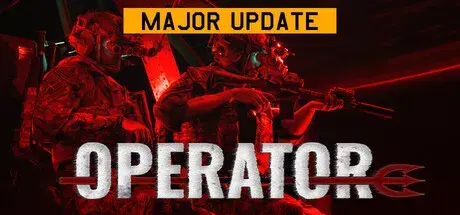
How to Play OPERATOR Online
Download the latest OPERATOR Online Fix to play multiplayer with your friends through Steam. This Online Fix includes all the required files to enable co-op gameplay. Follow the installation guide below to install the fix correctly, invite your friends, and enjoy online gameplay.
Installation
Download the Online Fix files.
Extract the archive using the password:
zeigames.com
Copy all extracted files into your OPERATOR installation folder and replace existing files if prompted.
Launching the Game
Sign in to your Steam account.
Run OPERATOR.exe from the game directory.
Wait for the game to load.
Playing with Friends
Make sure you and your friends are added as friends on Steam.
Create or host a multiplayer session.
Invite your friends through the in-game invite system.
If Invites Don't Work
Some versions of the Online Fix may have issues with the built-in invite feature.
If the in-game invite button doesn't work:
Open the Steam Overlay (Shift + Tab).
Find your friend's profile in your Steam Friends list.
Right-click their name and select Invite to Game (Spacewar).
Your friend can then accept the invitation and join your session.
Need Help with Online Fix?
If you're not familiar with Online Fix or Steam invitations, check out our guide:
How to Play Games Online?
Enjoy playing OPERATOR online with your friends!
Looking for the Full Game?
Looking for the full version of OPERATOR? Visit our OPERATOR Free Download page below.
- 871 Downloads
-
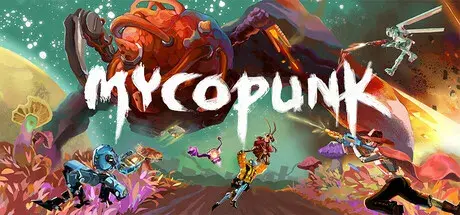
How to Play Mycopunk Online
Download the latest Mycopunk Online Fix to play multiplayer with your friends through Steam. This Online Fix includes all the required files to enable co-op gameplay. Follow the installation guide below to install the fix correctly, invite your friends, and enjoy online gameplay.
Installation
Download the Online Fix files.
Extract the archive using the password:
zeigames.com
Copy all extracted files into your Mycopunk installation folder and replace existing files if prompted.
Launching the Game
Sign in to your Steam account.
Run Mycopunk.exe from the game directory.
Wait for the game to load.
Playing with Friends
Make sure you and your friends are added as friends on Steam.
Create or host a multiplayer session.
Invite your friends through the in-game invite system.
If Invites Don't Work
Some versions of the Online Fix may have issues with the built-in invite feature.
If the in-game invite button doesn't work:
Open the Steam Overlay (Shift + Tab).
Find your friend's profile in your Steam Friends list.
Right-click their name and select Invite to Game (Spacewar).
Your friend can then accept the invitation and join your session.
Need Help with Online Fix?
If you're not familiar with Online Fix or Steam invitations, check out our guide:
How to Play Games Online?
Enjoy playing Mycopunk online with your friends!
Looking for the Full Game?
Looking for the full version of Mycopunk? Visit our Mycopunk Free Download page below.
- 151 Downloads
-
How to Play Fae Farm Online
Download the latest Fae Farm Online Fix to play multiplayer with your friends through Steam. This Online Fix includes all the required files to enable co-op gameplay. Follow the installation guide below to install the fix correctly, invite your friends, and enjoy online gameplay.
Installation
Download the Online Fix files.
Extract the archive using the password:
zeigames.com
Copy all extracted files into your Fae Farm installation folder and replace existing files if prompted.
Launching the Game
Sign in to your Steam account.
Run EOSAuthLauncher.exe from the game directory.
Wait for the game to load.
Playing with Friends
Make sure you and your friends are added as friends on Steam.
Create or host a multiplayer session.
Invite your friends through the in-game invite system.
If Invites Don't Work
Some versions of the Online Fix may have issues with the built-in invite feature.
If the in-game invite button doesn't work:
Open the Steam Overlay (Shift + Tab).
Find your friend's profile in your Steam Friends list.
Right-click their name and select Invite to Game (Spacewar).
Your friend can then accept the invitation and join your session.
Need Help with Online Fix?
If you're not familiar with Online Fix or Steam invitations, check out our guide:
How to Play Games Online?
Enjoy playing Fae Farm online with your friends!
Looking for the Full Game?
Looking for the full version of Fae Farm? Visit our Fae Farm Free Download page below.
- 81 Downloads
-
How to Play Starbound Online
Download the latest Starbound Online Fix to play multiplayer with your friends through Steam. This Online Fix includes all the required files to enable co-op gameplay. Follow the installation guide below to install the fix correctly, invite your friends, and enjoy online gameplay.
Installation
Download the Online Fix files.
Extract the archive using the password:
zeigames.com
Copy all extracted files into your Starbound installation folder and replace existing files if prompted.
Launching the Game
Sign in to your Steam account.
Run win64/Starbound.exe or win32/Starbound.exe from the game directory.
Wait for the game to load.
Playing with Friends
Make sure you and your friends are added as friends on Steam.
Create or host a multiplayer session.
Invite your friends through the in-game invite system.
If Invites Don't Work
Some versions of the Online Fix may have issues with the built-in invite feature.
If the in-game invite button doesn't work:
Open the Steam Overlay (Shift + Tab).
Find your friend's profile in your Steam Friends list.
Right-click their name and select Invite to Game (Spacewar).
Your friend can then accept the invitation and join your session.
Need Help with Online Fix?
If you're not familiar with Online Fix or Steam invitations, check out our guide:
How to Play Games Online?
Enjoy playing Starbound online with your friends!
Looking for the Full Game?
Looking for the full version of Starbound? Visit our Starbound Free Download page below.
- 198 Downloads
-
How to Play Clue/Cluedo: Classic Edition Online
Download the latest Clue/Cluedo: Classic Edition Online Fix to play multiplayer with your friends through Steam. This Online Fix includes all the required files to enable co-op gameplay. Follow the installation guide below to install the fix correctly, invite your friends, and enjoy online gameplay.
Installation
Download the Online Fix files.
Extract the archive using the password:
zeigames.com
Copy all extracted files into your GAME installation folder and replace existing files if prompted.
Launching the Game
Sign in to your Steam account.
Run Cluedo.exe from the game directory.
Wait for the game to load.
Playing with Friends
Make sure you and your friends are added as friends on Steam.
Create or host a multiplayer session.
Invite your friends through the in-game invite system.
If Invites Don't Work
Some versions of the Online Fix may have issues with the built-in invite feature.
If the in-game invite button doesn't work:
Open the Steam Overlay (Shift + Tab).
Find your friend's profile in your Steam Friends list.
Right-click their name and select Invite to Game (Spacewar).
Your friend can then accept the invitation and join your session.
Need Help with Online Fix?
If you're not familiar with Online Fix or Steam invitations, check out our guide:
How to Play Games Online?
Enjoy playing GAME online with your friends!
Looking for the Full Game?
Looking for the full version of Clue/Cluedo: Classic Edition? Visit our Clue/Cluedo: Classic Edition Free Download page below.
- 65 Downloads
- 1 Comments
-
How to Play Derail Valley Online
Download the latest Derail Valley Online Fix to play multiplayer with your friends through Steam. This Online Fix includes all the required files to enable co-op gameplay. Follow the installation guide below to install the fix correctly, invite your friends, and enjoy online gameplay.
Installation
Download the Online Fix files.
Extract the archive using the password:
zeigames.com
Copy all extracted files into your Derail Valley installation folder and replace existing files if prompted.
Launching the Game
Sign in to your Steam account.
Run Derail Valley.exe from the game directory.
Wait for the game to load.
Playing with Friends
Make sure you and your friends are added as friends on Steam.
Create or host a multiplayer session.
Invite your friends through the in-game invite system.
If Invites Don't Work
Some versions of the Online Fix may have issues with the built-in invite feature.
If the in-game invite button doesn't work:
Open the Steam Overlay (Shift + Tab).
Find your friend's profile in your Steam Friends list.
Right-click their name and select Invite to Game (Spacewar).
Your friend can then accept the invitation and join your session.
Need Help with Online Fix?
If you're not familiar with Online Fix or Steam invitations, check out our guide:
How to Play Games Online?
Enjoy playing Derail Valley online with your friends!
Looking for the Full Game?
Looking for the full version of Derail Valley? Visit our Derail Valley Free Download page below.
- 107 Downloads
-
How to Play Call to Arms - Gates of Hell: Ostfront Online
Download the latest Call to Arms - Gates of Hell: Ostfront Online Fix to play multiplayer with your friends through Steam. This Online Fix includes all the required files to enable co-op gameplay. Follow the installation guide below to install the fix correctly, invite your friends, and enjoy online gameplay.
Installation
Download the Online Fix files.
Extract the archive using the password:
zeigames.com
Copy all extracted files into your Call to Arms - Gates of Hell: Ostfront installation folder and replace existing files if prompted.
Launching the Game
Sign in to your Steam account.
Run binaries\x64\call_to_arms.exe from the game directory.
Wait for the game to load.
Playing with Friends
Make sure you and your friends are added as friends on Steam.
Create or host a multiplayer session.
Invite your friends through the in-game invite system.
If Invites Don't Work
Some versions of the Online Fix may have issues with the built-in invite feature.
If the in-game invite button doesn't work:
Open the Steam Overlay (Shift + Tab).
Find your friend's profile in your Steam Friends list.
Right-click their name and select Invite to Game (Spacewar).
Your friend can then accept the invitation and join your session.
Need Help with Online Fix?
If you're not familiar with Online Fix or Steam invitations, check out our guide:
How to Play Games Online?
Enjoy playing Call to Arms - Gates of Hell: Ostfront online with your friends!
Looking for the Full Game?
Looking for the full version of Call to Arms - Gates of Hell: Ostfront? Visit our Call to Arms - Gates of Hell: Ostfront Free Download page below.
- 110 Downloads
- 2 Comments
-
How to Play Farming Simulator 22 Online
Download the latest Farming Simulator 22Online Fix to play multiplayer with your friends through Steam. This Online Fix includes all the required files to enable co-op gameplay. Follow the installation guide below to install the fix correctly, invite your friends, and enjoy online gameplay.
Installation
Download the Online Fix files.
Extract the archive using the password:
zeigames.com
Copy all extracted files into your Farming Simulator 22 installation folder and replace existing files if prompted.
Launching the Game
Sign in to your Steam account.
Run x64/FarmingSimulator2022Game.exe from the game directory.
Wait for the game to load.
Playing with Friends
Make sure you and your friends are added as friends on Steam.
Create or host a multiplayer session.
Invite your friends through the in-game invite system.
If Invites Don't Work
Some versions of the Online Fix may have issues with the built-in invite feature.
If the in-game invite button doesn't work:
Open the Steam Overlay (Shift + Tab).
Find your friend's profile in your Steam Friends list.
Right-click their name and select Invite to Game (Spacewar).
Your friend can then accept the invitation and join your session.
Need Help with Online Fix?
If you're not familiar with Online Fix or Steam invitations, check out our guide:
How to Play Games Online?
Enjoy playing Farming Simulator 22 online with your friends!
Looking for the Full Game?
Looking for the full version of Farming Simulator 22? Visit our Farming Simulator 22 Free Download page below.
- 525 Downloads
-
How to Play SCP: 5K Online
Download the latest SCP: 5K Online Fix to play multiplayer with your friends through Steam. This Online Fix includes all the required files to enable co-op gameplay. Follow the installation guide below to install the fix correctly, invite your friends, and enjoy online gameplay.
Installation
Download the Online Fix files.
Extract the archive using the password:
zeigames.com
Copy all extracted files into your SCP: 5K installation folder and replace existing files if prompted.
Launching the Game
Sign in to your Steam account.
Run Pandemic\Binaries\Win64\Pandemic.exe from the game directory.
Wait for the game to load.
Playing with Friends
Make sure you and your friends are added as friends on Steam.
Create or host a multiplayer session.
Invite your friends through the in-game invite system.
If Invites Don't Work
Some versions of the Online Fix may have issues with the built-in invite feature.
If the in-game invite button doesn't work:
Open the Steam Overlay (Shift + Tab).
Find your friend's profile in your Steam Friends list.
Right-click their name and select Invite to Game (Spacewar).
Your friend can then accept the invitation and join your session.
Need Help with Online Fix?
If you're not familiar with Online Fix or Steam invitations, check out our guide:
How to Play Games Online?
Enjoy playing SCP: 5K online with your friends!
Looking for the Full Game?
Looking for the full version of SCP: 5K? Visit our SCP: 5K Free Download page below.
- 677 Downloads
-
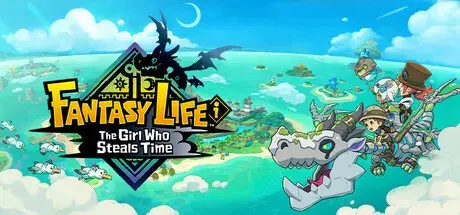
How to Play FANTASY LIFE i: The Girl Who Steals Time Online
Download the latest FANTASY LIFE i: The Girl Who Steals Time Online Fix to play multiplayer with your friends through Steam. This Online Fix includes all the required files to enable co-op gameplay. Follow the installation guide below to install the fix correctly, invite your friends, and enjoy online gameplay.
Installation
Download the Online Fix files.
Extract the archive using the password:
zeigames.com
Copy all extracted files into your FANTASY LIFE i: The Girl Who Steals Time installation folder and replace existing files if prompted.
Launching the Game
Sign in to your Steam account.
Run NFL1.exe from the game directory.
Wait for the game to load.
Log in to your Epic Games Store account in the browser window that opens.
Playing with Friends
Make sure you and your friends are added as friends on Steam.
Create or host a multiplayer session.
Invite your friends through the in-game invite system.
If Invites Don't Work
Some versions of the Online Fix may have issues with the built-in invite feature.
If the in-game invite button doesn't work:
Open the Steam Overlay (Shift + Tab).
Find your friend's profile in your Steam Friends list.
Right-click their name and select Invite to Game (Spacewar).
Your friend can then accept the invitation and join your session.
Need Help with Online Fix?
If you're not familiar with Online Fix or Steam invitations, check out our guide:
How to Play Games Online?
Enjoy playing FANTASY LIFE i: The Girl Who Steals Time online with your friends!
Looking for the Full Game?
Looking for the full version of FANTASY LIFE i: The Girl Who Steals Time? Visit our FANTASY LIFE i: The Girl Who Steals Time Free Download page below.
- 508 Downloads
- 1 Comments
-
How to Play FOREWARNED Online
Download the latest FOREWARNED Online Fix to play multiplayer with your friends through Steam. This Online Fix includes all the required files to enable co-op gameplay. Follow the installation guide below to install the fix correctly, invite your friends, and enjoy online gameplay.
Installation
Download the Online Fix files.
Extract the archive using the password:
zeigames.com
Copy all extracted files into your FOREWARNED installation folder and replace existing files if prompted.
Launching the Game
Sign in to your Steam account.
Run FOREWARNED.exe from the game directory.
Wait for the game to load.
Playing with Friends
Make sure you and your friends are added as friends on Steam.
Create or host a multiplayer session.
Invite your friends through the in-game invite system.
If Invites Don't Work
Some versions of the Online Fix may have issues with the built-in invite feature.
If the in-game invite button doesn't work:
Open the Steam Overlay (Shift + Tab).
Find your friend's profile in your Steam Friends list.
Right-click their name and select Invite to Game (Spacewar).
Your friend can then accept the invitation and join your session.
Need Help with Online Fix?
If you're not familiar with Online Fix or Steam invitations, check out our guide:
How to Play Games Online?
Enjoy playing FOREWARNED online with your friends!
Looking for the Full Game?
Looking for the full version of FOREWARNED? Visit our FOREWARNED Free Download page below.
- 184 Downloads
-
How to Play DARK SOULS III Online
Download the latest DARK SOULS III Online Fix to play multiplayer with your friends through Steam. This Online Fix includes all the required files to enable co-op gameplay. Follow the installation guide below to install the fix correctly, invite your friends, and enjoy online gameplay.
Installation
Download the Online Fix files.
Extract the archive using the password:
zeigames.com
Copy all extracted files into your GAME installation folder and replace existing files if prompted.
Launching the Game
Sign in to your Steam account.
Run ds3sc_launchers.exe from the game directory.
Wait for the game to load.
Pass the prologue. (you need to reach the first place of grace and activate it)
Connection:
Go to inventory > Use Stone Pendant item > You will be automatically connected to the host.
Server Creation:
Go to inventory > Use Crystalline Pendant item > Waiting for friends to connect.
Playing with Friends
Make sure you and your friends are added as friends on Steam.
Create or host a multiplayer session.
Invite your friends through the in-game invite system.
If Invites Don't Work
Some versions of the Online Fix may have issues with the built-in invite feature.
If the in-game invite button doesn't work:
Open the Steam Overlay (Shift + Tab).
Find your friend's profile in your Steam Friends list.
Right-click their name and select Invite to Game (Spacewar).
Your friend can then accept the invitation and join your session.
Need Help with Online Fix?
If you're not familiar with Online Fix or Steam invitations, check out our guide:
How to Play Games Online?
Enjoy playing DARK SOULS III online with your friends!
Looking for the Full Game?
Looking for the full version of DARK SOULS III? Visit our DARK SOULS III Free Download page below.
- 728 Downloads
-
How to Play Revenge of the Savage Planet Online
Download the latest Revenge of the Savage Planet Online Fix to play multiplayer with your friends through Steam. This Online Fix includes all the required files to enable co-op gameplay. Follow the installation guide below to install the fix correctly, invite your friends, and enjoy online gameplay.
Installation
Download the Online Fix files.
Extract the archive using the password:
zeigames.com
Copy all extracted files into your Revenge of the Savage Planet installation folder and replace existing files if prompted.
Launching the Game
Sign in to your Steam account.
Run Towers.exe from the game directory.
Wait for the game to load.
Log in to your Epic Games Store account in the browser window that opens.
Playing with Friends
Make sure you and your friends are added as friends on Steam.
Create or host a multiplayer session.
Invite your friends through the in-game invite system.
If Invites Don't Work
Some versions of the Online Fix may have issues with the built-in invite feature.
If the in-game invite button doesn't work:
Open the Steam Overlay (Shift + Tab).
Find your friend's profile in your Steam Friends list.
Right-click their name and select Invite to Game (Spacewar).
Your friend can then accept the invitation and join your session.
Need Help with Online Fix?
If you're not familiar with Online Fix or Steam invitations, check out our guide:
How to Play Games Online?
Enjoy playing Revenge of the Savage Planet online with your friends!
Looking for the Full Game?
Looking for the full version of Revenge of the Savage Planet? Visit our Revenge of the Savage Planet Free Download page below.
- 387 Downloads
-
How to Play Out of Ore Online
Download the latest Out of Ore Online Fix to play multiplayer with your friends through Steam. This Online Fix includes all the required files to enable co-op gameplay. Follow the installation guide below to install the fix correctly, invite your friends, and enjoy online gameplay.
Installation
Download the Online Fix files.
Extract the archive using the password:
zeigames.com
Copy all extracted files into your Out of Ore installation folder and replace existing files if prompted.
Launching the Game
Sign in to your Steam account.
Run Out of Ore.exe from the game directory.
Wait for the game to load.
Playing with Friends
Make sure you and your friends are added as friends on Steam.
Create or host a multiplayer session.
Invite your friends through the in-game invite system.
If Invites Don't Work
Some versions of the Online Fix may have issues with the built-in invite feature.
If the in-game invite button doesn't work:
Open the Steam Overlay (Shift + Tab).
Find your friend's profile in your Steam Friends list.
Right-click their name and select Invite to Game (Spacewar).
Your friend can then accept the invitation and join your session.
Need Help with Online Fix?
If you're not familiar with Online Fix or Steam invitations, check out our guide:
How to Play Games Online?
Enjoy playing Out of Ore online with your friends!
Looking for the Full Game?
Looking for the full version of Out of Ore? Visit our Out of Ore Free Download page below.
- 470 Downloads
-
How to Play Windblown Online
Download the latest Windblown Online Fix to play multiplayer with your friends through Steam. This Online Fix includes all the required files to enable co-op gameplay. Follow the installation guide below to install the fix correctly, invite your friends, and enjoy online gameplay.
Installation
Download the Online Fix files.
Extract the archive using the password:
zeigames.com
Copy all extracted files into your Windblown installation folder and replace existing files if prompted.
Launching the Game
Sign in to your Steam account.
Run Windblown.exe from the game directory.
Wait for the game to load.
Create an account within the game.
Start the game and once you die, talk to Pietro in the town.
Playing with Friends
Make sure you and your friends are added as friends on Steam.
Create or host a multiplayer session.
Invite your friends through the in-game invite system.
If Invites Don't Work
Some versions of the Online Fix may have issues with the built-in invite feature.
If the in-game invite button doesn't work:
Open the Steam Overlay (Shift + Tab).
Find your friend's profile in your Steam Friends list.
Right-click their name and select Invite to Game (Spacewar).
Your friend can then accept the invitation and join your session.
Need Help with Online Fix?
If you're not familiar with Online Fix or Steam invitations, check out our guide:
How to Play Games Online?
Enjoy playing Windblown online with your friends!
Looking for the Full Game?
Looking for the full version of Windblown? Visit our Windblown Free Download page below.
- 914 Downloads
-
How to Play Stormworks: Build and Rescue Online
Download the latest Stormworks: Build and Rescue Online Fix to play multiplayer with your friends through Steam. This Online Fix includes all the required files to enable co-op gameplay. Follow the installation guide below to install the fix correctly, invite your friends, and enjoy online gameplay.
Installation
Download the Online Fix files.
Extract the archive using the password:
zeigames.com
Copy all extracted files into your Stormworks: Build and Rescue installation folder and replace existing files if prompted.
Launching the Game
Sign in to your Steam account.
Run Stormworks.exe from the game directory.
Wait for the game to load.
Playing with Friends
Make sure you and your friends are added as friends on Steam.
Create or host a multiplayer session.
Invite your friends through the in-game invite system.
If Invites Don't Work
Some versions of the Online Fix may have issues with the built-in invite feature.
If the in-game invite button doesn't work:
Open the Steam Overlay (Shift + Tab).
Find your friend's profile in your Steam Friends list.
Right-click their name and select Invite to Game (Spacewar).
Your friend can then accept the invitation and join your session.
Need Help with Online Fix?
If you're not familiar with Online Fix or Steam invitations, check out our guide:
How to Play Games Online?
Enjoy playing Stormworks: Build and Rescue online with your friends!
Looking for the Full Game?
Looking for the full version of Stormworks: Build and Rescue? Visit our Stormworks: Build and Rescue Free Download page below.
- 486 Downloads
- 1 Comments
-
How to Play Lords of the Fallen Online
Download the latest Gords of the FallenOnline Fix to play multiplayer with your friends through Steam. This Online Fix includes all the required files to enable co-op gameplay. Follow the installation guide below to install the fix correctly, invite your friends, and enjoy online gameplay.
Installation
Download the Online Fix files.
Extract the archive using the password:
zeigames.com
Copy all extracted files into your Lords of the Fallen installation folder and replace existing files if prompted.
Launching the Game
Sign in to your Steam account.
Run LOTF2.exe from the game directory.
Wait for the game to load.
Go through the training until you reach the “altar”.
Connection:
Accepting an invitation from a friend.
Server Creation:
Interact with the “altar” > Multiplayer > Beckon Friend > Multiplayer Beckon Friend Invite a friend and wait for them to connect.
Playing with Friends
Make sure you and your friends are added as friends on Steam.
Create or host a multiplayer session.
Invite your friends through the in-game invite system.
If Invites Don't Work
Some versions of the Online Fix may have issues with the built-in invite feature.
If the in-game invite button doesn't work:
Open the Steam Overlay (Shift + Tab).
Find your friend's profile in your Steam Friends list.
Right-click their name and select Invite to Game (Spacewar).
Your friend can then accept the invitation and join your session.
Need Help with Online Fix?
If you're not familiar with Online Fix or Steam invitations, check out our guide:
How to Play Games Online?
Enjoy playing Lords of the Fallen online with your friends!
Looking for the Full Game?
Looking for the full version of Lords of the Fallen? Visit our Lords of the Fallen Free Download page below.
- 903 Downloads
-
How to Play Fuel Harvest Together Online
Download the latest Fuel Harvest Together Online Fix to play multiplayer with your friends through Steam. This Online Fix includes all the required files to enable co-op gameplay. Follow the installation guide below to install the fix correctly, invite your friends, and enjoy online gameplay.
Installation
Download the Online Fix files.
Extract the archive using the password:
zeigames.com
Copy all extracted files into your Fuel Harvest Together installation folder and replace existing files if prompted.
Launching the Game
Sign in to your Steam account.
Run Fuel Harvest Together.exe from the game directory.
Wait for the game to load.
Playing with Friends
Make sure you and your friends are added as friends on Steam.
Create or host a multiplayer session.
Invite your friends through the in-game invite system.
If Invites Don't Work
Some versions of the Online Fix may have issues with the built-in invite feature.
If the in-game invite button doesn't work:
Open the Steam Overlay (Shift + Tab).
Find your friend's profile in your Steam Friends list.
Right-click their name and select Invite to Game (Spacewar).
Your friend can then accept the invitation and join your session.
Need Help with Online Fix?
If you're not familiar with Online Fix or Steam invitations, check out our guide:
How to Play Games Online?
Enjoy playing Fuel Harvest Together online with your friends!
Looking for the Full Game?
Looking for the full version of Fuel Harvest Together? Visit our Fuel Harvest Together Free Download page below.
- 339 Downloads
-
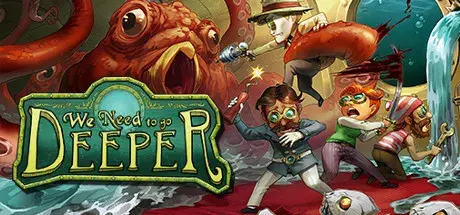
How to Play We Need To Go Deeper Online
Download the latest We Need To Go Deeper Online Fix to play multiplayer with your friends through Steam. This Online Fix includes all the required files to enable co-op gameplay. Follow the installation guide below to install the fix correctly, invite your friends, and enjoy online gameplay.
Installation
Download the Online Fix files.
Extract the archive using the password:
zeigames.com
Copy all extracted files into your We Need To Go Deeper installation folder and replace existing files if prompted.
Launching the Game
Sign in to your Steam account.
Run We Need To Go Deeper.exe from the game directory.
Wait for the game to load.
Playing with Friends
Make sure you and your friends are added as friends on Steam.
Create or host a multiplayer session.
Invite your friends through the in-game invite system.
If Invites Don't Work
Some versions of the Online Fix may have issues with the built-in invite feature.
If the in-game invite button doesn't work:
Open the Steam Overlay (Shift + Tab).
Find your friend's profile in your Steam Friends list.
Right-click their name and select Invite to Game (Spacewar).
Your friend can then accept the invitation and join your session.
Need Help with Online Fix?
If you're not familiar with Online Fix or Steam invitations, check out our guide:
How to Play Games Online?
Enjoy playing We Need To Go Deeper online with your friends!
Looking for the Full Game?
Looking for the full version of We Need To Go Deeper? Visit our We Need To Go Deeper Free Download page below.
- 515 Downloads
-
How to Play Bread & Fred Online
Download the latest Bread & Fred Online Fix to play multiplayer with your friends through Steam. This Online Fix includes all the required files to enable co-op gameplay. Follow the installation guide below to install the fix correctly, invite your friends, and enjoy online gameplay.
Installation
Download the Online Fix files.
Extract the archive using the password:
zeigames.com
Copy all extracted files into your Bread & Fred installation folder and replace existing files if prompted.
Launching the Game
Sign in to your Steam account.
Run Bread & Fred.exe from the game directory.
Wait for the game to load.
Playing with Friends
Make sure you and your friends are added as friends on Steam.
Create or host a multiplayer session.
Invite your friends through the in-game invite system.
If Invites Don't Work
Some versions of the Online Fix may have issues with the built-in invite feature.
If the in-game invite button doesn't work:
Open the Steam Overlay (Shift + Tab).
Find your friend's profile in your Steam Friends list.
Right-click their name and select Invite to Game (Spacewar).
Your friend can then accept the invitation and join your session.
Need Help with Online Fix?
If you're not familiar with Online Fix or Steam invitations, check out our guide:
How to Play Games Online?
Enjoy playing Bread & Fred online with your friends!
Looking for the Full Game?
Looking for the full version of Bread & Fred? Visit our Bread & Fred Free Download page below.
- 1,459 Downloads
-
How to Play Sonic & All-Stars Racing Transformed Collection Online
Download the latest Sonic & All-Stars Racing Transformed Collection Online Fix to play multiplayer with your friends through Steam. This Online Fix includes all the required files to enable co-op gameplay. Follow the installation guide below to install the fix correctly, invite your friends, and enjoy online gameplay.
Installation
Download the Online Fix files.
Extract the archive using the password:
zeigames.com
Copy all extracted files into your Sonic & All-Stars Racing Transformed Collection installation folder and replace existing files if prompted.
Launching the Game
Sign in to your Steam account.
Run ASN_App_PcDx9_Final.exe from the game directory.
Wait for the game to load.
Playing with Friends
Make sure you and your friends are added as friends on Steam.
Create or host a multiplayer session.
Invite your friends through the in-game invite system.
If Invites Don't Work
Some versions of the Online Fix may have issues with the built-in invite feature.
If the in-game invite button doesn't work:
Open the Steam Overlay (Shift + Tab).
Find your friend's profile in your Steam Friends list.
Right-click their name and select Invite to Game (Spacewar).
Your friend can then accept the invitation and join your session.
Need Help with Online Fix?
If you're not familiar with Online Fix or Steam invitations, check out our guide:
How to Play Games Online?
Enjoy playing Sonic & All-Stars Racing Transformed Collection online with your friends!
Looking for the Full Game?
Looking for the full version of Sonic & All-Stars Racing Transformed Collection? Visit our Sonic & All-Stars Racing Transformed Collection Free Download page below.
- 380 Downloads
-
How to Play SENTRY Online
Download the latest SENTRY Online Fix to play multiplayer with your friends through Steam. This Online Fix includes all the required files to enable co-op gameplay. Follow the installation guide below to install the fix correctly, invite your friends, and enjoy online gameplay.
Installation
Download the Online Fix files.
Extract the archive using the password:
zeigames.com
Copy all extracted files into your SENTRY installation folder and replace existing files if prompted.
Launching the Game
Sign in to your Steam account.
Run SENTRY.exe from the game directory.
Wait for the game to load.
Playing with Friends
Make sure you and your friends are added as friends on Steam.
Create or host a multiplayer session.
Invite your friends through the in-game invite system.
If Invites Don't Work
Some versions of the Online Fix may have issues with the built-in invite feature.
If the in-game invite button doesn't work:
Open the Steam Overlay (Shift + Tab).
Find your friend's profile in your Steam Friends list.
Right-click their name and select Invite to Game (Spacewar).
Your friend can then accept the invitation and join your session.
Need Help with Online Fix?
If you're not familiar with Online Fix or Steam invitations, check out our guide:
How to Play Games Online?
Enjoy playing SENTRY online with your friends!
Looking for the Full Game?
Looking for the full version of SENTRY? Visit our SENTRY Free Download page below.
- 69 Downloads
-
How to Play Wreckfest 2 Online
Download the latest Wreckfest 2 Online Fix to play multiplayer with your friends through Steam. This Online Fix includes all the required files to enable co-op gameplay. Follow the installation guide below to install the fix correctly, invite your friends, and enjoy online gameplay.
Installation
Download the Online Fix files.
Extract the archive using the password:
zeigames.com
Copy all extracted files into your Wreckfest 2 installation folder and replace existing files if prompted.
Launching the Game
Sign in to your Steam account.
Run Wreckfest2.exe from the game directory.
Wait for the game to load.
Playing with Friends
Make sure you and your friends are added as friends on Steam.
Create or host a multiplayer session.
Invite your friends through the in-game invite system.
If Invites Don't Work
Some versions of the Online Fix may have issues with the built-in invite feature.
If the in-game invite button doesn't work:
Open the Steam Overlay (Shift + Tab).
Find your friend's profile in your Steam Friends list.
Right-click their name and select Invite to Game (Spacewar).
Your friend can then accept the invitation and join your session.
Need Help with Online Fix?
If you're not familiar with Online Fix or Steam invitations, check out our guide:
How to Play Games Online?
Enjoy playing Wreckfest 2 online with your friends!
Looking for the Full Game?
Looking for the full version of Wreckfest 2? Visit our Wreckfest 2 Free Download page below.
- 695 Downloads
-
How to Play FOUNDRY Online
Download the latest FOUNDRY Online Fix to play multiplayer with your friends through Steam. This Online Fix includes all the required files to enable co-op gameplay. Follow the installation guide below to install the fix correctly, invite your friends, and enjoy online gameplay.
Installation
Download the Online Fix files.
Extract the archive using the password:
zeigames.com
Copy all extracted files into your FOUNDRY installation folder and replace existing files if prompted.
Launching the Game
Sign in to your Steam account.
Run FOUNDRY.exe from the game directory.
Wait for the game to load.
Playing with Friends
Make sure you and your friends are added as friends on Steam.
Create or host a multiplayer session.
Invite your friends through the in-game invite system.
If Invites Don't Work
Some versions of the Online Fix may have issues with the built-in invite feature.
If the in-game invite button doesn't work:
Open the Steam Overlay (Shift + Tab).
Find your friend's profile in your Steam Friends list.
Right-click their name and select Invite to Game (Spacewar).
Your friend can then accept the invitation and join your session.
Need Help with Online Fix?
If you're not familiar with Online Fix or Steam invitations, check out our guide:
How to Play Games Online?
Enjoy playing FOUNDRY online with your friends!
Looking for the Full Game?
Looking for the full version of FOUNDRY? Visit our FOUNDRY Free Download page below.
- 219 Downloads
-
How to Play Streets of Rogue Online
Download the latest Streets of Rogue Online Fix to play multiplayer with your friends through Steam. This Online Fix includes all the required files to enable co-op gameplay. Follow the installation guide below to install the fix correctly, invite your friends, and enjoy online gameplay.
Installation
Download the Online Fix files.
Extract the archive using the password:
zeigames.com
Copy all extracted files into your Streets of Rogue installation folder and replace existing files if prompted.
Launching the Game
Sign in to your Steam account.
Run Streets of Rogue.exe from the game directory.
Wait for the game to load.
Playing with Friends
Make sure you and your friends are added as friends on Steam.
Create or host a multiplayer session.
Invite your friends through the in-game invite system.
If Invites Don't Work
Some versions of the Online Fix may have issues with the built-in invite feature.
If the in-game invite button doesn't work:
Open the Steam Overlay (Shift + Tab).
Find your friend's profile in your Steam Friends list.
Right-click their name and select Invite to Game (Spacewar).
Your friend can then accept the invitation and join your session.
Need Help with Online Fix?
If you're not familiar with Online Fix or Steam invitations, check out our guide:
How to Play Games Online?
Enjoy playing Streets of Rogue online with your friends!
Looking for the Full Game?
Looking for the full version of Streets of Rogue? Visit our Streets of Rogue Free Download page below.
- 127 Downloads





















Last Updated
-
- 145 Downloads
- 0 Comments
-
- 9 Downloads
- 0 Comments
-
- 3 Downloads
- 0 Comments
-
- 0 Downloads
- 0 Comments
-
- 8 Downloads
- 0 Comments




File Comments
-
Been playing online since the 5th with no issues. Now getting a "Backend Login Failed, Invalid Response!" error when attempting to access online multiplayer.
-
I cant get the DLCs to get working, literally tried everything. If I run the game with the provided steamapi64.dll this error shows up and the game wont launch: Easy Anti-Cheat Unknown file version (C:\Games\Halloween.v1.0.0.69333.ZeiZavoGames.com\Engine\Binaries\ThirdParty\Steamworks\Steamv161\Win64\steam_api64.dll). If i remove the file and use the original one (clean file) the game launches and is playable but no dlc. Please help!
-
You can't play private lobby.
-
when i am playing with my friend, i got error 1 anticheat, every time i am not the host, and when i am the host my friend got error 1 anticheat every time
-
Nop but you can still play without problems
-
it opens epic games every 20 minutes
-
The same problem of the game crashing is happening with v1.0.50.
-
does anyone know a solution to the error code from anti cheat?
-
Somehow screen goes black when i try to invite my friend, and yes i applied online fix correctly + have antivirus turned off
-
Anyway to change the ingame language?




Top Downloads
-
- 922 Downloads
- 1 Comments
-
- 895 Downloads
- 5 Comments
-
- 723 Downloads
- 0 Comments
-
- 153 Downloads
- 9 Comments
-
- 132 Downloads
- 7 Comments



-
- 3,197 Downloads
- 0 Comments
-
- 991 Downloads
- 1 Comments
-
- 971 Downloads
- 9 Comments
-
- 895 Downloads
- 5 Comments
-
- 504 Downloads
- 19 Comments

-
- 8,574 Downloads
- 9 Comments
-
- 7,512 Downloads
- 4 Comments
-
- 6,635 Downloads
- 20 Comments
-
- 6,030 Downloads
- 3 Comments
-
- 5,830 Downloads
- 0 Comments




-
- 21,189 Downloads
- 4 Comments
-
- 9,968 Downloads
- 0 Comments
-
- 9,488 Downloads
- 9 Comments
-
- 8,688 Downloads
- 0 Comments
-
- 8,290 Downloads
- 0 Comments