




Skip to content
View in the app

A better way to browse. Learn more.

ZeiGames

A full-screen app on your home screen with push notifications, badges and more.

To install this app on iOS and iPadOS
  1. Tap the Share icon in Safari
  2. Scroll the menu and tap Add to Home Screen.
  3. Tap Add in the top-right corner.
To install this app on Android
  1. Tap the 3-dot menu (โ‹ฎ) in the top-right corner of the browser.
  2. Tap Add to Home screen or Install app.
  3. Confirm by tapping Install.

Dying Light: The Beast Online Fix v4

1 Screenshot

  1. Download the Online Fix file and copy the files in the folder where the Dying Light: The Beast Restored Land is installed.

  2. RAR Pass: rexagames.com

  3. Sign in to your Steam account.

  4. Start the ph_ft/work/bin/x64/DyingLightGame_TheBeast_x64_rwdi.exe inside the game folder.

  5. To invite your friends, you must be friends on steam.

  6. Log in to your Epic Games Store account in the browser window that opens.

  7. If you don't know how to do it, check out this topic: How to Play Games Online?

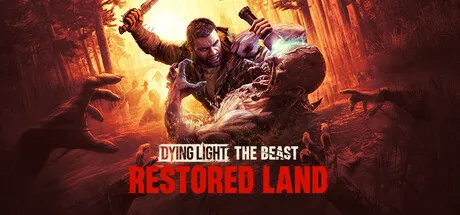
Dying Light: The Beast Restored Land Free Download

What's New in Version v4

Released

No changelog available for this version.

User Feedback

Recommended Comments

Dihstruction

Member

Save file location?

2 hours ago, Dihstruction said:

Save file location?

C:\Users\Public\Documents\OnlineFix\3008130\Saves\out\save

Tigae

Member

Password for extraction?

2 minutes ago, Tigae said:

Password for extraction?

rexagames.com

elmaniak

Member

why am i getting a steam is not launch message after adding online fix files

1 minute ago, elmaniak said:

why am i getting a steam is not launch message after adding online fix files

Restart steam as admin, and also launch game as admin.

elmaniak

Member

thanks it fixed that

Mattgod

Member

(edited)

  1. Log in to your Epic Games Store account in the browser window that opens.

    what to do if this step doesn't work?

Edited by Mattgod

1 minute ago, Mattgod said:
  1. Log in to your Epic Games Store account in the browser window that opens.

    what to do if this step doesn't work?

Re download and apply online fix login before epicgames account on browser or try change default browser other any browser.

Mattgod

Member

I changed the default browser already but this doesn;t help, epic website doesn't open after pasting online fix

On 9/22/2025 at 10:38 PM, Mattgod said:

I changed the default browser already but this doesn;t help, epic website doesn't open after pasting online fix

Updated fix working for now :)

AFTUS

Member

Please go for V3 online fix based on v1.2.4 update

vanditx99

Member

my dualsense controller stops working when i apply the onlinefix, how can i fix this? it works fine without the online fix

AFTUS

Member

Please new online fix for 1.2.5 version

AFTUS

Member

SteamFix failed initialize SteamFix version: 2 | mid: 0 error on 1.3.0 version of game

Goozcharb

Member

Hi

How to change the language?

llama555

Member

Anyone able to get it to work with 1.4? My game always goes to black screen whenever attempting to run the game.

Zerost

Member

How can i update the game without start new story?

sqt

Member

online fix does not work. "restart steam version : 2 mid : 0" .cant get it to work whatsoever

serpsko

Member

me and my friends are playing in coop and im hosting and for some reason every 2-5 minutes my friends get disconnected "failed to establish connection" and when they try to rejoin or i invite them it says "this session youre trying to join is not available right now" and it says that im still connected so idk how they disconnect and they have to click the epic games login button again for some reason pls fix

Aleee0912

Member

If i click on "Sign in with Epic", nothing happens

On 4/6/2026 at 9:52 PM, serpsko said:

me and my friends are playing in coop and im hosting and for some reason every 2-5 minutes my friends get disconnected "failed to establish connection" and when they try to rejoin or i invite them it says "this session youre trying to join is not available right now" and it says that im still connected so idk how they disconnect and they have to click the epic games login button again for some reason pls fix

16 minutes ago, Aleee0912 said:

If i click on "Sign in with Epic", nothing happens

Online fix files changed and updated by OFME. Try re-download and apply again. (delete old online fix files.)

Create an account or sign in to comment

Recently Browsing 0

  • No registered users viewing this page.

Who was online for 24 hours 372

Account

Navigation

Search

Search

๐Ÿ”Ž Search Tip
For exact results, search using "game name" .
Without quotes, results may include unrelated titles.

Configure browser push notifications

Chrome (Android)
  1. Tap the lock icon next to the address bar.
  2. Tap Permissions โ†’ Notifications.
  3. Adjust your preference.
Chrome (Desktop)
  1. Click the padlock icon in the address bar.
  2. Select Site settings.
  3. Find Notifications and adjust your preference.