



Skip to content
View in the app

A better way to browse. Learn more.

ZeiGames

A full-screen app on your home screen with push notifications, badges and more.

To install this app on iOS and iPadOS
  1. Tap the Share icon in Safari
  2. Scroll the menu and tap Add to Home Screen.
  3. Tap Add in the top-right corner.
To install this app on Android
  1. Tap the 3-dot menu (โ‹ฎ) in the top-right corner of the browser.
  2. Tap Add to Home screen or Install app.
  3. Confirm by tapping Install.

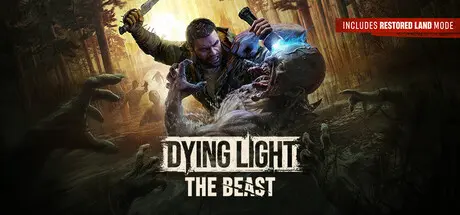
Dying Light: The Beast Free Download (v1.6.4 + ALL DLC + Online)
Featured Replies

I mean, for adding this game to this website

  • Replies 74
  • Views 52.7k
  • Created
  • Last Reply

Top Posters In This Topic

Most Popular Posts

  • Run game as a admin or use different crack above link.

  • I recently downloaded this game and it keeps crashing every 5-10 minutes.Is it because i have a bad gpu for this game?(gtx 1650) Or is there anything else i can do to prevent this? update:it was from

  • It's not sending any pictures, and i don't know what it downloaded. There are no problems with the files. Problem this guy side not the files.

Most Helpful Posts

  • "C:\Users\Public\Documents\Steam\RUNE\3008130\remote\out\save"

  • Run game as a admin or use different crack above link.

  • Game Updated v1.2.4 | Build 20318782 I guess don't work this patch because elamigos patch needed all langauge files. But i upload only english files and other all langs sperated download link.

Posted Images

Hi, I downloaded the game and it runs great, but I don't know where exactly to unzip the Czech language file to make it work.

26 minutes ago, Rawe said:

Hi, I downloaded the game and it runs great, but I don't know where exactly to unzip the Czech language file to make it work.

Edit: Czech language file It seems to be a bad link because it only has a few MB, while other languages have over 1 GB.

  • Author
5 hours ago, Rawe said:

Edit: Czech language file It seems to be a bad link because it only has a few MB, while other languages have over 1 GB.

No just inclu subtitles some other lang over 1gb because inclu voice+subtitles. You need download language file and extract game folder change the Steam.emu.ini file language section.

11 hours ago, DicDale said:

No just inclu subtitles some other lang over 1gb because inclu voice+subtitles. You need download language file and extract game folder change the Steam.emu.ini file language section.

I downloaded the Czech language file. I know that I have to change English to Czech in Steam.emu.ini, but nowhere does it say where to extract the file so that it works, because it has two completely different files that aren't even there. For Polish, for example, there is a folder created that is the same as in the game. That's the problem.

  • Author
1 hour ago, Rawe said:

I downloaded the Czech language file. I know that I have to change English to Czech in Steam.emu.ini, but nowhere does it say where to extract the file so that it works, because it has two completely different files that aren't even there. For Polish, for example, there is a folder created that is the same as in the game. That's the problem.

You can check always game files folder here https://steamdb.info/depot/3061862/ "ph_ft/source/data_lang/datacz.pak"

3 hours ago, DicDale said:

You can check always game files folder here https://steamdb.info/depot/3061862/ "ph_ft/source/data_lang/datacz.pak"

What good is some stupid check when I can see that the download folder for CZE isn't working! Firstly, it has completely different files to other languages. Secondly, the file size is smaller. Thirdly, when I unzip it where the other languages are, it doesn't work.

DicDale, 01.10.2025 - 07:40 tarihinde yazdฤฑ:

Oyun v1.2.3 Gรผnc

DicDale, 01.10.2025 - 07:40 tarihinde yazdฤฑ:

Game Updated v1.2.3 | Build 20173824

Hello, where can I find the update file for the game, only 1.2.3?

Create an account or sign in to comment

Recently Browsing 0

  • No registered users viewing this page.

Account

Navigation

Search

Search

๐Ÿ”Ž Search Tip
For exact results, search using "game name" .
Without quotes, results may include unrelated titles.

Configure browser push notifications

Chrome (Android)
  1. Tap the lock icon next to the address bar.
  2. Tap Permissions โ†’ Notifications.
  3. Adjust your preference.
Chrome (Desktop)
  1. Click the padlock icon in the address bar.
  2. Select Site settings.
  3. Find Notifications and adjust your preference.
