



Skip to content
View in the app

A better way to browse. Learn more.

ZeiGames

A full-screen app on your home screen with push notifications, badges and more.

To install this app on iOS and iPadOS
  1. Tap the Share icon in Safari
  2. Scroll the menu and tap Add to Home Screen.
  3. Tap Add in the top-right corner.
To install this app on Android
  1. Tap the 3-dot menu (⋮) in the top-right corner of the browser.
  2. Tap Add to Home screen or Install app.
  3. Confirm by tapping Install.

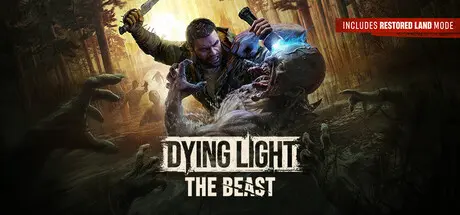
Dying Light: The Beast Free Download (v1.6.4 + ALL DLC + Online)
Featured Replies

header.webp

Game Details

Release Name: Dying Light: The Beast

Game Version: v1.6.4 | Build 23006686

Release Date: 18 Sep, 2025

Publisher: Techland

Developer: Techland

Based On: CSF & Goldberg

Dying Light: The Beast Direct Download - Game Review

Dying Light: The Beast is the next AAA Dying Light game and the best-reviewed entry in the franchise’s history. Packed with more than 40 hours of survival adventure, both in single-player and shared progression co-op, it delivers the most ambitious, modern and content-rich Dying Light experience ever created. Immerse yourself in the expansive open world of Castor Woods and get lost in the scope, atmosphere and innovation of this must-play survival horror.

A terrifying new chapter in the Dying Light universe begins. As Kyle Crane, explore the vast and unpredictable wilderness, uncover a deadly evolution of the infected, and learn to control the beastly powers awakening inside you.

The highest-rated Dying Light game ever, shaped by a decade of Techland’s experience with the series. Everything fans love - immersion, exploration, physical FPP melee combat, grounded parkour, and the iconic day–night cycle - refined and elevated to the next level. A perfect return for veterans, and the ideal entry point for newcomers.


Game Screenshots

screenshot screenshot screenshot screenshot


Game Trailer


System Requirements

Minimum Requirements

Recommended Requirements

OS

Windows 10 or newer

Windows 10 or newer

Processor

Intel i5-9600K / AMD Ryzen 5 3600

Intel i5-13400F / AMD Ryzen 7 7700

Memory

16 GB RAM

16 GB RAM

Graphics

NVIDIA GeForce 1060 / AMD Radeon 5500 XT / Intel ARC A750

NVIDIA GeForce RTX 3070 TI / AMD Radeon 6750 XT / Intel ARC B580

DirectX

-

-

Storage

70 GB available space

70 GB available space


Installation Guide

  1. No Installation Needed: The game is pre-installed. Just download and extract.

  2. Extract: Right-click the .zip or .rar file and select "Extract Here" or "Extract to folder".

  3. Run: Find Launcher.exe inside the folder and run it.

Multiplayer & Online (Optional)

  • Play Online: Download the Online Fix file and apply it to the game folder.

  • Please go to the online fix page and read the guide.

Game Data & Settings

  • Change Language: Download language files and apply main game folder. Edit the file located at steam_settings/Configs.user.ini

Important Notes

🔥DOWNLOAD AREA🔥

🔹51.20 GB🔹

Select the server you want to download with ZeiLink.

Download

Online Fix - (RAR pass: rexagames.com)

  • Replies 74
  • Views 52.7k
  • Created
  • Last Reply

Top Posters In This Topic

Most Popular Posts

  • Run game as a admin or use different crack above link.

  • I recently downloaded this game and it keeps crashing every 5-10 minutes.Is it because i have a bad gpu for this game?(gtx 1650) Or is there anything else i can do to prevent this? update:it was from

  • It's not sending any pictures, and i don't know what it downloaded. There are no problems with the files. Problem this guy side not the files.

Most Helpful Posts

  • "C:\Users\Public\Documents\Steam\RUNE\3008130\remote\out\save"

  • Run game as a admin or use different crack above link.

  • Game Updated v1.2.4 | Build 20318782 I guess don't work this patch because elamigos patch needed all langauge files. But i upload only english files and other all langs sperated download link.

Posted Images

can you tell us how to change language pls i download language file and copy it in game but it dont change.

Create an account or sign in to comment

Recently Browsing 0

  • No registered users viewing this page.

Account

Navigation

Search

Search

🔎 Search Tip
For exact results, search using "game name" .
Without quotes, results may include unrelated titles.

Configure browser push notifications

Chrome (Android)
  1. Tap the lock icon next to the address bar.
  2. Tap Permissions → Notifications.
  3. Adjust your preference.
Chrome (Desktop)
  1. Click the padlock icon in the address bar.
  2. Select Site settings.
  3. Find Notifications and adjust your preference.
