



Skip to content
View in the app

A better way to browse. Learn more.

ZeiGames

A full-screen app on your home screen with push notifications, badges and more.

To install this app on iOS and iPadOS
  1. Tap the Share icon in Safari
  2. Scroll the menu and tap Add to Home Screen.
  3. Tap Add in the top-right corner.
To install this app on Android
  1. Tap the 3-dot menu (โ‹ฎ) in the top-right corner of the browser.
  2. Tap Add to Home screen or Install app.
  3. Confirm by tapping Install.

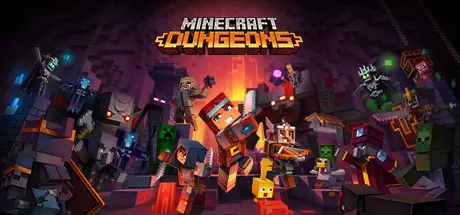
Minecraft Dungeons Free Download (v1.17.0.0 + ALL DLC + Online)
Featured Replies

3 minutes ago, DicDale said:

Check download section above all guide writed here.

image.png

When pressed "1" to Install the Game

  • Replies 17
  • Views 7.6k
  • Created
  • Last Reply

Top Posters In This Topic

Most Helpful Posts

Posted Images

2 minutes ago, DicDale said:

developer mode

Nevermind the below part. I deleted the file and turned off Windows Defender and then unzipped again. Works properly now. However it still says missing DLC directory

How to fix the DLC part?

image.png

Edited by Leo_prad

  • 4 weeks later...

How to enable developer mode?

It keeps saying access is denied. I've enabled developer mode and disabled Windows Defender, but it still doesn't work.

image_2026-03-24_125353011.png

Edited by Lynx146

On 3/24/2026 at 12:10 AM, Lynx146 said:

How to enable developer mode?

It keeps saying access is denied. I've enabled developer mode and disabled Windows Defender, but it still doesn't work.

image_2026-03-24_125353011.png

Run it in Adminstrator

1 hour ago, Leo_prad said:

Run it in Adminstrator

thank you, So how do I download DLC?

18 hours ago, Lynx146 said:

thank you, So how do I download DLC?

Install the game first then install all the DLCs

  • DicDale changed the title to Minecraft Dungeons Free Download (v1.17.0.0 + ALL DLC + Online)

For anyone wandering and dont feel like wasting thier time reading comments that claimed they fixed it and yet NEVER explain how they did so (Cause golly it be too hard to explain some needed information instead ill just say iv fixed it and everyone else)

The game Lovely anti pirate feature no one here wants to talk about Prevents ya from gettin past the login screen so dont waste your time downloading 1000 diffrent files to try and get this game cause every crack copy has this login screen and every uploader fails to give any information as to get past it

So dont waste your time instead play diffrent games like Hollow knight or roblox cause unless you can get a bot here to be able to actually tell you how they fixed it you aint getting past the login

Create an account or sign in to comment

Recently Browsing 0

  • No registered users viewing this page.

Account

Navigation

Search

Search

๐Ÿ”Ž Search Tip
For exact results, search using "game name" .
Without quotes, results may include unrelated titles.

Configure browser push notifications

Chrome (Android)
  1. Tap the lock icon next to the address bar.
  2. Tap Permissions โ†’ Notifications.
  3. Adjust your preference.
Chrome (Desktop)
  1. Click the padlock icon in the address bar.
  2. Select Site settings.
  3. Find Notifications and adjust your preference.