



Skip to content
View in the app

A better way to browse. Learn more.

ZeiGames

A full-screen app on your home screen with push notifications, badges and more.

To install this app on iOS and iPadOS
  1. Tap the Share icon in Safari
  2. Scroll the menu and tap Add to Home Screen.
  3. Tap Add in the top-right corner.
To install this app on Android
  1. Tap the 3-dot menu (โ‹ฎ) in the top-right corner of the browser.
  2. Tap Add to Home screen or Install app.
  3. Confirm by tapping Install.

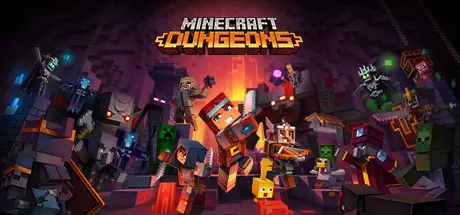
Minecraft Dungeons Free Download (v1.17.0.0 + ALL DLC + Online)
Featured Replies

header.webp

Game Details

Release Name:ย Minecraft Dungeons

Game Version:ย v1.17.0.0 | Build 10005697

Release Date: 22 Sep, 2021

Publisher: Xbox Game Studios

Developer: Mojang Studios, โ€ชDouble Eleven

Based On:ย CSF & RUNE

Minecraft Dungeons Direct Download - Game Review

Experience the complete story of Minecraft Dungeons from the beginning to the End. Grab the Ultimate Edition which includes the base game and all six DLCs: Jungle Awakens, Creeping Winter, Howling Peaks, Flames of the Nether, Hidden Depths, and Echoing Voidโ€“all at a lower price than purchasing the game and each DLC separately.

Unlock special digital bonus content to become the ultimate hero! Download the Ultimate Edition today and receive digital artwork from each DLC as well as the entire game soundtrack featuring 200+ tracks. This offer is only available on Steam.

Experience the story beyond the base game with the Minecraft Dungeons: Ultimate DLC Bundle. Youโ€™ve played the main story, but now itโ€™s time to see it through to the End! Fight countless mobs, explore dimension-hopping levels, and discover untold treasures as you complete the story of the Orb of Dominance. Grab the Ultimate DLC Bundle and get all six DLCs: Jungle Awakens, Creeping Winter, Howling Peaks, Flames of the Nether, Hidden Depths, and Echoing Void. By purchasing the bundle, youโ€™ll get all six DLCs at a lower price than if you purchased them separately. Complete the story with the Ultimate DLC Bundle!


Game Screenshots

screenshot screenshot screenshot screenshot


Game Trailer


System Requirements

Minimum Requirements

Recommended Requirements

OS

Windows 10 (November 2019 Update or higher), 8 or 7 (64-bit with the latest updates; some functionality not supported on Windows 7 and 8)

Windows 10 (November 2019 Update or higher), 8 or 7 (64-bit with the latest updates; some functionality not supported on Windows 7 and 8)

Processor

Core i5 2.8GHz or equivalent

Core i5 2.8GHz or equivalent

Memory

8 GB RAM

8 GB RAM

Graphics

NVIDIA GeForce GTX 660 or AMD Radeon HD 7870 or equivalent DX11 GPU

NVIDIA GeForce GTX 660 or AMD Radeon HD 7870 or equivalent DX11 GPU

DirectX

Version 11

Version 11

Storage

6 GB available space

6 GB available space


Installation Guide

  1. No Installation Needed: The game is pre-installed. Just download and extract.

  2. Extract: Right-click the .zip or .rar file and select "Extract Here" or "Extract to folder".

  3. Run: Find Dungeons.exe inside the folder and run it.

  1. How to Play Online?

  2. 1. Run GDK_Helper.bat, which is located in the game folder. (performed once)

    2. Enable Developer Mode. (restart your PC if necessary) (performed once)

    Before enabling developer mode, read about what it is on the internet.

    3. Install the game. (Performed once)

    4. Disable developer mode. (Performed once)

    5. Launch the game from the Start menu.

Important Notes

DLC List

Added DLCs

Minecraft Dungeons: Fauna Faire Adventure Pass

Minecraft Dungeons: Luminous Night Adventure Pass

Minecraft Dungeons: Cloudy Climb Adventure Pass

Minecraft Dungeons Ultimate Edition Digital Artwork

Minecraft Dungeons Hero DLC

Minecraft Dungeons Echoing Void

Minecraft Dungeons Hidden Depths

Minecraft Dungeons Flames of the Nether

Minecraft Dungeons Howling Peaks

Minecraft Dungeons Creeping Winter

Minecraft Dungeons Jungle Awakens

๐Ÿ”ฅDOWNLOAD AREA๐Ÿ”ฅ

๐Ÿ”น2.33 GB๐Ÿ”น

Select the server you want to download with ZeiLink.

Download

  • 3 weeks later...
  • Replies 17
  • Views 7.6k
  • Created
  • Last Reply

Top Posters In This Topic

Most Helpful Posts

Posted Images

Can't get pass the sign in.

2 minutes ago, LocoMola said:

Can't get pass the sign in.

manage to make it work

sorry about that

  • 4 weeks later...
  • 2 weeks later...
On 10/4/2025 at 9:04 PM, LocoMola said:

Can't get pass the sign in.

manage to make it work

sorry about that

can you tell me how ? i cant get past the log in thing :(

  • 3 months later...

I keep getting the av program warning message from my Windows 11 Defender. Is this really safe?

12 minutes ago, DicDale said:

False positive.

Thank you for the quick reply.

When I run the main game file, I am hit with this:

image.png

  • Author
24 minutes ago, Leo_prad said:

When I run the main game file, I am hit with this:

You don't need to upload the 72/1 warning here. If you're trying to install a cracked game and the game works online, it will give you this result under any circumstances. To play online, you need to follow the installation guide steps.

16 minutes ago, DicDale said:

You don't need to upload the 72/1 warning here. If you're trying to install a cracked game and the game works online, it will give you this result under any circumstances. To play online, you need to follow the installation guide steps.

Hehe, ok. Also the README does not include instructions how to play online. Where can I find the guide to do a proper online installation?

The README just says:

"Welcome to REXA GAMES's famliy <3

Thank you for downloading games form our site :)

-------------------------------------------------

We are a community that always aims to offer you convenience and innovation

We upload the latest games every day and update them regularly.

Everything is free, if you like our website please introduce it to your friends or any ideas you want.

https://rexagames.com/"

Also, what do I about the error that I keep receiving when trying to run the game?

Edited by Leo_prad

Create an account or sign in to comment

Recently Browsing 0

  • No registered users viewing this page.

Account

Navigation

Search

Search

๐Ÿ”Ž Search Tip
For exact results, search using "game name" .
Without quotes, results may include unrelated titles.

Configure browser push notifications

Chrome (Android)
  1. Tap the lock icon next to the address bar.
  2. Tap Permissions โ†’ Notifications.
  3. Adjust your preference.
Chrome (Desktop)
  1. Click the padlock icon in the address bar.
  2. Select Site settings.
  3. Find Notifications and adjust your preference.
