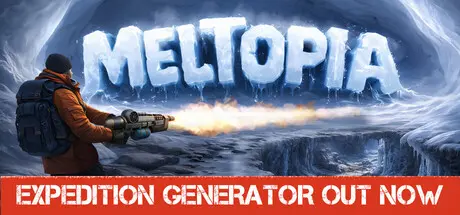
May 6May 6 Meltopia Game DetailsRelease Name: MeltopiaGame Version: Build 23100119Release Date: 1 May, 2026Publisher: Garden of DreamsDeveloper: Garden of DreamsBased On: CSF & GoldbergMeltopia Direct Download - Game OverviewSnow isn’t an obstacle—it’s the way forward. Use a heat gun and other tools to unlock frozen areas and delve deeper into the icy world of Meltopia.Rare resources and ancient artifacts are hidden in the snow-covered expanse. Every discovery brings you closer to uncovering the story of this frozen world.Beneath the snow lies a completely different world: icy caves, the sound of dripping water, and shimmering reflections on the walls. This unexpected transition creates a striking contrast and enhances the feeling of exploration.Icy caves, snowy tunnels, and forgotten dungeons hold many secrets. Explore every corner to uncover surprising stories and hidden passages.When heat isn’t enough—it’s time for explosions! Dynamite will help you blast through thick layers of ice and access hard-to-reach areas.Over time, you can enhance your arsenal. Upgrade your heat gun to melt snow faster and defeat icy enemies more effectively.Everything in this frozen world resists your warmth. But you have the power to melt the ice, awaken ancient secrets, and collect the Mammoth’s remains. Don’t stop—Meltopia awaits its hero.Meltopia Screenshots Meltopia TrailerMeltopia System Requirements Minimum RequirementsRecommended Requirements OSWindows 10- Processorintel core i5, 1.5 GHz and up- Memory4 GB RAM- Graphics1 Gb dedicated video card, shader model 3.0+- DirectXVersion 10- Storage2 GB available space- How to Install MeltopiaNo Installation Needed: The game is pre-installed. Just download and extract.Extract: Right-click the .zip or .rar file and select "Extract Here" or "Extract to folder".Run: Find Meltopia.exe inside the folder and run it.Game Data & SettingsChange Language: Edit the file located at steam_settings/Configs.user.iniImportant NotesTo support the Game Developer, Get It On Steam.🔥DOWNLOAD AREA🔥🔹1.55 GB🔹Select the server you want to download with ZeiLink.Download





Create an account or sign in to comment