



Skip to content
View in the app

A better way to browse. Learn more.

ZeiGames

A full-screen app on your home screen with push notifications, badges and more.

To install this app on iOS and iPadOS
  1. Tap the Share icon in Safari
  2. Scroll the menu and tap Add to Home Screen.
  3. Tap Add in the top-right corner.
To install this app on Android
  1. Tap the 3-dot menu (โ‹ฎ) in the top-right corner of the browser.
  2. Tap Add to Home screen or Install app.
  3. Confirm by tapping Install.

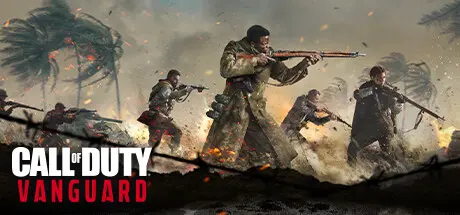
Call of Duty: Vanguard Free Download (v1.26 + Campaign + Zombies + Bonus Content)
Featured Replies

header.webp

Game Details

Release Name:ย Call of Duty: Vanguard

Game Version:ย v1.0 | Build 11111

Release Date:ย 8 Mar, 2023

Publisher:ย Activision

Developer:ย Sledgehammer Games, Treyarch, High Moon Studios, Raven Software, Beenox, Demonware

Based On:ย CSF & h00dbyair & Ksenia + Crackfix v2

Call of Duty: Vanguard Direct Download - Game Review


Rise on every front: Dogfight over the Pacific, airdrop over France, defend Stalingrad with a sniperโ€™s precision and blast through advancing forces in North Africa. The Call of Dutyย franchise returns with Call of Duty: Vanguard, developed by Sledgehammer Games, where players will be immersed in visceral WWII combat on an unprecedented global scale.

Call of Duty: Vanguard includes a deeply engaging single player Campaign, a massive Multiplayer offering featuring over 20 maps including 16 built for core Multiplayer and an exciting new Zombies experience developed by Treyarch.

Call of Duty: Vanguard features cross-progression and cross-generation play, in addition to Multiplayer maps, modes and more.


Game Screenshots

screenshotย screenshotย screenshotย screenshot


Game Trailer


System Requirements

Minimum Requirements

Recommended Requirements

OS

Windows 10 64 Bit (latest update)

Window 10 64 Bit (latest update) or Windows 11 64 Bit (latest update)

Processor

Intel Core i3-4340 or AMD FX-6300

Intel Core i5-2500k or AMD Ryzen 5 1600X

Memory

8 GB RAM

12 GB RAM

Graphics

NVIDIA GeForce GTX 960 or AMD Radeon RX 470

NVIDIA GeForce GTX 1060 or AMD Radeon RX 580

DirectX

Version 12

Version 12

Storage

36 GB available space

177 GB available space


Installation Guide

  1. No Installation Needed: The game is pre-installed. Just download and extract.

  2. Extract: Right-click theย .zipย orย .rarย file and select "Extract Here" or "Extract to folder".

  3. Run:ย Install Service.batย as administrator first inside the game folder.

  4. Run: Findย Start Game.batย inside the folder and run it.

Important Notes

๐Ÿ”ฅDOWNLOAD AREA๐Ÿ”ฅ

๐Ÿ”น77.75 GB๐Ÿ”น

Select the server you want to download with ZeiLink.

Download

  • Views 14
  • Created
  • Last Reply

Posted Images

Create an account or sign in to comment

Recently Browsing 0

  • No registered users viewing this page.

Account

Navigation

Search

Search

๐Ÿ”Ž Search Tip
For exact results, search using "game name" .
Without quotes, results may include unrelated titles.

Configure browser push notifications

Chrome (Android)
  1. Tap the lock icon next to the address bar.
  2. Tap Permissions โ†’ Notifications.
  3. Adjust your preference.
Chrome (Desktop)
  1. Click the padlock icon in the address bar.
  2. Select Site settings.
  3. Find Notifications and adjust your preference.
