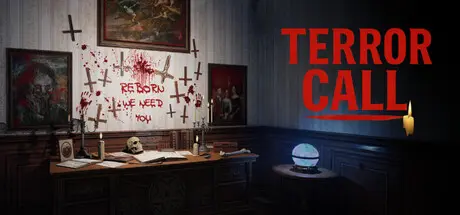
December 26, 2025Dec 26 Terror Call Game DetailsRelease Name: Terror CallGame Version: Build 19900102Release Date: 6 Sep, 2025Publisher: Solozard GamesDeveloper: Solozard GamesBased On: CSF & GoldbergTerror Call Direct Download - Game OverviewExplore abandoned rooms, uncover cryptic clues, and navigate dark environments filled with unsettling sounds and sudden jump scares. Every location hides secrets, and every decision can bring you closer to escape—or deeper into danger.Inspired by regional horror storytelling, Terror Call blends cultural atmosphere with universally terrifying gameplay. With immersive audio, intelligent puzzles, and constant psychological tension, the game keeps you on edge from start to finish.You are not a hero. You are a survivor.Answer the call—if you dare.Terror Call Screenshots Terror Call TrailerTerror Call System Requirements Minimum RequirementsRecommended Requirements OSWindows 7/8/10/11 (64-bit)Windows 10/11 (64-bit) ProcessorIntel Core i3-3220 / AMD FX-6300Intel Core i5-9400F / AMD Ryzen 5 2600 Memory4 GB RAM8 GB RAM GraphicsIntegrated Intel HD Graphics 520 / UHD 620 or higherNVIDIA GTX 1050 Ti / AMD RX 560 or better DirectXVersion 11Version 11 Storage6 GB available space6 GB available space How to Install Terror CallNo Installation Needed: The game is pre-installed. Just download and extract.Extract: Right-click the .zip or .rar file and select "Extract Here" or "Extract to folder".Run: Find game.exe inside the folder and run it.Game Data & SettingsChange Language: Edit the file located at steam_settings/Configs.user.iniImportant NotesTo support the Game Developer, Get It On Steam.🔥DOWNLOAD AREA🔥🔹2.79 GB🔹Select the server you want to download with ZeiLink.Download





Create an account or sign in to comment