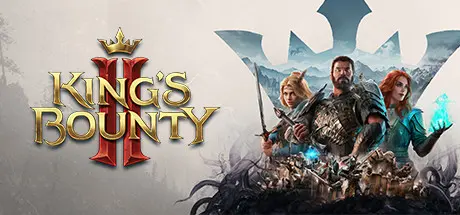
August 16Aug 16 King's Bounty II Game DetailsRelease Name: King's Bounty IIGame Version: v1.7 | Build 8178363Release Date: 24 Aug, 2021Publisher: Fulqrum Publishing, Prime Matter, 方块游戏 (China)Developer: Fulqrum GamesBased On: CSF & GoldbergKing's Bounty II Direct Download - Game OverviewDarkness descends over the world of Nostria. Conspiracies, sabotage, and necromancy are overshadowing the country. But maybe a saviour – the kingdom's last hope – is already here, to fight back and finally restore peace and order in Nostria!King’s Bounty II is the long-awaited sequel to the legendary King’s Bounty video games franchise, one of the most iconic representatives of the turn-based RPG genre. Expanding on this legacy with an entirely new epic story, factions, enemies, and new features to forge an open and breaking fantasy world Antara. With the kingdoms in disarray, counties demanding independence, bandits prowl the roads, all the overseas nations have denied the King’s authority over them, and blighted creatures lie in wait for the unwary, new accidental heroes emerge as a last hope.They are determined to bring order to the chaos. Play as one of them, recruiting, developing, and commanding your personal army on a non-linear adventure of betrayal, sacrifice, and survival. Fighting for your own future, outsmarting enemy in uniquely turn-based combat, making difficult decisions, and experience the intensity of one of the classic sagas in an exciting new way.Play as one of three main heroes, rescuing and building your personal army in a journey of leadership, survival, and sacrifice. Every decision you make has profound and lasting consequences.The world of Antara is wide open and ripe for exploration. Unearth hidden places and dangerous enemies — Antara is a vast home to a thousand wonders and secrets for players to discover.Each army squad has its own set of skills and visual appearance. Build armies of different creatures who will fight with you throughout the majority of your adventure.The environment and landscape matter in King’s Bounty II. Players will encounter diverse terrain types, directly impacting battlefield tactics. Every battle is unique in its own way.King's Bounty II Screenshots King's Bounty II TrailerKing's Bounty II System RequirementsMinimum RequirementsRecommended RequirementsOSWindows 10 64-bitWindows 10 64-bitProcessorIntel Core i5-4690 or AMD FX-9370Intel Core i5-7400 or AMD Ryzen 7 1700XMemory8 GB RAM8 GB RAMGraphicsGeForce GTX 970 or AMD Radeon RX 480GeForce GTX 1060 or Radeon RX 580DirectXVersion 11Version 11Storage20 GB available space20 GB available spaceHow to Install King's Bounty IINo Installation Needed: The game is pre-installed. Just download and extract.Extract: Right-click the .zip or .rar file and select "Extract Here" or "Extract to folder".Run: Find KingsBounty2.exe inside the folder and run it.Game Data & SettingsChange Language: Edit the file located at steam_settings/Configs.user.iniSave Data Location: %USERPROFILE%/AppData/Local/KingsBounty2/Saved/SaveGamesImportant NotesTo support the Game Developer, Get It On Steam.DLC ListAdded DLCsKing's Bounty II - DLC1King's Bounty II - Upgrade Pack DLCKing's Bounty II - Pre-Order DLCKing's Bounty II - Digital Artbook🔥DOWNLOAD AREA🔥🔹20.66 GB🔹Select the server you want to download with ZeiLink.Download





Create an account or sign in to comment