Online Fix
771 files
-
How to Play Cubic Odyssey Online
Download the latest Cubic Odyssey Online Fix to play multiplayer with your friends through Steam. This Online Fix includes all the required files to enable co-op gameplay. Follow the installation guide below to install the fix correctly, invite your friends, and enjoy online gameplay.
Installation
Download the Online Fix files.
Extract the archive using the password:
zeigames.com
Copy all extracted files into your Cubic Odyssey installation folder and replace existing files if prompted.
Launching the Game
Sign in to your Steam account.
Run optimized/CubicOdysseySteam.exe from the game directory.
Wait for the game to load.
Playing with Friends
Make sure you and your friends are added as friends on Steam.
Create or host a multiplayer session.
Invite your friends through the in-game invite system.
If Invites Don't Work
Some versions of the Online Fix may have issues with the built-in invite feature.
If the in-game invite button doesn't work:
Open the Steam Overlay (Shift + Tab).
Find your friend's profile in your Steam Friends list.
Right-click their name and select Invite to Game (Spacewar).
Your friend can then accept the invitation and join your session.
Need Help with Online Fix?
If you're not familiar with Online Fix or Steam invitations, check out our guide:
How to Play Games Online?
Enjoy playing Cubic Odyssey online with your friends!
Looking for the Full Game?
Looking for the full version of Cubic Odyssey? Visit our Cubic Odyssey Free Download page below.
- 350 Downloads
-
How to Play Cargo Hunters Online
Download the latest Cargo Hunters Online Fix to play multiplayer with your friends through Steam. This Online Fix includes all the required files to enable co-op gameplay. Follow the installation guide below to install the fix correctly, invite your friends, and enjoy online gameplay.
Installation
Download the Online Fix files.
Extract the archive using the password:
zeigames.com
Copy all extracted files into your Cargo Hunters installation folder and replace existing files if prompted.
Launching the Game
Sign in to your Steam account.
Run Cargo Hunters.exe from the game directory.
Wait for the game to load.
Playing with Friends
Make sure you and your friends are added as friends on Steam.
Create or host a multiplayer session.
Invite your friends through the in-game invite system.
If Invites Don't Work
Some versions of the Online Fix may have issues with the built-in invite feature.
If the in-game invite button doesn't work:
Open the Steam Overlay (Shift + Tab).
Find your friend's profile in your Steam Friends list.
Right-click their name and select Invite to Game (Spacewar).
Your friend can then accept the invitation and join your session.
Need Help with Online Fix?
If you're not familiar with Online Fix or Steam invitations, check out our guide:
How to Play Games Online?
Enjoy playing Cargo Hunters online with your friends!
Looking for the Full Game?
Looking for the full version of Cargo Hunters? Visit our Cargo Hunters Free Download page below.
- 59 Downloads
-
How to Play A Game About Chopping Trees Online
Download the latest A Game About Chopping Trees Online Fix to play multiplayer with your friends through Steam. This Online Fix includes all the required files to enable co-op gameplay. Follow the installation guide below to install the fix correctly, invite your friends, and enjoy online gameplay.
Installation
Download the Online Fix files.
Extract the archive using the password:
zeigames.com
Copy all extracted files into your A Game About Chopping Trees installation folder and replace existing files if prompted.
Launching the Game
Sign in to your Steam account.
Run ChoppingTrees.exe from the game directory.
Wait for the game to load.
Playing with Friends
Make sure you and your friends are added as friends on Steam.
Create or host a multiplayer session.
Invite your friends through the in-game invite system.
If Invites Don't Work
Some versions of the Online Fix may have issues with the built-in invite feature.
If the in-game invite button doesn't work:
Open the Steam Overlay (Shift + Tab).
Find your friend's profile in your Steam Friends list.
Right-click their name and select Invite to Game (Spacewar).
Your friend can then accept the invitation and join your session.
Need Help with Online Fix?
If you're not familiar with Online Fix or Steam invitations, check out our guide:
How to Play Games Online?
Enjoy playing A Game About Chopping Trees online with your friends!
Looking for the Full Game?
Looking for the full version of A Game About Chopping Trees? Visit our A Game About Chopping Trees Free Download page below.
- 129 Downloads
-
How to Play Forest Escape: Last Train Online
Download the latest Forest Escape: Last Train Online Fix to play multiplayer with your friends through Steam. This Online Fix includes all the required files to enable co-op gameplay. Follow the installation guide below to install the fix correctly, invite your friends, and enjoy online gameplay.
Installation
Download the Online Fix files.
Extract the archive using the password:
zeigames.com
Copy all extracted files into your Forest Escape: Last Train installation folder and replace existing files if prompted.
Launching the Game
Sign in to your Steam account.
Run Last Train.exe from the game directory.
Wait for the game to load.
Playing with Friends
Make sure you and your friends are added as friends on Steam.
Create or host a multiplayer session.
Invite your friends through the in-game invite system.
If Invites Don't Work
Some versions of the Online Fix may have issues with the built-in invite feature.
If the in-game invite button doesn't work:
Open the Steam Overlay (Shift + Tab).
Find your friend's profile in your Steam Friends list.
Right-click their name and select Invite to Game (Spacewar).
Your friend can then accept the invitation and join your session.
Need Help with Online Fix?
If you're not familiar with Online Fix or Steam invitations, check out our guide:
How to Play Games Online?
Enjoy playing Forest Escape: Last Train online with your friends!
Looking for the Full Game?
Looking for the full version of Forest Escape: Last Train? Visit our Forest Escape: Last Train Free Download page below.
- 51 Downloads
-
How to Play Saints Row: Gat out of Hell Online
Download the latest Saints Row: Gat out of Hell Online Fix to play multiplayer with your friends through Steam. This Online Fix includes all the required files to enable co-op gameplay. Follow the installation guide below to install the fix correctly, invite your friends, and enjoy online gameplay.
Installation
Download the Online Fix files.
Extract the archive using the password:
zeigames.com
Copy all extracted files into your Saints Row: Gat out of Hell installation folder and replace existing files if prompted.
Launching the Game
Sign in to your Steam account.
Run SaintsRowGatOutOfHell.exe from the game directory.
Wait for the game to load.
Playing with Friends
Make sure you and your friends are added as friends on Steam.
Create or host a multiplayer session.
Invite your friends through the in-game invite system.
If Invites Don't Work
Some versions of the Online Fix may have issues with the built-in invite feature.
If the in-game invite button doesn't work:
Open the Steam Overlay (Shift + Tab).
Find your friend's profile in your Steam Friends list.
Right-click their name and select Invite to Game (Spacewar).
Your friend can then accept the invitation and join your session.
Need Help with Online Fix?
If you're not familiar with Online Fix or Steam invitations, check out our guide:
How to Play Games Online?
Enjoy playing Saints Row: Gat out of Hell online with your friends!
Looking for the Full Game?
Looking for the full version of Saints Row: Gat out of Hell? Visit our Saints Row: Gat out of Hell Free Download page below.
- 16 Downloads
-
How to Play Aquanox Deep Descent Online
Download the latest Aquanox Deep Descent Online Fix to play multiplayer with your friends through Steam. This Online Fix includes all the required files to enable co-op gameplay. Follow the installation guide below to install the fix correctly, invite your friends, and enjoy online gameplay.
Installation
Download the Online Fix files.
Extract the archive using the password:
zeigames.com
Copy all extracted files into your Aquanox Deep Descent installation folder and replace existing files if prompted.
Launching the Game
Sign in to your Steam account.
Run ANX.exe from the game directory.
Wait for the game to load.
Playing with Friends
Make sure you and your friends are added as friends on Steam.
Create or host a multiplayer session.
Invite your friends through the in-game invite system.
If Invites Don't Work
Some versions of the Online Fix may have issues with the built-in invite feature.
If the in-game invite button doesn't work:
Open the Steam Overlay (Shift + Tab).
Find your friend's profile in your Steam Friends list.
Right-click their name and select Invite to Game (Spacewar).
Your friend can then accept the invitation and join your session.
Need Help with Online Fix?
If you're not familiar with Online Fix or Steam invitations, check out our guide:
How to Play Games Online?
Enjoy playing Aquanox Deep Descent online with your friends!
Looking for the Full Game?
Looking for the full version of Aquanox Deep Descent? Visit our Aquanox Deep Descent Free Download page below.
- 4 Downloads
-
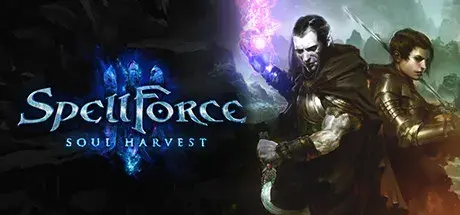
How to Play SpellForce 3 Soul Harvest Online
Download the latest SpellForce 3 Soul Harvest Online Fix to play multiplayer with your friends through Steam. This Online Fix includes all the required files to enable co-op gameplay. Follow the installation guide below to install the fix correctly, invite your friends, and enjoy online gameplay.
Installation
Download the Online Fix files.
Extract the archive using the password:
zeigames.com
Copy all extracted files into your SpellForce 3 Soul Harvest installation folder and replace existing files if prompted.
Launching the Game
Sign in to your Steam account.
Run SF3ClientFinal.exe from the game directory.
Wait for the game to load.
Log-in or create THQ account in-game.
Playing with Friends
Make sure you and your friends are added as friends on Steam.
Create or host a multiplayer session.
Invite your friends through the in-game invite system.
If Invites Don't Work
Some versions of the Online Fix may have issues with the built-in invite feature.
If the in-game invite button doesn't work:
Open the Steam Overlay (Shift + Tab).
Find your friend's profile in your Steam Friends list.
Right-click their name and select Invite to Game (Spacewar).
Your friend can then accept the invitation and join your session.
Need Help with Online Fix?
If you're not familiar with Online Fix or Steam invitations, check out our guide:
How to Play Games Online?
Enjoy playing SpellForce 3 Soul Harvestonline with your friends!
Looking for the Full Game?
Looking for the full version of SpellForce 3 Soul Harvest? Visit our SpellForce 3 Soul Harvest Free Download page below.
- 3 Downloads
-
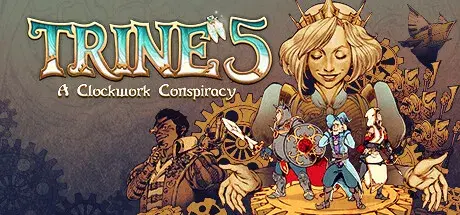
How to Play Trine 5: A Clockwork Conspiracy Online
Download the latest Trine 5: A Clockwork Conspiracy Online Fix to play multiplayer with your friends through Steam. This Online Fix includes all the required files to enable co-op gameplay. Follow the installation guide below to install the fix correctly, invite your friends, and enjoy online gameplay.
Installation
Download the Online Fix files.
Extract the archive using the password:
zeigames.com
Copy all extracted files into your Trine 5: A Clockwork Conspiracy installation folder and replace existing files if prompted.
Launching the Game
Sign in to your Steam account.
Run Trine 5.exe from the game directory.
Wait for the game to load.
Playing with Friends
Make sure you and your friends are added as friends on Steam.
Create or host a multiplayer session.
Invite your friends through the in-game invite system.
If Invites Don't Work
Some versions of the Online Fix may have issues with the built-in invite feature.
If the in-game invite button doesn't work:
Open the Steam Overlay (Shift + Tab).
Find your friend's profile in your Steam Friends list.
Right-click their name and select Invite to Game (Spacewar).
Your friend can then accept the invitation and join your session.
Need Help with Online Fix?
If you're not familiar with Online Fix or Steam invitations, check out our guide:
How to Play Games Online?
Enjoy playing Trine 5: A Clockwork Conspiracy online with your friends!
Looking for the Full Game?
Looking for the full version of Trine 5: A Clockwork Conspiracy? Visit our Trine 5: A Clockwork Conspiracy Free Download page below.
- 15 Downloads
-
How to Play Cat Chess Online
Download the latest Cat Chess Online Fix to play multiplayer with your friends through Steam. This Online Fix includes all the required files to enable co-op gameplay. Follow the installation guide below to install the fix correctly, invite your friends, and enjoy online gameplay.
Installation
Download the Online Fix files.
Extract the archive using the password:
zeigames.com
Copy all extracted files into your Cat Chess installation folder and replace existing files if prompted.
Launching the Game
Sign in to your Steam account.
Run CatChess.exe from the game directory.
Wait for the game to load.
Playing with Friends
Make sure you and your friends are added as friends on Steam.
Create or host a multiplayer session.
Invite your friends through the in-game invite system.
If Invites Don't Work
Some versions of the Online Fix may have issues with the built-in invite feature.
If the in-game invite button doesn't work:
Open the Steam Overlay (Shift + Tab).
Find your friend's profile in your Steam Friends list.
Right-click their name and select Invite to Game (Spacewar).
Your friend can then accept the invitation and join your session.
Need Help with Online Fix?
If you're not familiar with Online Fix or Steam invitations, check out our guide:
How to Play Games Online?
Enjoy playing Cat Chess online with your friends!
Looking for the Full Game?
Looking for the full version of Cat Chess? Visit our Cat Chess Free Download page below.
- 31 Downloads
-
How to Play Uh Oh Airlines Online
Download the latest Uh Oh Airlines Online Fix to play multiplayer with your friends through Steam. This Online Fix includes all the required files to enable co-op gameplay. Follow the installation guide below to install the fix correctly, invite your friends, and enjoy online gameplay.
Installation
Download the Online Fix files.
Extract the archive using the password:
zeigames.com
Copy all extracted files into your Uh Oh Airlines installation folder and replace existing files if prompted.
Launching the Game
Sign in to your Steam account.
Run FA_Game.exe from the game directory.
Wait for the game to load.
Playing with Friends
Make sure you and your friends are added as friends on Steam.
Create or host a multiplayer session.
Invite your friends through the in-game invite system.
If Invites Don't Work
Some versions of the Online Fix may have issues with the built-in invite feature.
If the in-game invite button doesn't work:
Open the Steam Overlay (Shift + Tab).
Find your friend's profile in your Steam Friends list.
Right-click their name and select Invite to Game (Spacewar).
Your friend can then accept the invitation and join your session.
Need Help with Online Fix?
If you're not familiar with Online Fix or Steam invitations, check out our guide:
How to Play Games Online?
Enjoy playing Uh Oh Airlines online with your friends!
Looking for the Full Game?
Looking for the full version of Uh Oh Airlines? Visit our Uh Oh Airlines Free Download page below.
- 23 Downloads
-
How to Play Waterpark Simulator Online
Download the latest Waterpark Simulator Online Fix to play multiplayer with your friends through Steam. This Online Fix includes all the required files to enable co-op gameplay. Follow the installation guide below to install the fix correctly, invite your friends, and enjoy online gameplay.
Installation
Download the Online Fix files.
Extract the archive using the password:
zeigames.com
Copy all extracted files into your Waterpark Simulator installation folder and replace existing files if prompted.
Launching the Game
Sign in to your Steam account.
Run Waterpark Simulator.exe from the game directory.
Wait for the game to load.
Playing with Friends
Make sure you and your friends are added as friends on Steam.
Create or host a multiplayer session.
Invite your friends through the in-game invite system.
If Invites Don't Work
Some versions of the Online Fix may have issues with the built-in invite feature.
If the in-game invite button doesn't work:
Open the Steam Overlay (Shift + Tab).
Find your friend's profile in your Steam Friends list.
Right-click their name and select Invite to Game (Spacewar).
Your friend can then accept the invitation and join your session.
Need Help with Online Fix?
If you're not familiar with Online Fix or Steam invitations, check out our guide:
How to Play Games Online?
Enjoy playing Waterpark Simulator online with your friends!
Looking for the Full Game?
Looking for the full version of Waterpark Simulator? Visit our Waterpark Simulator Free Download page below.
- 422 Downloads
- 4 Comments
-
How to Play SOUTH PARK: SNOW DAY! Online
Download the latest SOUTH PARK: SNOW DAY! Online Fix to play multiplayer with your friends through Steam. This Online Fix includes all the required files to enable co-op gameplay. Follow the installation guide below to install the fix correctly, invite your friends, and enjoy online gameplay.
Installation
Download the Online Fix files.
Extract the archive using the password:
zeigames.com
Copy all extracted files into your SOUTH PARK: SNOW DAY! installation folder and replace existing files if prompted.
Launching the Game
Sign in to your Steam account.
Run SnowDay.exe from the game directory.
Wait for the game to load.
Playing with Friends
Make sure you and your friends are added as friends on Steam.
Create or host a multiplayer session.
Invite your friends through the in-game invite system.
If Invites Don't Work
Some versions of the Online Fix may have issues with the built-in invite feature.
If the in-game invite button doesn't work:
Open the Steam Overlay (Shift + Tab).
Find your friend's profile in your Steam Friends list.
Right-click their name and select Invite to Game (Spacewar).
Your friend can then accept the invitation and join your session.
Need Help with Online Fix?
If you're not familiar with Online Fix or Steam invitations, check out our guide:
How to Play Games Online?
Enjoy playing SOUTH PARK: SNOW DAY! online with your friends!
Looking for the Full Game?
Looking for the full version of SOUTH PARK: SNOW DAY!? Visit our SOUTH PARK: SNOW DAY! Free Download page below.
- 15 Downloads
-
How to Play Fade to Silence Online
Download the latest Fade to Silence Online Fix to play multiplayer with your friends through Steam. This Online Fix includes all the required files to enable co-op gameplay. Follow the installation guide below to install the fix correctly, invite your friends, and enjoy online gameplay.
Installation
Download the Online Fix files.
Extract the archive using the password:
zeigames.com
Copy all extracted files into your Fade to Silence installation folder and replace existing files if prompted.
Launching the Game
Sign in to your Steam account.
Run Fade to Silence.exe from the game directory.
Wait for the game to load.
Playing with Friends
Make sure you and your friends are added as friends on Steam.
Create or host a multiplayer session.
Invite your friends through the in-game invite system.
If Invites Don't Work
Some versions of the Online Fix may have issues with the built-in invite feature.
If the in-game invite button doesn't work:
Open the Steam Overlay (Shift + Tab).
Find your friend's profile in your Steam Friends list.
Right-click their name and select Invite to Game (Spacewar).
Your friend can then accept the invitation and join your session.
Need Help with Online Fix?
If you're not familiar with Online Fix or Steam invitations, check out our guide:
How to Play Games Online?
Enjoy playing Fade to Silence online with your friends!
Looking for the Full Game?
Looking for the full version of Fade to Silence? Visit our Fade to Silence Free Download page below.
- 5 Downloads
-
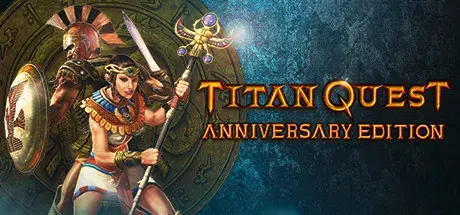
How to Play Titan Quest Anniversary Edition Online
Download the latest Titan Quest Anniversary Edition Online Fix to play multiplayer with your friends through Steam. This Online Fix includes all the required files to enable co-op gameplay. Follow the installation guide below to install the fix correctly, invite your friends, and enjoy online gameplay.
Installation
Download the Online Fix files.
Extract the archive using the password:
zeigames.com
Copy all extracted files into your Titan Quest Anniversary Edition installation folder and replace existing files if prompted.
Launching the Game
Sign in to your Steam account.
Run TQ.exe from the game directory.
Wait for the game to load.
Playing with Friends
Make sure you and your friends are added as friends on Steam.
Create or host a multiplayer session.
Invite your friends through the in-game invite system.
If Invites Don't Work
Some versions of the Online Fix may have issues with the built-in invite feature.
If the in-game invite button doesn't work:
Open the Steam Overlay (Shift + Tab).
Find your friend's profile in your Steam Friends list.
Right-click their name and select Invite to Game (Spacewar).
Your friend can then accept the invitation and join your session.
Need Help with Online Fix?
If you're not familiar with Online Fix or Steam invitations, check out our guide:
How to Play Games Online?
Enjoy playing Titan Quest Anniversary Edition online with your friends!
Looking for the Full Game?
Looking for the full version of Titan Quest Anniversary Edition? Visit our Titan Quest Anniversary Edition Free Download page below.
- 18 Downloads
-
How to Play The Guild 3 Online
Download the latest The Guild 3 Online Fix to play multiplayer with your friends through Steam. This Online Fix includes all the required files to enable co-op gameplay. Follow the installation guide below to install the fix correctly, invite your friends, and enjoy online gameplay.
Installation
Download the Online Fix files.
Extract the archive using the password:
zeigames.com
Copy all extracted files into your The Guild 3 installation folder and replace existing files if prompted.
Launching the Game
Sign in to your Steam account.
Run Guild 3.exe from the game directory.
Wait for the game to load.
Playing with Friends
Make sure you and your friends are added as friends on Steam.
Create or host a multiplayer session.
Invite your friends through the in-game invite system.
If Invites Don't Work
Some versions of the Online Fix may have issues with the built-in invite feature.
If the in-game invite button doesn't work:
Open the Steam Overlay (Shift + Tab).
Find your friend's profile in your Steam Friends list.
Right-click their name and select Invite to Game (Spacewar).
Your friend can then accept the invitation and join your session.
Need Help with Online Fix?
If you're not familiar with Online Fix or Steam invitations, check out our guide:
How to Play Games Online?
Enjoy playing The Guild 3 online with your friends!
Looking for the Full Game?
Looking for the full version of The Guild 3? Visit our The Guild 3 Free Download page below.
- 9 Downloads
-
How to Play Remnant: From the Ashes Online
Download the latest Remnant: From the Ashes Online Fix to play multiplayer with your friends through Steam. This Online Fix includes all the required files to enable co-op gameplay. Follow the installation guide below to install the fix correctly, invite your friends, and enjoy online gameplay.
Installation
Download the Online Fix files.
Extract the archive using the password:
zeigames.com
Copy all extracted files into your Remnant: From the Ashes installation folder and replace existing files if prompted.
Launching the Game
Sign in to your Steam account.
Run Remnant.exe from the game directory.
Wait for the game to load.
Playing with Friends
Make sure you and your friends are added as friends on Steam.
Create or host a multiplayer session.
Invite your friends through the in-game invite system.
If Invites Don't Work
Some versions of the Online Fix may have issues with the built-in invite feature.
If the in-game invite button doesn't work:
Open the Steam Overlay (Shift + Tab).
Find your friend's profile in your Steam Friends list.
Right-click their name and select Invite to Game (Spacewar).
Your friend can then accept the invitation and join your session.
Need Help with Online Fix?
If you're not familiar with Online Fix or Steam invitations, check out our guide:
How to Play Games Online?
Enjoy playing Remnant: From the Ashes online with your friends!
Looking for the Full Game?
Looking for the full version of Remnant: From the Ashes? Visit our Remnant: From the Ashes Free Download page below.
- 55 Downloads
-
How to Play Darksiders Genesis Online
Download the latest Darksiders Genesis Online Fix to play multiplayer with your friends through Steam. This Online Fix includes all the required files to enable co-op gameplay. Follow the installation guide below to install the fix correctly, invite your friends, and enjoy online gameplay.
Installation
Download the Online Fix files.
Extract the archive using the password:
zeigames.com
Copy all extracted files into your Darksiders Genesis installation folder and replace existing files if prompted.
Launching the Game
Sign in to your Steam account.
Run Darksiders Genesis.exe from the game directory.
Wait for the game to load.
Playing with Friends
Make sure you and your friends are added as friends on Steam.
Create or host a multiplayer session.
Invite your friends through the in-game invite system.
If Invites Don't Work
Some versions of the Online Fix may have issues with the built-in invite feature.
If the in-game invite button doesn't work:
Open the Steam Overlay (Shift + Tab).
Find your friend's profile in your Steam Friends list.
Right-click their name and select Invite to Game (Spacewar).
Your friend can then accept the invitation and join your session.
Need Help with Online Fix?
If you're not familiar with Online Fix or Steam invitations, check out our guide:
How to Play Games Online?
Enjoy playing Darksiders Genesis online with your friends!
Looking for the Full Game?
Looking for the full version of Darksiders Genesis? Visit our Darksiders Genesis Free Download page below.
- 23 Downloads
-
How to Play Santa Simulator : Christmas Factory Online
Download the latest Santa Simulator : Christmas Factory Online Fix to play multiplayer with your friends through Steam. This Online Fix includes all the required files to enable co-op gameplay. Follow the installation guide below to install the fix correctly, invite your friends, and enjoy online gameplay.
Installation
Download the Online Fix files.
Extract the archive using the password:
zeigames.com
Copy all extracted files into your Santa Simulator : Christmas Factory installation folder and replace existing files if prompted.
Launching the Game
Sign in to your Steam account.
Run Santa.exe from the game directory.
Wait for the game to load.
Playing with Friends
Make sure you and your friends are added as friends on Steam.
Create or host a multiplayer session.
Invite your friends through the in-game invite system.
If Invites Don't Work
Some versions of the Online Fix may have issues with the built-in invite feature.
If the in-game invite button doesn't work:
Open the Steam Overlay (Shift + Tab).
Find your friend's profile in your Steam Friends list.
Right-click their name and select Invite to Game (Spacewar).
Your friend can then accept the invitation and join your session.
Need Help with Online Fix?
If you're not familiar with Online Fix or Steam invitations, check out our guide:
How to Play Games Online?
Enjoy playing Santa Simulator : Christmas Factory online with your friends!
Looking for the Full Game?
Looking for the full version of Santa Simulator : Christmas Factory? Visit our Santa Simulator : Christmas Factory Free Download page below.
- 15 Downloads
-
How to Play GigaBash Online
Download the latest GigaBash Online Fix to play multiplayer with your friends through Steam. This Online Fix includes all the required files to enable co-op gameplay. Follow the installation guide below to install the fix correctly, invite your friends, and enjoy online gameplay.
Installation
Download the Online Fix files.
Extract the archive using the password:
zeigames.com
Copy all extracted files into your GigaBash installation folder and replace existing files if prompted.
Launching the Game
Sign in to your Steam account.
Run GigaBash.exe from the game directory.
Wait for the game to load.
Log in to your Epic Games Store account in the browser window that opens.
Playing with Friends
Make sure you and your friends are added as friends on Steam.
Create or host a multiplayer session.
Invite your friends through the in-game invite system.
If Invites Don't Work
Some versions of the Online Fix may have issues with the built-in invite feature.
If the in-game invite button doesn't work:
Open the Steam Overlay (Shift + Tab).
Find your friend's profile in your Steam Friends list.
Right-click their name and select Invite to Game (Spacewar).
Your friend can then accept the invitation and join your session.
Need Help with Online Fix?
If you're not familiar with Online Fix or Steam invitations, check out our guide:
How to Play Games Online?
Enjoy playing GigaBash online with your friends!
Looking for the Full Game?
Looking for the full version of GigaBash? Visit our GigaBash Free Download page below.
- 27 Downloads
-
How to Play Angels Fall First Online
Download the latest Angels Fall First Online Fix to play multiplayer with your friends through Steam. This Online Fix includes all the required files to enable co-op gameplay. Follow the installation guide below to install the fix correctly, invite your friends, and enjoy online gameplay.
Installation
Download the Online Fix files.
Extract the archive using the password:
zeigames.com
Copy all extracted files into your Angels Fall First installation folder and replace existing files if prompted.
Launching the Game
Sign in to your Steam account.
Run Binaries/Win64/AFFGame.exe from the game directory.
Wait for the game to load.
Playing with Friends
Make sure you and your friends are added as friends on Steam.
Create or host a multiplayer session.
Invite your friends through the in-game invite system.
If Invites Don't Work
Some versions of the Online Fix may have issues with the built-in invite feature.
If the in-game invite button doesn't work:
Open the Steam Overlay (Shift + Tab).
Find your friend's profile in your Steam Friends list.
Right-click their name and select Invite to Game (Spacewar).
Your friend can then accept the invitation and join your session.
Need Help with Online Fix?
If you're not familiar with Online Fix or Steam invitations, check out our guide:
How to Play Games Online?
Enjoy playing Angels Fall First online with your friends!
Looking for the Full Game?
Looking for the full version of Angels Fall First? Visit our Angels Fall First Free Download page below.
- 123 Downloads
-
How to Play State of Decay 2: Juggernaut Edition Online
Download the latest State of Decay 2: Juggernaut Edition Online Fix to play multiplayer with your friends through Steam. This Online Fix includes all the required files to enable co-op gameplay. Follow the installation guide below to install the fix correctly, invite your friends, and enjoy online gameplay.
Installation
Download the Online Fix files.
Extract the archive using the password:
zeigames.com
Copy all extracted files into your State of Decay 2: Juggernaut Edition installation folder and replace existing files if prompted.
Launching the Game
Sign in to your Steam account.
Run StateOfDecay2.exe from the game directory.
Wait for the game to load.
Register on the Live.com website. (Complete the full registration process, enter your GMAIL.COM email address, and provide all the required information).
(Optional) You can add friends to your list here so that you can invite them to play the game.
The most difficult step in the entire setup: Open Start => Control Panel => All Control Panel Items => Credential Manager => Windows Credentials => Find Xbl|DeviceKey in the list and select Remove!
Playing with Friends
Make sure you and your friends are added as friends on Steam.
Create or host a multiplayer session.
Invite your friends through the in-game invite system.
If Invites Don't Work
Some versions of the Online Fix may have issues with the built-in invite feature.
If the in-game invite button doesn't work:
Open the Steam Overlay (Shift + Tab).
Find your friend's profile in your Steam Friends list.
Right-click their name and select Invite to Game (Spacewar).
Your friend can then accept the invitation and join your session.
Need Help with Online Fix?
If you're not familiar with Online Fix or Steam invitations, check out our guide:
How to Play Games Online?
Enjoy playing State of Decay 2: Juggernaut Edition online with your friends!
Looking for the Full Game?
Looking for the full version of State of Decay 2: Juggernaut Edition? Visit our State of Decay 2: Juggernaut Edition Free Download page below.
- 1,658 Downloads
-
How to Play House Flipper 2 Online
Download the latest House Flipper 2 Online Fix to play multiplayer with your friends through Steam. This Online Fix includes all the required files to enable co-op gameplay. Follow the installation guide below to install the fix correctly, invite your friends, and enjoy online gameplay.
Installation
Download the Online Fix files.
Extract the archive using the password:
zeigames.com
Copy all extracted files into your House Flipper 2 installation folder and replace existing files if prompted.
Launching the Game
Sign in to your Steam account.
Run House Flipper 2.exe from the game directory.
Wait for the game to load.
Playing with Friends
Make sure you and your friends are added as friends on Steam.
Create or host a multiplayer session.
Invite your friends through the in-game invite system.
If Invites Don't Work
Some versions of the Online Fix may have issues with the built-in invite feature.
If the in-game invite button doesn't work:
Open the Steam Overlay (Shift + Tab).
Find your friend's profile in your Steam Friends list.
Right-click their name and select Invite to Game (Spacewar).
Your friend can then accept the invitation and join your session.
Need Help with Online Fix?
If you're not familiar with Online Fix or Steam invitations, check out our guide:
How to Play Games Online?
Enjoy playing House Flipper 2 online with your friends!
Looking for the Full Game?
Looking for the full version of House Flipper 2? Visit our House Flipper 2 Free Download page below.
- 3,351 Downloads
-
How to Play Biztopia Online
Download the latest Biztopia Online Fix to play multiplayer with your friends through Steam. This Online Fix includes all the required files to enable co-op gameplay. Follow the installation guide below to install the fix correctly, invite your friends, and enjoy online gameplay.
Installation
Download the Online Fix files.
Extract the archive using the password:
zeigames.com
Copy all extracted files into your Biztopia installation folder and replace existing files if prompted.
Launching the Game
Sign in to your Steam account.
Run TopSellersGame.exe from the game directory.
Wait for the game to load.
Playing with Friends
Make sure you and your friends are added as friends on Steam.
Create or host a multiplayer session.
Invite your friends through the in-game invite system.
If Invites Don't Work
Some versions of the Online Fix may have issues with the built-in invite feature.
If the in-game invite button doesn't work:
Open the Steam Overlay (Shift + Tab).
Find your friend's profile in your Steam Friends list.
Right-click their name and select Invite to Game (Spacewar).
Your friend can then accept the invitation and join your session.
Need Help with Online Fix?
If you're not familiar with Online Fix or Steam invitations, check out our guide:
How to Play Games Online?
Enjoy playing Biztopia online with your friends!
Looking for the Full Game?
Looking for the full version of Biztopia? Visit our Biztopia Free Download page below.
- 283 Downloads
-
How to Play Store Wars: Multiplayer Shop Simulator Online
Download the latest Store Wars: Multiplayer Shop Simulator Online Fix to play multiplayer with your friends through Steam. This Online Fix includes all the required files to enable co-op gameplay. Follow the installation guide below to install the fix correctly, invite your friends, and enjoy online gameplay.
Installation
Download the Online Fix files.
Extract the archive using the password:
zeigames.com
Copy all extracted files into your Store Wars: Multiplayer Shop Simulator installation folder and replace existing files if prompted.
Launching the Game
Sign in to your Steam account.
Run StoreWars.exe from the game directory.
Wait for the game to load.
Playing with Friends
Make sure you and your friends are added as friends on Steam.
Create or host a multiplayer session.
Invite your friends through the in-game invite system.
If Invites Don't Work
Some versions of the Online Fix may have issues with the built-in invite feature.
If the in-game invite button doesn't work:
Open the Steam Overlay (Shift + Tab).
Find your friend's profile in your Steam Friends list.
Right-click their name and select Invite to Game (Spacewar).
Your friend can then accept the invitation and join your session.
Need Help with Online Fix?
If you're not familiar with Online Fix or Steam invitations, check out our guide:
How to Play Games Online?
Enjoy playing Store Wars: Multiplayer Shop Simulator online with your friends!
Looking for the Full Game?
Looking for the full version of Store Wars: Multiplayer Shop Simulator? Visit our Store Wars: Multiplayer Shop Simulator Free Download page below.
- 91 Downloads
-
How to Play Sporting Goods Shop Online
Download the latest Sporting Goods Shop Online Fix to play multiplayer with your friends through Steam. This Online Fix includes all the required files to enable co-op gameplay. Follow the installation guide below to install the fix correctly, invite your friends, and enjoy online gameplay.
Installation
Download the Online Fix files.
Extract the archive using the password:
zeigames.com
Copy all extracted files into your Sporting Goods Shop installation folder and replace existing files if prompted.
Launching the Game
Sign in to your Steam account.
Run Sporting Goods Shop.exe from the game directory.
Wait for the game to load.
Playing with Friends
Make sure you and your friends are added as friends on Steam.
Create or host a multiplayer session.
Invite your friends through the in-game invite system.
If Invites Don't Work
Some versions of the Online Fix may have issues with the built-in invite feature.
If the in-game invite button doesn't work:
Open the Steam Overlay (Shift + Tab).
Find your friend's profile in your Steam Friends list.
Right-click their name and select Invite to Game (Spacewar).
Your friend can then accept the invitation and join your session.
Need Help with Online Fix?
If you're not familiar with Online Fix or Steam invitations, check out our guide:
How to Play Games Online?
Enjoy playing Sporting Goods Shop online with your friends!
Looking for the Full Game?
Looking for the full version of Sporting Goods Shop? Visit our Sporting Goods Shop Free Download page below.
- 35 Downloads






















Last Updated
-
- 145 Downloads
- 0 Comments
-
- 9 Downloads
- 0 Comments
-
- 3 Downloads
- 0 Comments
-
- 0 Downloads
- 0 Comments
-
- 8 Downloads
- 0 Comments



File Comments
-
Been playing online since the 5th with no issues. Now getting a "Backend Login Failed, Invalid Response!" error when attempting to access online multiplayer.
-
I cant get the DLCs to get working, literally tried everything. If I run the game with the provided steamapi64.dll this error shows up and the game wont launch: Easy Anti-Cheat Unknown file version (C:\Games\Halloween.v1.0.0.69333.ZeiZavoGames.com\Engine\Binaries\ThirdParty\Steamworks\Steamv161\Win64\steam_api64.dll). If i remove the file and use the original one (clean file) the game launches and is playable but no dlc. Please help!
-
You can't play private lobby.
-
when i am playing with my friend, i got error 1 anticheat, every time i am not the host, and when i am the host my friend got error 1 anticheat every time
-
Nop but you can still play without problems
-
it opens epic games every 20 minutes
-
The same problem of the game crashing is happening with v1.0.50.
-
does anyone know a solution to the error code from anti cheat?
-
Somehow screen goes black when i try to invite my friend, and yes i applied online fix correctly + have antivirus turned off
-
Anyway to change the ingame language?



Top Downloads
-
- 922 Downloads
- 1 Comments
-
- 895 Downloads
- 5 Comments
-
- 723 Downloads
- 0 Comments
-
- 153 Downloads
- 9 Comments
-
- 132 Downloads
- 7 Comments


-
- 3,197 Downloads
- 0 Comments
-
- 991 Downloads
- 1 Comments
-
- 971 Downloads
- 9 Comments
-
- 895 Downloads
- 5 Comments
-
- 504 Downloads
- 19 Comments

-
- 8,574 Downloads
- 9 Comments
-
- 7,512 Downloads
- 4 Comments
-
- 6,635 Downloads
- 20 Comments
-
- 6,030 Downloads
- 3 Comments
-
- 5,830 Downloads
- 0 Comments



-
- 21,189 Downloads
- 4 Comments
-
- 9,968 Downloads
- 0 Comments
-
- 9,488 Downloads
- 9 Comments
-
- 8,688 Downloads
- 0 Comments
-
- 8,290 Downloads
- 0 Comments