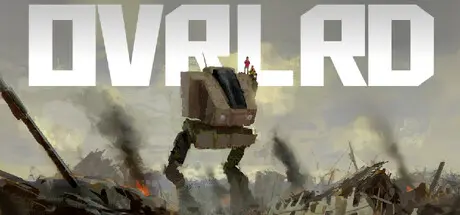
May 12May 12 OVRLRD Game DetailsRelease Name: OVRLRDGame Version: Build 23131504Release Date: 9 Sep, 2024Publisher: OVRLRDDeveloper: OVRLRDBased On: CSF & GoldbergOVRLRD Direct Download - Game OverviewOVRLRD is a true mech simulator inspired by the classics, with a voice-acted single-player campaign, fully-featured mission editor, and native built-in VR support.Influenced by games like Steel Battalion, VTOL VR and MechWarrior 3, OVRLRD puts you in a fully-simulated cockpit, controlling a complex war machine. Use your mouse, keyboard, HOTAS or VR controllers to manipulate physical buttons, switches, levers, throttles, joysticks and more.OVRLRD Screenshots OVRLRD TrailerOVRLRD System Requirements Minimum RequirementsRecommended Requirements OSMicrosoft Windows 10- ProcessorIntel Core i5-6600k or equivalent- Memory8 GB RAM- GraphicsNvidia GeForce GTX 980 Ti or equivalent- DirectX-- Storage6 GB available space- How to Install OVRLRDNo Installation Needed: The game is pre-installed. Just download and extract.Extract: Right-click the .zip or .rar file and select "Extract Here" or "Extract to folder".Run: Find OVRLRD.exe or VRMODE.bat inside the folder and run it.Game Data & SettingsChange Language: Edit the file located at steam_settings/Configs.user.iniImportant NotesTo support the Game Developer, Get It On Steam.🔥DOWNLOAD AREA🔥🔹2.11 GB🔹Select the server you want to download with ZeiLink.Download





Create an account or sign in to comment