



Skip to content
View in the app

A better way to browse. Learn more.

ZeiGames

A full-screen app on your home screen with push notifications, badges and more.

To install this app on iOS and iPadOS
  1. Tap the Share icon in Safari
  2. Scroll the menu and tap Add to Home Screen.
  3. Tap Add in the top-right corner.
To install this app on Android
  1. Tap the 3-dot menu (โ‹ฎ) in the top-right corner of the browser.
  2. Tap Add to Home screen or Install app.
  3. Confirm by tapping Install.

Retail Company Simulator Free Download (v1.1.010 + Online)
Featured Replies

header.webp

Game Details

Release Name:ย Retail Company Simulator

Game Version:ย v1.1.010 | Build 23007710

Release Date: 6 Aug, 2024

Publisher: Business Tycoon

Developer: Business Tycoon

Based On:ย CSF & Goldberg

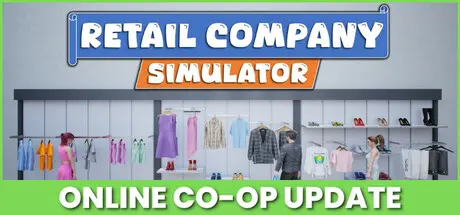
Retail Company Simulator Direct Download - Game Review

Share the duties with your friends in co-op mode (for up to 4 players).

The more players in the store, the more demanding customers will visit your store.

Also, you can go solo and manage everything in the store. You can invite your friends anytime if you change your mind.

Sign contracts with leading brands, order new products with an in-game computer, unpack the boxes, place the products into your store, and set the prices for your products.

Consider the market prices while setting up your product prices in the store for customer satisfaction.

Always keep your store clean so as not to lose any customers. Also, be careful with the thieves to avoid some box losses that would cause a leak in your finances.

Please make sure your customers find all their needs in the store.

Always expand your product portfolio and satisfy your customers.

Shirts, jackets, pants, sweatshirts, dresses, t-shirts, shoes, hats, and more...

Be aware of the market prices and purchase more products when they're cheap.

Place a sufficient number of checkouts and fitting rooms to reduce the waiting time for customers.

Scan products and collect payments whether in cash or with card purchases.

Don't forget to fulfill the online orders.

Expand your store and warehouse by leveling up your store and budget.

Hire stockers to fill the racks.

Purchase more cash registers and hire new cashiers to minimize long queues at the checkouts and to reduce waiting time for customers.


Game Screenshots

screenshot screenshot screenshot screenshot


Game Trailer


System Requirements

Minimum Requirements

Recommended Requirements

OS

Windows 7 64-bit | Windows 8 64-bit | Windows 10 64-bit

Windows 7 64-bit | Windows 8 64-bit | Windows 10 64-bit

Processor

Intel Core i5-9400F | AMD Ryzen 5 3600

Intel Core i5-11400F | AMD Ryzen 5 5600x

Memory

4 GB RAM

8 GB RAM

Graphics

NVIDIA GeForce GTX 1050 | AMD Radeon RX-580

NVIDIA GeForce GTX 1060 | AMD Radeon R9-290X

DirectX

-

-

Storage

3200 MB available space

3200 MB available space


Installation Guide

  1. No Installation Needed: The game is pre-installed. Just download and extract.

  2. Extract: Right-click the .zip or .rar file and select "Extract Here" or "Extract to folder".

  3. Run: Find RetailCompanySim.exe inside the folder and run it.

Multiplayer & Online (Optional)

  • Play Online: Download the Online Fix file and apply it to the game folder.

  • Please go to the online fix page and read the guide.

Game Data & Settings

  • Change Language: Edit the file located at steam_settings/Configs.user.ini

  • Save Data Location: %USERPROFILE%/AppData/Local/RetailCompanySim/Saved/SaveGames

Important Notes

๐Ÿ”ฅDOWNLOAD AREA๐Ÿ”ฅ

๐Ÿ”น1.72 GB๐Ÿ”น

Select the server you want to download with ZeiLink.

Download

Online Fix - (RAR pass: rexagames.com)

  • DicDale changed the title to Retail Company Simulator Free Download (v1.1.010 + Online)

  • Views 694
  • Created
  • Last Reply

Posted Images

Create an account or sign in to comment

Recently Browsing 0

  • No registered users viewing this page.

Account

Navigation

Search

Search

๐Ÿ”Ž Search Tip
For exact results, search using "game name" .
Without quotes, results may include unrelated titles.

Configure browser push notifications

Chrome (Android)
  1. Tap the lock icon next to the address bar.
  2. Tap Permissions โ†’ Notifications.
  3. Adjust your preference.
Chrome (Desktop)
  1. Click the padlock icon in the address bar.
  2. Select Site settings.
  3. Find Notifications and adjust your preference.