



Skip to content
View in the app

A better way to browse. Learn more.

ZeiGames

A full-screen app on your home screen with push notifications, badges and more.

To install this app on iOS and iPadOS
  1. Tap the Share icon in Safari
  2. Scroll the menu and tap Add to Home Screen.
  3. Tap Add in the top-right corner.
To install this app on Android
  1. Tap the 3-dot menu (โ‹ฎ) in the top-right corner of the browser.
  2. Tap Add to Home screen or Install app.
  3. Confirm by tapping Install.

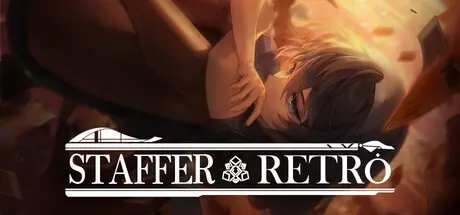
Staffer Retro : A Supernatural Mystery Quest Free Download (v1.1.2)
Featured Replies

header.webp

Game Details

Release Name:ย Staffer Retro : A Supernatural Mystery Quest

Game Version:ย v1.1.2 | Build 24367676

Release Date: 22 Jul, 2026

Publisher: Team Tetrapod, GamePia Co., Ltd.

Developer: Team Tetrapod

Based On:ย CSF & Goldberg

Staffer Retro : A Supernatural Mystery Quest Direct Download - Game Review

A world where supernatural abilities exist.
Plus, tools with mysterious powers, 'STAFF.'

For Verita, an ordinary girl who resides in a second-hand store, Shop Retro, these things sound like stories from a far-off world. That is, until she's suddenly buried under a considerable debt.

Youโ€™ll be joining Verita on her journey, by Help her resolve the storyโ€™s contradictions and mysteries, and decide how she should act. Hidden stories behind the scenes and various tricks you might have missed if you werenโ€™t paying close attention are waiting for you.

Use conversation or exploration to gather information and new documents, then reach your own conclusion as you reason through what you've found. The results of your own choices and logic can lead you toward a different ending.

Make use of the document-centric system that has defined the Staffer series! Combine information about these supernatural happenings recorded on all sorts of documents in order to discover a brand-new truth.

Over 40 unique kinds of documents holding over 100 different clues and The rules behind these supernatural powers, and all these suspicious records... are waiting you!

Sort through six types of documents in order to find the clues to the story playing out. Once you fill them all out, the truth hidden within might just make itself known.

Behind the seemingly peaceful daily routine, a vicious truth lies in wait... At the end of each mystery, the 'dark side' exists to be uncovered. Turn the conclusion on its head in order to discover a new ending.

The story, consisting of 6 episodes (Acts) and 11 endings, features over 20 characters voiced by a talented cast of 17 or more Japanese voice actors. Solve the mystery with voice recordings equivalent to two full seasons of a Japanese anime series!


Game Screenshots

screenshot screenshot screenshot screenshot


Game Trailer


System Requirements

Minimum Requirements

Recommended Requirements

OS

Windows 10 64bit

Windows 10 64bit

Processor

Intel I3 2.0Ghz +

better than Intel i5 8400 or AMD ryzen 5 2600

Memory

6 GB RAM

8 GB RAM

Graphics

DirectX 11 capable GPU

Better than GTX 1050

DirectX

Version 11

Version 11

Storage

7 GB available space

8 GB available space


Installation Guide

  1. No Installation Needed: The game is pre-installed. Just download and extract.

  2. Extract: Right-click the .zip or .rar file and select "Extract Here" or "Extract to folder".

  3. Run: Find StafferRetro.exe inside the folder and run it.

Game Data & Settings

  • Change Language: Edit the file located at steam_settings/Configs.user.ini

  • Save Data Location: %USERPROFILE%/AppData/LocalLow/TeamTetrapod/StafferRetro

Important Notes

๐Ÿ”ฅDOWNLOAD AREA๐Ÿ”ฅ

๐Ÿ”น1.73 GB๐Ÿ”น

Select the server you want to download with ZeiLink.

Download

  • Views 181
  • Created
  • Last Reply

Posted Images

Create an account or sign in to comment

Recently Browsing 0

  • No registered users viewing this page.

Account

Navigation

Search

Search

๐Ÿ”Ž Search Tip
For exact results, search using "game name" .
Without quotes, results may include unrelated titles.

Configure browser push notifications

Chrome (Android)
  1. Tap the lock icon next to the address bar.
  2. Tap Permissions โ†’ Notifications.
  3. Adjust your preference.
Chrome (Desktop)
  1. Click the padlock icon in the address bar.
  2. Select Site settings.
  3. Find Notifications and adjust your preference.
