



Skip to content
View in the app

A better way to browse. Learn more.

ZeiGames

A full-screen app on your home screen with push notifications, badges and more.

To install this app on iOS and iPadOS
  1. Tap the Share icon in Safari
  2. Scroll the menu and tap Add to Home Screen.
  3. Tap Add in the top-right corner.
To install this app on Android
  1. Tap the 3-dot menu (โ‹ฎ) in the top-right corner of the browser.
  2. Tap Add to Home screen or Install app.
  3. Confirm by tapping Install.

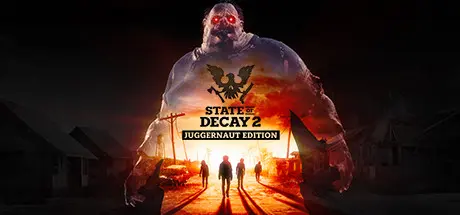
State of Decay 2: Juggernaut Edition Free Download (v38.2 + Online)
Featured Replies

header.webp

Game Details

Release Name:ย State of Decay 2: Juggernaut Edition

Game Version:ย v38.2 | Build 16535856

Release Date: 13 Mar, 2020

Publisher: Xbox Game Studios

Developer: Undead Labs

Based On:ย CSF & RUNE

State of Decay 2: Juggernaut Edition Direct Download - Game Review

State of Decay 2 is an open-world survival-fantasy game set just after the zombie apocalypse. Your small community of survivors seeks to rebuild a corner of civilization, and you get to make all the decisions about how that happens.

You decide who to recruit to your team, where to settle your community, how to fortify and upgrade your base, and when itโ€™s time to move to greener pastures. You select which survivor to bring along on a scavenging run for the food and ammo you need, and who youโ€™ll use to fight off the zombies attacking your base. You choose how youโ€™ll deal with other people who move into your town. Will you be friendly and welcoming... or will you aggressively defend your territory?

Every playerโ€™s experience in the sandbox is unique. Each character in your community has their own special set of skills and traits, so no two communities are ever the same. The challenges you face also vary from game to game, based on who you recruit and the decisions you make along the way.

With co-op multiplayer support, you can visit your friends' communities and help them through a tough spot, bringing back rewards for your own communities later. Alternate game modes include a full 10-hour narrative campaign and a four-player zombie-slaughtering "siege defense" mode.

Undead Labs is proud to present our best-ever vision of the zombie apocalypse. Keep your eyes peeled and your weapons ready. This is one apocalypse you won't want to miss.


Game Screenshots

screenshot screenshot screenshot screenshot


Game Trailer


System Requirements

Minimum Requirements

Recommended Requirements

OS

Windows 10 64-bit

Windows 10 64-bit

Processor

Intel i5-2500 @2.7Ghz / AMD FX-6300

Intel i5 4570 @ 3.2Ghz / AMD FX-8350

Memory

8 GB RAM

16 GB RAM

Graphics

NVIDIA GeForce GTX 760 2GB / AMD Radeon HD 7870

NVIDIA GeForce GTX 1650 4GB / AMD Radeon R9 380

DirectX

Version 11

Version 11

Storage

30 GB available space

30 GB available space


Installation Guide

  1. No Installation Needed: The game is pre-installed. Just download and extract.

  2. Extract: Right-click the .zip or .rar file and select "Extract Here" or "Extract to folder".

  3. Run: Find StateOfDecay2.exe inside the folder and run it.

Multiplayer & Online (Optional)

  • Play Online: Download the Online Fix file and apply it to the game folder.

  • Please go to the online fix page and read the guide.

Game Data & Settings

  • Change Language: Edit the file located at steam_emu.ini

  • Save Data Location: %USERPROFILE%/AppData/Local/StateOfDecay2\Saved\SaveGames

Important Notes

๐Ÿ”ฅDOWNLOAD AREA๐Ÿ”ฅ

๐Ÿ”น18.30 GB๐Ÿ”น

Select the server you want to download with ZeiLink.

Download

Online Fix - (RAR pass: rexagames.com)

  • 2 months later...
  • Replies 10
  • Views 4.2k
  • Created
  • Last Reply

Top Posters In This Topic

Posted Images

  • 3 months later...

The Microsoft logging in is infinite, followed all the steps in the online fix.

  • 5 weeks later...
On 9/27/2025 at 11:59 AM, DicDale said:

Added Online Fix

Pls update the game and add more download links i tried but it got privacy error only had one download links

  • 1 month later...
On 7/11/2026 at 2:30 AM, DicDale said:

Re-uploaded fix and game. I tested and working fine.

i did what u said but steam keeps telling me i dont have the license

Create an account or sign in to comment

Recently Browsing 0

  • No registered users viewing this page.

Account

Navigation

Search

Search

๐Ÿ”Ž Search Tip
For exact results, search using "game name" .
Without quotes, results may include unrelated titles.

Configure browser push notifications

Chrome (Android)
  1. Tap the lock icon next to the address bar.
  2. Tap Permissions โ†’ Notifications.
  3. Adjust your preference.
Chrome (Desktop)
  1. Click the padlock icon in the address bar.
  2. Select Site settings.
  3. Find Notifications and adjust your preference.
