



Skip to content
View in the app

A better way to browse. Learn more.

ZeiGames

A full-screen app on your home screen with push notifications, badges and more.

To install this app on iOS and iPadOS
  1. Tap the Share icon in Safari
  2. Scroll the menu and tap Add to Home Screen.
  3. Tap Add in the top-right corner.
To install this app on Android
  1. Tap the 3-dot menu (โ‹ฎ) in the top-right corner of the browser.
  2. Tap Add to Home screen or Install app.
  3. Confirm by tapping Install.

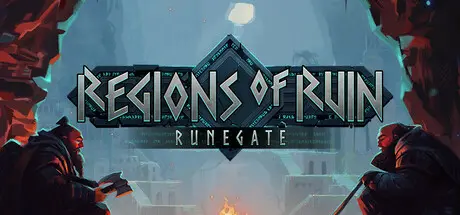
Regions of Ruin: Runegate Free Download (v1.0.30 + The Merchant DLC)
Featured Replies

header.webp

Game Details

Release Name:ย Regions of Ruin: Runegate

Game Version:ย v1.0.30 | Build 22986510

Release Date: 14 Apr, 2026

Publisher: Raw Fury

Developer: Gameclaw Studio

Based On:ย CSF & Goldberg

Regions of Ruin: Runegate Direct Download - Game Review

All that remains of the once-glorious dwarven civilization is dust, scattered exiles, and monster-infested landscapes. Embark on an explorative RPG hack-and-slash adventure as a lone dwarf attempting to re-establish a haven for your dwarven kin - and delve into the mysteries of their forebears.

The former land of the dwarves is as diverse as it is vast, filled with rich veins of resources, loyal allies and fearsome foes. Journey through lush environments, treacherous weather, glowing crystal-filled caverns and more in your pursuits for riches and information. And be prepared to carve your path through relentless enemies, hell-bent on sending the last of the dwarves into extinction.

On your travels, you will encounter dwarven allies in need of assistance. Come to their aid, enlist their help and create a safe haven for your people by rebuilding a civilization. By gathering resources and meeting skilled adventurers, you will be able to unlock new facilities and technologies, furthering your pursuits.

Shape your dwarven hero from their appearance to their preferred style of fighting, through a range of weapons, gear and skill trees for you to explore and experiment with. Approach each encounter as you deem best: Dive straight into the fray with a spear in hand or sneak up close and stab a goblin in the back. Just remember - stay vigilant while fighting, for enemies will adapt to your actions.


Game Screenshots

screenshot screenshot screenshot screenshot


Game Trailer


System Requirements

Minimum Requirements

Recommended Requirements

OS

Windows 10

Windows 10 or higher

Processor

Intel Core i5-4400 or MD FX-8320

Intel Core i5-4670 or AMD FX-8370

Memory

8 GB RAM

16 GB RAM

Graphics

Nvidia GeForce GTX 650 or MD Radeon R7 250X

Nvidia GeForce GTX 660 Ti or AMD Radeon HD 7790

DirectX

Version 11

Version 11

Storage

10 GB available space

10 GB available space


Installation Guide

  1. No Installation Needed: The game is pre-installed. Just download and extract.

  2. Extract: Right-click the .zip or .rar file and select "Extract Here" or "Extract to folder".

  3. Run: Find Regions of Ruin: Runegate.exe inside the folder and run it.

Game Data & Settings

  • Change Language: Edit the file located at steam_settings/Configs.user.ini

  • Save Data Location: %USERPROFILE%/AppData/LocalLow/Gameclaw/Regions of Ruin Runegate/Save Files

Important Notes

DLC List

Added DLCs

Regions of Ruin: Runegate - The Merchant (Regions of Ruin: Runegate - Supporter Pack - The Merchant)

๐Ÿ”ฅDOWNLOAD AREA๐Ÿ”ฅ

๐Ÿ”น717 MB๐Ÿ”น

Select the server you want to download with ZeiLink.

Download

  • Replies 2
  • Views 1k
  • Created
  • Last Reply

Top Posters In This Topic

Most Popular Posts

Posted Images

  • DicDale changed the title to Regions of Ruin: Runegate Free Download (v1.0.30 + The Merchant DLC)

Create an account or sign in to comment

Recently Browsing 0

  • No registered users viewing this page.

Account

Navigation

Search

Search

๐Ÿ”Ž Search Tip
For exact results, search using "game name" .
Without quotes, results may include unrelated titles.

Configure browser push notifications

Chrome (Android)
  1. Tap the lock icon next to the address bar.
  2. Tap Permissions โ†’ Notifications.
  3. Adjust your preference.
Chrome (Desktop)
  1. Click the padlock icon in the address bar.
  2. Select Site settings.
  3. Find Notifications and adjust your preference.