



Theme
Language

Layout
Skip to content
View in the app

A better way to browse. Learn more.

ZeiGames

A full-screen app on your home screen with push notifications, badges and more.

To install this app on iOS and iPadOS
  1. Tap the Share icon in Safari
  2. Scroll the menu and tap Add to Home Screen.
  3. Tap Add in the top-right corner.
To install this app on Android
  1. Tap the 3-dot menu (โ‹ฎ) in the top-right corner of the browser.
  2. Tap Add to Home screen or Install app.
  3. Confirm by tapping Install.

Order of Battle: World War II Free Download (v10.0.6 + ALL DLC)
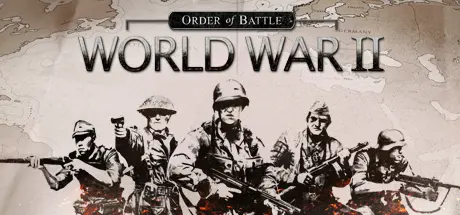
Order of Battle: World War II

Featured Replies

Order of Battle: World War II cover art

Order of Battle: World War II Game Details

Release Name:ย Order of Battle: World War II

Game Version:ย v10.0.6 | Build 20317080

Release Date: 30 Apr, 2015

Publisher: Slitherine Ltd.

Developer: The Artistocrats

Based On:ย GOG

Order of Battle: World War II Direct Download - Game Overview

The free version of the game gives you access to the unique Boot Camp campaign as well as a taste of the first chapter of every other campaign pack. This means that new free missions will appear as soon as a new campaign gets released!

Order of Battle: World War II is a breath of fresh air for all strategy fans. It is a game that takes wargaming to a new level by upgrading every single game element and rebooting the genre for a new generation of players. Detailed terrain, rich animations and a slick interface, all within a traditional setting and with the elements that are familiar to experienced players - Order of Battle: World War II follows in the footsteps of all time classics, such as Panzer General.

With a selection of over 700 unique looking and behaving units, players can build and manage their army, fleet and air force throughout the campaigns set in the various theatres of operations during WW2. A unique system of specializations allows players to customize their forces with special units, bonuses and abilities that reflect the difference in strategies and mentality of the various factions.

A set of unique Commanders โ€“ split between Generals, Pilots and Captains โ€“ is gradually unlocked in the campaigns. These can be attached to specific units to provide unique bonuses to anything in their command range. While good use of unit types and tactics remains the player's priority, clever use of Commanders can tip the balance in an offensive operation or buy just enough time in defense to turn the tide to your favor.

In Order of Battle: World War II, a unique supply system also plays a key factor that directly affects the combat efficiency of the units. Landing on an enemy island without any support ships will prevent the invasion forces from building a solid beachhead, and breaking the supply lines of your opponent, isolating his units and making encirclement maneuvers are the strategies required to achieve an ultimate victory.

Add an intuitive in-game scenario editor, up to 4 player multiplayer support through Hotseat or Slitherine's PBEM++ server system and you have a game with endless re-playability.

  • Classic turn based, hex based gameplay with an intuitive UI and great depth.

  • Play in dynamic campaigns with unit carryover and multiple "what-if" scenarios.

  • A rich 3D world with detailed animations and effects. Turn-based wargaming has never looked this good!

  • 20 different Specializations give a unique feel to each faction including Banzai Charge, Bushido Code and even the Manhattan Project.

  • Over 700 different unit types, including infantry, tanks, ships and aircraft, each with unique visuals and animations

  • Attach unique commanders to your units to give them additional offensive and defensive bonuses

  • A deep but intuitive supply system allowing breakthroughs & encirclements.

  • 4 player multiplayer over PBEM++ and hotseat, supporting last-man-standing, teamplay and cooperative against AI scenarios.

  • An extensive, user-friendly in-game scenario editor with a what-you-see-is-what-you-get design.


Order of Battle: World War II Screenshots

Order of Battle: World War II screenshot 1 Order of Battle: World War II screenshot 2 Order of Battle: World War II screenshot 3 Order of Battle: World War II screenshot 4


Order of Battle: World War II Trailer


Order of Battle: World War II System Requirements

Minimum Requirements

Recommended Requirements

OS

8 / 10 (the game runs on Windows 7 but no support will be provided)

-

Processor

Pentium 4 or equivalent

-

Memory

2 GB RAM

-

Graphics

512 Mb DirectX 11 video card with shader model 2.0

-

DirectX

Version 9.0c

-

Storage

1 GB available space

-


How to Install Order of Battle: World War II

  1. No Installation Needed: The game is pre-installed. Just download and extract.

  2. Extract: Right-click the .zip or .rar file and select "Extract Here" or "Extract to folder".

  3. Run: Find Order of Battle - WW2.exe inside the folder and run it.

Game Data & Settings

  • Change Language: Edit the file located at steam_settings/Configs.user.ini

  • Save Data Location: %USERPROFILE%/My Documents/My Games/Order of Battle - WW2/

Important Notes

DLC List

Added DLCs

Order of Battle: Allies Victorious

Order of Battle: Allies Resurgent

Order of Battle: Alliesย Defiant

Order of Battle: Red Storm

Order of Battle: Red Steel

Order of Battle: Red Star

Order of Battle: Endsieg

Order of Battle: Sandstorm

Order of Battle: Panzerkrieg

Order of Battle: Burma Road

Order of Battle: Kriegsmarine

Order of Battle: Blitzkrieg

Order of Battle: Rising Sun

Order of Battle: US Pacific

Order of Battle: Winter War

Order of Battle: U.S. Marines

Order of Battle: Morning Sun

๐Ÿ”ฅDOWNLOAD AREA๐Ÿ”ฅ

๐Ÿ”น1.72 GB๐Ÿ”น

Select the server you want to download with ZeiLink.

Download

  • Replies 2
  • Views 277
  • Created
  • Last Reply

Top Posters In This Topic

Most Popular Posts

Posted Images

DLCs are not active.

Only the base game is active.

Create an account or sign in to comment

Recently Browsing 0

  • No registered users viewing this page.

Account

Navigation

Search

Search

๐Ÿ”Ž Search Tip
For exact results, search using "game name" .
Without quotes, results may include unrelated titles.

Configure browser push notifications

Chrome (Android)
  1. Tap the lock icon next to the address bar.
  2. Tap Permissions โ†’ Notifications.
  3. Adjust your preference.
Chrome (Desktop)
  1. Click the padlock icon in the address bar.
  2. Select Site settings.
  3. Find Notifications and adjust your preference.
