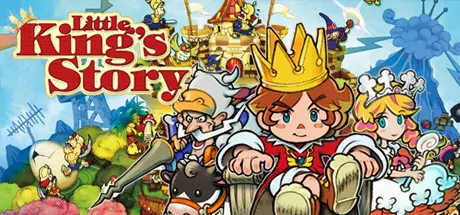
August 26Aug 26 Little King's Story Game DetailsRelease Name: Little King's StoryGame Version: v1.0.6221.32213 | Build 1605291Release Date: 5 Aug, 2016Publisher: XSEED Games, Marvelous USA, Inc., Marvelous EuropeDeveloper: Marvelous, Inc.Based On: CSF & GoldbergLittle King's Story Direct Download - Game Overview Once upon a time, in a small, unremarkable village, there was a timid little boy who didn't have any friends. One day, while playing alone in his bedroom, he was rudely interrupted by a family of dirty rats. Chasing them out of his room, the little boy suddenly found himself lost in a vast, mysterious forest, where he happened upon a magical crown that imbued him with the power to command. The little boy -- with his newfound companions Liam, Verde, and Howser the Bull Knight at his side -- has (rather surprisingly) become the leader of the small, down-on-its-luck kingdom of Alpoko.With his newfound powers of persuasion, the little boy began working to raise Alpoko from the depths of obscurity and poverty into the dizzying heights of absolute power and prosperity. With Howser offering effective advice and unrestrained ambition, and the citizens of Alpoko sharing his grandiose plans (whether they want to or not), the little boy marches ever onward to his ultimate goal of World Domination!Initially released for Wii to rave reviews, this cult classic real-time strategy game juxtaposes cutesy fairytale visuals with some decidedly adult cynicism for a zany, irreverent adventure to build, enhance, and maintain a mystical, magical kingdom. Making its way to PC for the first time, this edition of the game remains faithful to the Wii original, but brings all its charming, sassy fun to a new audience. Can you keep Alpoko safe from the Onii and help our little hero become king of the whole world?Play an enhanced HD port of the fan-favorite Wii version of the game, with all the original storybook-style art, content, and gameplay present and accounted for.Play in English, French, Italian, German, or Spanish, to ensure that most of the Western world can understand your claim over their land (Note: Game also contains Japanese text, but in order for the Japanese text to display properly the Windows OS must be set to Japanese).Have your loyal subjects dig for treasure, erect buildings, and break obstacles to access new areas -- all in the name of bettering your kingdom.Interact with unique NPCs who have individual likes, dislikes, and personal memories which evolve based on their daily experiences.Take a variety of quests to help increase your reputation and further the noble name of Alpoko.Unite the surrounding rival kingdoms under your flag to become the best monarch in all the land (and ultimately, the one who rules over all the land!).Little King's Story Screenshots Little King's Story TrailerLittle King's Story System RequirementsMinimum RequirementsRecommended RequirementsOSWindows XP, Windows 7, Windows 8.1Windows 7, Windows 8.1ProcessorIntel Core i3-530 @ 2.93 GHzIntel Core i5-3350 @ 3.7 GHzMemory2 GB RAM4 GB RAMGraphicsNVIDIA Geforce 450NVIDIA Geforce 650DirectXVersion 9.0Version 9.0Storage5 GB available space5 GB available spaceHow to Install Little King's StoryNo Installation Needed: The game is pre-installed. Just download and extract.Extract: Right-click the .zip or .rar file and select "Extract Here" or "Extract to folder".Run: Find LittleKingStory.exe inside the folder and run it.Game Data & SettingsChange Language: Edit the file located at steam_settings/Configs.user.iniSave Data Location: */saveImportant NotesTo support the Game Developer, Get It On Steam.🔥DOWNLOAD AREA🔥🔹2.97 GB🔹Select the server you want to download with ZeiLink.Download
August 27Aug 27 This is a really dumb question but would you happen to have a copy of the game from before it got patched?





Create an account or sign in to comment