



Skip to content
View in the app

A better way to browse. Learn more.

ZeiGames

A full-screen app on your home screen with push notifications, badges and more.

To install this app on iOS and iPadOS
  1. Tap the Share icon in Safari
  2. Scroll the menu and tap Add to Home Screen.
  3. Tap Add in the top-right corner.
To install this app on Android
  1. Tap the 3-dot menu (โ‹ฎ) in the top-right corner of the browser.
  2. Tap Add to Home screen or Install app.
  3. Confirm by tapping Install.

Lawn Mowing Simulator Free Download (v1.0.15.0 + ALL DLC)
Featured Replies

header.webp

Game Details

Release Name:ย Lawn Mowing Simulator

Game Version:ย v1.0.15.0 | Build 19771967

Release Date: 10 Aug, 2021

Publisher: Curve Games

Developer: Skyhook Games

Based On:ย CSF & Goldberg

Lawn Mowing Simulator Direct Download - Game Review

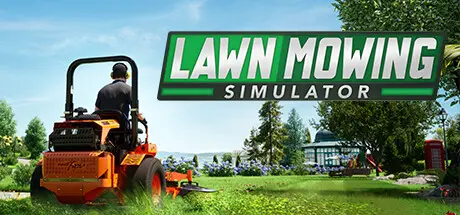
Experience the beauty and detail of mowing the Great British countryside in Lawn Mowing Simulator, the only simulator that allows you to ride an authentic and expansive roster of real-world licensed lawn mowers from prestigious manufacturers; Toro, SCAG and STIGA as you manage your mowing business.

Execute ground checks, set your blade height, and measure your engine load as you complete a variety of contracts across Career Mode, Free Mode or Challenge Mode. Take your mowing further with several attachments from stripe rollers, mulching kits, grass collectors, recyclers, flail decks and more.

Lawn Mowing Simulator is set in a beautiful British countryside town. Busy residential streets, vast castle grounds, quaint cottage greens, and large equestrian fields are just some of the locations that await your mowing blades.

Toro, SCAG and STIGA front line Lawn Mowing Simulator with their real-world machines painstakingly re-created visually and physically. 12 Mowers are available in the base game, each with their own challenges, attachments and upgrades to pursue.

Build your own lawncare business from the ground up. Purchase and upgrade your headquarters, hire employees, purchase advertising and balance the books as you grow and expand your business.


Game Screenshots

screenshot screenshot screenshot screenshot


Game Trailer


System Requirements

Minimum Requirements

Recommended Requirements

OS

Windows 10 x64

Windows 10 x64

Processor

AMD FX-8350 (4 * 4000) or equivalent // Intel Core i3-8350K (4 * 4000) or equivalent

AMD Ryzen 7 2700X (8 * 3200) or equivalent // Intel Core i7-6950X (10 * 3000) or equivalent

Memory

8 GB RAM

8 GB RAM

Graphics

Radeon R9 390X (8192 VRAM) or equivalent // GeForce GTX 960 (4096 VRAM) or equivalent

Radeon RX Vega 64 (8192 VRAM) or equivalent // GeForce GTX 1080 (8192 VRAM) or equivalent

DirectX

Version 11

Version 12

Storage

20 GB available space

20 GB available space


Installation Guide

  1. No Installation Needed: The game is pre-installed. Just download and extract.

  2. Extract: Right-click the .zip or .rar file and select "Extract Here" or "Extract to folder".

  3. Run: Find Lawn Mowing Simulator.exe inside the folder and run it.

Game Data & Settings

  • Change Language: Edit the file located at steam_settings/Configs.user.ini

  • Save Data Location: %USERPROFILE%/AppData/LocalLow/Curve Digital\Lawn Mowing Simulator

Important Notes

DLC List

Added DLCs

Lawn Mowing Simulator - Heritage Park

Lawn Mowing Simulator - Dino Safari Pack (Lawn Mowing Simulator - Dino Safari)

Lawnmowing Simulator - Ancient Britain Pack (Lawn Mowing Simulator - Ancient Britain)

๐Ÿ”ฅDOWNLOAD AREA๐Ÿ”ฅ

๐Ÿ”น15.59 GB๐Ÿ”น

Select the server you want to download with ZeiLink.

Download

  • 3 months later...
  • Replies 1
  • Views 1.3k
  • Created
  • Last Reply

Top Posters In This Topic

Posted Images

Create an account or sign in to comment

Recently Browsing 0

  • No registered users viewing this page.

Account

Navigation

Search

Search

๐Ÿ”Ž Search Tip
For exact results, search using "game name" .
Without quotes, results may include unrelated titles.

Configure browser push notifications

Chrome (Android)
  1. Tap the lock icon next to the address bar.
  2. Tap Permissions โ†’ Notifications.
  3. Adjust your preference.
Chrome (Desktop)
  1. Click the padlock icon in the address bar.
  2. Select Site settings.
  3. Find Notifications and adjust your preference.
