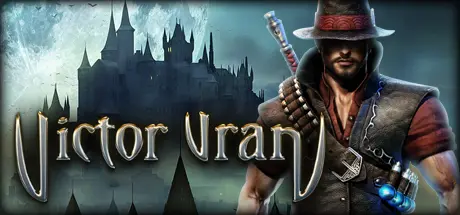
April 20Apr 20 Victor Vran ARPG Game DetailsRelease Name: Victor Vran ARPGGame Version: v2.07 | Build 4310921Release Date: 24 Jul, 2015Publisher: Haemimont Games, EuroVideo MedienDeveloper: Haemimont GamesBased On: CSF & GoldbergVictor Vran ARPG Direct Download - Game Overview Victor Vran is an isometric Action-RPG with a massive selection of weapons, items, outfits, demon powers and destiny cards. Experience intense combat action with dozens of enemies attacking you from all sides and unleash powerful skills to finish them off!Victor Vran lets you decide how to play the game. Forge your own personal version of Victor thanks to a vast array of powerful weapons, game-changing outfits, wicked demon powers and destiny cards. Use special moves, combine skills and weapons to wipe out hordes of hideous beasts and clever boss monsters.Slaying demons doesn’t have to be a lonely affair – team up with friends online and explore the story of the dark world together in a full co-op experience. Local co-op is also available.Dynamic action – dive down on enemies, dodge attacks and stand against hordes of monstersExtensive character development – choose your weapons, items, outfits, destiny cards and demon powers to create your ultimate monster-slaying buildRandomly generated items in addition to the hand-crafted ones. Improve every item to perfection by using transmutation.Huge variety in monster behaviorCustomize your difficulty with cursed hex itemsXbox controller supportVictor Vran ARPG Screenshots Victor Vran ARPG TrailerVictor Vran ARPG System Requirements Minimum RequirementsRecommended Requirements OSWindows Vista SP2, Windows 7, Windows 8Windows 7 (64 bit), Windows 8 (64 bit) Processor2 GHz Dual Core CPU2.5 GHz Quad Core CPU Memory4 GB RAM8 GB RAM GraphicsGeForce 8800 or higher, AMD Radeon HD 4000 or higher, Intel HD 4000 or higher (min. 512 MB VRAM)GeForce 560 or higher, AMD Radeon HD 5800 or higher DirectXVersion 9.0cVersion 11 Storage4 GB available space4 GB available space How to Install Victor Vran ARPGNo Installation Needed: The game is pre-installed. Just download and extract.Extract: Right-click the .zip or .rar file and select "Extract Here" or "Extract to folder".Run: Find VictorVranSteam.exe inside the folder and run it.Game Data & SettingsChange Language: Edit the file located at steam_settings/Configs.user.iniSave Data Location: %USERPROFILE%/AppData/Roaming/Victor Vran/Important NotesTo support the Game Developer, Get It On Steam.DLC ListAdded DLCsVictor Vran: Fractured WorldsVictor Vran: Motörhead Through The AgesVictor Vran: Tome of Souls WeaponVictor Vran: Cauldron of Chaos Map (Victor Vran: Cauldron of Chaos Dungeon)Victor Vran: Highlander OutfitVictor Vran: Original Soundtrack and Art BookVictor Vran - Wanderer Outfit🔥DOWNLOAD AREA🔥🔹5.39 GB🔹Select the server you want to download with ZeiLink.ALL Languages Included.Download





Create an account or sign in to comment