



Theme
Language

Layout
Skip to content
View in the app

A better way to browse. Learn more.

ZeiGames

A full-screen app on your home screen with push notifications, badges and more.

To install this app on iOS and iPadOS
  1. Tap the Share icon in Safari
  2. Scroll the menu and tap Add to Home Screen.
  3. Tap Add in the top-right corner.
To install this app on Android
  1. Tap the 3-dot menu (โ‹ฎ) in the top-right corner of the browser.
  2. Tap Add to Home screen or Install app.
  3. Confirm by tapping Install.

Emergency Call - The Firefighting Simulation 3 Free Download (v0.1.5523)
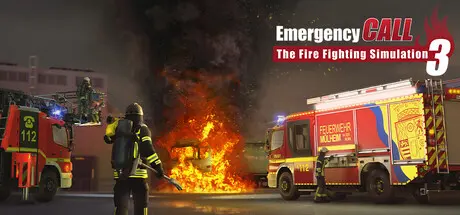
Emergency Call - The Firefighting Simulation 3

Featured Replies

Emergency Call - The Firefighting Simulation 3 cover art

Emergency Call - The Firefighting Simulation 3 Game Details

Release Name:ย Emergency Call - The Firefighting Simulation 3

Game Version:ย v0.1.5523 | Build 24548060

Release Date: 5 Aug, 2026

Publisher: Aerosoft GmbH

Developer: Crenetic GmbH Studios

Based On:ย CSF & Goldberg

Emergency Call - The Firefighting Simulation 3 Direct Download - Game Overview

Experience one of the most exciting and versatile professions up close. In Emergency Call โ€“ The Firefighting Simulation 3, you are part of a German professional fire department and bear responsibility for the safety of your city. When an emergency call comes in at the dispatch center, every firefighter knows their role. Which position you take on is entirely up to you.ย 

During your 24-hour shifts, you make purposeful use of the time between calls to prepare for a wide variety of challenges. A daily rotating duty roster gives you the opportunity to take part in training courses, drills, and physical fitness sessions. In doing so, you earn the qualifications needed to be deployed in different roles โ€“ from attack squad member to engineer across a range of emergency vehicles.ย 

In the training courses, you are taught all the necessary knowledge in both theory and practice to take on new responsibilities on the job.

Drills with equipment such as the Halligan tool help you optimize procedures and save valuable time during operations. Working with a thermal imaging camera is also a skill that needs to be practiced.ย 

Daily physical training increases your stamina under stress, which makes a real difference out in the field. Strength, endurance, and recovery capacity can all diminish over time if neglected. Your endurance, in particular can be a decisive factor in saving valuable time during an incident.ย 

Beyond that, there are many routine tasks at the station that form an important part of daily fire house life โ€“ and they all need to get done.ย 

Once the alarm sounds, a large operational area with diverse urban districts awaits you. From classic firefighting operations to traffic accidents, you'll face numerous incidents spanning rescue, firefighting, recovery, and hazard protection. A dynamic day-night cycle and changing weather conditions add further challenges and variety.ย 

  • Join the ranks of a professional fire departmentย 

  • Incidents across four operational areas: Rescue, Firefighting, Recovery, and Protectionย 

  • 24-hour duty shifts with a rotating rosterย 

  • Developed in cooperation with the Berufsfeuerwehr Mรผlheim an der Ruhrย 

  • Large open operational area with diverse and varied incidentsย 

  • Dynamic day-night cycle with changing weather conditionsย 

  • Complete training courses and qualify for additional roles in the fieldย 

  • Daily drills help save valuable time during operationsย 

  • Train regularly to increase your resilience on the jobย 

  • Keep track of your progress and development at all timesย 

  • There's always something to do at the station between callsย 


Emergency Call - The Firefighting Simulation 3 Screenshots

Emergency Call - The Firefighting Simulation 3 screenshot 1 Emergency Call - The Firefighting Simulation 3 screenshot 2 Emergency Call - The Firefighting Simulation 3 screenshot 3 Emergency Call - The Firefighting Simulation 3 screenshot 4


Emergency Call - The Firefighting Simulation 3 Trailer


Emergency Call - The Firefighting Simulation 3 System Requirements

Minimum Requirements

Recommended Requirements

OS

Windows 10 oder Windows 11 (64-Bit)

Windows 11 (64-Bit)

Processor

Intel Core i5-8400 or AMD Ryzen 5 2600

Intel Core i7-10700 oder AMD Ryzen 7 5700X

Memory

16 GB RAM

32 GB RAM

Graphics

NVIDIA GeForce RTX 2080 (8 GB VRAM) or comparable AMD-GPU

NVIDIA GeForce RTX 3060 (12 GB VRAM) or AMD Radeon RX 6700 XT

DirectX

Version 12

Version 12

Storage

10 GB available space

10 GB available space


How to Install Emergency Call - The Firefighting Simulation 3

  1. No Installation Needed: The game is pre-installed. Just download and extract.

  2. Extract: Right-click the .zip or .rar file and select "Extract Here" or "Extract to folder".

  3. Run: Find ec112_3.exe inside the folder and run it.

Game Data & Settings

  • Change Language: Edit the file located at steam_settings/Configs.user.ini

Important Notes

๐Ÿ”ฅDOWNLOAD AREA๐Ÿ”ฅ

๐Ÿ”น2.54 GB๐Ÿ”น

Select the server you want to download with ZeiLink.

Download

  • Views 513
  • Created
  • Last Reply

Posted Images

Create an account or sign in to comment

Recently Browsing 0

  • No registered users viewing this page.

Account

Navigation

Search

Search

๐Ÿ”Ž Search Tip
For exact results, search using "game name" .
Without quotes, results may include unrelated titles.

Configure browser push notifications

Chrome (Android)
  1. Tap the lock icon next to the address bar.
  2. Tap Permissions โ†’ Notifications.
  3. Adjust your preference.
Chrome (Desktop)
  1. Click the padlock icon in the address bar.
  2. Select Site settings.
  3. Find Notifications and adjust your preference.
