



Skip to content
View in the app

A better way to browse. Learn more.

ZeiGames

A full-screen app on your home screen with push notifications, badges and more.

To install this app on iOS and iPadOS
  1. Tap the Share icon in Safari
  2. Scroll the menu and tap Add to Home Screen.
  3. Tap Add in the top-right corner.
To install this app on Android
  1. Tap the 3-dot menu (โ‹ฎ) in the top-right corner of the browser.
  2. Tap Add to Home screen or Install app.
  3. Confirm by tapping Install.

Arma Reforger Free Download (v1.7.0.41 + Supporter Pack DLC)
Featured Replies

header.webp

Game Details

Release Name:ย Arma Reforger

Game Version:ย v1.7.0.41 | Build 23212825

Release Date: 16 Nov, 2023

Publisher: Bohemia Interactive

Developer: Bohemia Interactive

Based On:ย CSF & Goldberg

Arma Reforger Direct Download - Game Review

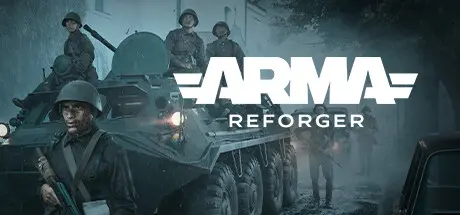
Arma Reforger deploys you into an authentic Cold War military sandbox with highly realistic weapons and gameplay systems, expansive terrains, and extensive customization options. Battle it out against other players or AI in a plethora of multiplayer, co-op, and single-player game modes, and tailor nearly every aspect of the game with mods from the vast in-game Workshop.

Arma Reforger is the latest installment in the legendary Arma franchise, offering a versatile, creative, and fully-moddable platform that redefines the mil-sim genre.

From the distinct crack of an M16 to the rumble of a BTR-70, every element of Arma Reforger is designed for authenticity. Engage in realistic firefights with detailed ballistics, navigate using only a map and compass, and master a roster of meticulously recreated Cold War-era weapons and vehicles.

Deploy to three vast and intricately detailed islands for thrilling and immersive open-world military operations. Featuring stunning landscapes with lush forests, idyllic towns, and austere mountains, these islands provide the perfect backdrop for the wide range of PvP, co-op, and single-player game modes available in Arma Reforger.

The war expands with the addition of Kolguyev, the iconic island first introduced in Arma: Cold War Assault. Navigate through the desolate ruins of former mining operations, infiltrate secret military installations, and immerse yourself in Kolguyev's unique atmosphere in the brand-new single-player campaign set in 1989.


Game Screenshots

screenshot screenshot screenshot screenshot


Game Trailer


System Requirements

Minimum Requirements

Recommended Requirements

OS

Windows 10 64-bit

Windows 10/11 64-bit

Processor

Intel Core i5-4460 / AMD FX-4300

Intel Core i7-6700 or AMD equivalent

Memory

8 GB RAM

16 GB RAM

Graphics

NVIDIA GeForce GTX 1650 or AMD Radeon RX 570

NVIDIA GeForce GTX 1070 Ti or AMD Radeon RX 5600 XT

DirectX

Version 12

Version 12

Storage

20 GB available space

25 GB available space


Installation Guide

  1. No Installation Needed: The game is pre-installed. Just download and extract.

  2. Extract: Right-click the .zip or .rar file and select "Extract Here" or "Extract to folder".

  3. Run: Find ArmaReforgerSteam.exe inside the folder and run it.

Game Data & Settings

  • Change Language: Edit the file located at steam_settings/Configs.user.ini

Important Notes

DLC List

Added DLCs

Refrogger Supporter Pack (Arma Reforger - Refrogger Supporter Pack)

๐Ÿ”ฅDOWNLOAD AREA๐Ÿ”ฅ

๐Ÿ”น26.12 GB๐Ÿ”น

Select the server you want to download with ZeiLink.

Download

  • 4 months later...
  • Replies 6
  • Views 2.9k
  • Created
  • Last Reply

Top Posters In This Topic

Posted Images

  • DicDale changed the title to Arma Reforger Free Download (v1.7.0.41 + Supporter Pack DLC)

  • 4 weeks later...
23 minutes ago, DicDale said:

Yes โ˜น๏ธ

It's one of my favorite game and today i got summer sale notification it's on sale but it's for โ‚น1,819 (19$) ๐Ÿ˜ญ so thought to check here but it got Server Protection

Edited by ZENKAI

Feel free to ask anything ;)

the GOD.

Create an account or sign in to comment

Recently Browsing 0

  • No registered users viewing this page.

Account

Navigation

Search

Search

๐Ÿ”Ž Search Tip
For exact results, search using "game name" .
Without quotes, results may include unrelated titles.

Configure browser push notifications

Chrome (Android)
  1. Tap the lock icon next to the address bar.
  2. Tap Permissions โ†’ Notifications.
  3. Adjust your preference.
Chrome (Desktop)
  1. Click the padlock icon in the address bar.
  2. Select Site settings.
  3. Find Notifications and adjust your preference.