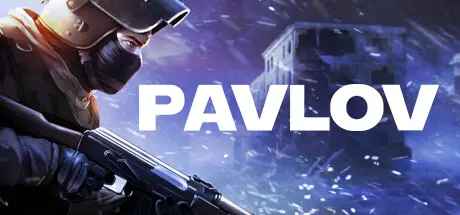
June 21Jun 21 Pavlov Game DetailsRelease Name: PavlovGame Version: Update 33 | Build 21250770Release Date: 4 Dec, 2024Publisher: Vankrupt GamesDeveloper: Vankrupt GamesBased On: CSF & GoldbergPavlov Direct Download - Game OverviewPavlov is a multiplayer shooter in VR with heavy focus on community. Set in both modern and WWII era's, you can choose a variety of ways to play the game how you want it.Community hosted dedicated servers.Quick-starting developer hosted lobby system.Search And Destroy, Deathmatch, King of the Hill, and Gun Game game modes.Multi-crew realistically operated tanksBots.Offline mode.Practice range.Killhouse.Proximity voice chat and radio communication.Custom map support with modkit.Custom game mode support.Pavlov Screenshots Pavlov TrailerPavlov System Requirements Minimum RequirementsRecommended Requirements OSWindows 10 64 bitWindows 10 64 bit ProcessorQuad Core 3 Ghz+Six Core 4 Ghz + Memory8 GB RAM16 GB RAM GraphicsGTX 1070RTX 2080 DirectX-- Storage60 GB available space60 GB available space How to Install PavlovNo Installation Needed: The game is pre-installed. Just download and extract.Extract: Right-click the .zip or .rar file and select "Extract Here" or "Extract to folder".Run: Find Pavlov\Binaries\Win64\Pavlov-Win64-Shipping.exe inside the folder and run it.Game Data & SettingsChange Language: Edit the file located at steam_settings/Configs.user.iniImportant NotesTo support the Game Developer, Get It On Steam.🔥DOWNLOAD AREA🔥🔹41.52 GB🔹Select the server you want to download with ZeiLink.Download





Create an account or sign in to comment