



Skip to content
View in the app

A better way to browse. Learn more.

ZeiGames

A full-screen app on your home screen with push notifications, badges and more.

To install this app on iOS and iPadOS
  1. Tap the Share icon in Safari
  2. Scroll the menu and tap Add to Home Screen.
  3. Tap Add in the top-right corner.
To install this app on Android
  1. Tap the 3-dot menu (โ‹ฎ) in the top-right corner of the browser.
  2. Tap Add to Home screen or Install app.
  3. Confirm by tapping Install.

Nightvision: Drive Forever Free Download (Build 5742897)
Featured Replies

header.webp

Game Details

Release Name:ย Nightvision: Drive Forever

Game Version:ย Build 5742897

Release Date: 13 Oct, 2020

Publisher: Hoodust Enterprises

Developer: Hoodust Enterprises

Based On:ย CSF & Goldberg

Nightvision: Drive Forever Direct Download - Game Review

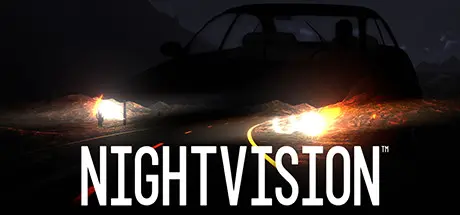
Nightvision is a "road-lite" night-driving simulation with randomly generated levels. You must go fast, that much is clear, but why? And how fast is too fast?

With intense highway driving, a story mode that gradually ramps up the difficulty, and a fresh world and road to master each time you get behind the wheel, Nightvision will have you in a cold sweat as you anticipate the next curve about to come into your headlights.

  • Realistic seat-of-your-pants racing featuring the challenge of limited visibility; is that a sheer mountain pass lurking in the darkness, or a switchback on the edge of a cliff?

  • Randomly generated terrain. Never the same drive twice.

  • Lost desert highways engineered by RoadGenโ„ข artificial intelligence in real-time carve through the random hillsides.

  • Engaging story integrated seamlessly without long cut-scenes taking away from the action.

  • Sandbox mode: to practice, hand-craft unique challenges, or leave up to the RNG gods.

  • One BILLION world seeds, four different RoadGenโ„ข algorithms, and over a dozen road and world settings, offer >10 QUINTILLION levels. Play 'em all!

  • Share your favorite level passphrases with your friends and dare them to make it as fast or as far. Or just repeat your favorites and try for better times.

  • Literal Endless mode to test your endurance or just enjoy a relaxing drive.

  • Spectacular crashes! Die over and over and love every minute. Wincing has never been so much fun.

  • No map. No memorizing the "track". No getting bored.

  • Unlockable, game-changing secret modes hearken back to the history of driving games and give a fresh visual take on the gameplay you love.

  • Gripping original soundtrack that mirrors the tension of the drive.

  • Experience the thrill (and fear) of what lies in the darkness ahead.


Game Screenshots

screenshot screenshot screenshot screenshot


Game Trailer


System Requirements

Minimum Requirements

Recommended Requirements

OS

Windows 10 (64-bit)

-

Processor

Intel i5-6600k, or AMD Ryzen 5 1600

-

Memory

4 GB RAM

-

Graphics

nVidia GTX 970, or AMD Radeon RX 570

-

DirectX

Version 11

-

Storage

2 GB available space

-


Installation Guide

  1. No Installation Needed: The game is pre-installed. Just download and extract.

  2. Extract: Right-click the .zip or .rar file and select "Extract Here" or "Extract to folder".

  3. Run: Find Nightvision.exe inside the folder and run it.

Game Data & Settings

  • Change Language: Edit the file located at steam_settings/Configs.user.ini

  • Save Data Location: %USERPROFILE%/AppData/LocalLow/Hoodust Enterprises/Nightvision

Important Notes

๐Ÿ”ฅDOWNLOAD AREA๐Ÿ”ฅ

๐Ÿ”น685 MB๐Ÿ”น

Select the server you want to download with ZeiLink.

Download

  • DicDale changed the title to Nightvision: Drive Forever Free Download (Build 5742897)

  • Views 974
  • Created
  • Last Reply

Posted Images

Create an account or sign in to comment

Recently Browsing 0

  • No registered users viewing this page.

Account

Navigation

Search

Search

๐Ÿ”Ž Search Tip
For exact results, search using "game name" .
Without quotes, results may include unrelated titles.

Configure browser push notifications

Chrome (Android)
  1. Tap the lock icon next to the address bar.
  2. Tap Permissions โ†’ Notifications.
  3. Adjust your preference.
Chrome (Desktop)
  1. Click the padlock icon in the address bar.
  2. Select Site settings.
  3. Find Notifications and adjust your preference.