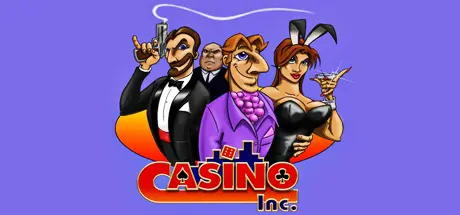
February 16Feb 16 Casino Inc. Game DetailsRelease Name: Casino Inc.Game Version: Build 2208964Release Date: 17 Apr, 2015Publisher: Alternative Software LtdDeveloper: Hothouse Creations LtdBased On: CSF & GoldbergCasino Inc. Direct Download - Game OverviewAs you grow to own hotels and casinos you'll want to set the amount of floor space given to rooms, bar and restaurant areas, roulette, card tables, slot machines, entertainment lounges, and to also set the level of payouts, profits and cream offs on the tables and machines. You will be able to see, in high detail, which of your outfits are popular. The graphical scale allows you to track the ebb and flow of the city at a zoomed out perspective, but then to zoom inside your buildings to see the gamblers playing Black Jack at the tables. You can actively encourage the growth of the city by your actions. This is a tourist town; it has a multitude of businesses that very visibly attract customers if popular; the airport and roads become busy. The streets get choked. The tills ring more frequently. And, provided you're taking care of business, the profits will roll in.Casino Inc. Screenshots Casino Inc. System Requirements Minimum RequirementsRecommended Requirements OSWindows XP/Vista/7/8/10Windows XP/Vista/7/8/10 ProcessorPentium 2 450 or betterPentium 3 600 or better Memory64 MB RAM128 MB RAM Graphics16MB 3D Graphics Card32MB 3D Graphics Card DirectXVersion 8.1Version 8.1 Storage2 GB available space2 GB available space How to Install Casino Inc.No Installation Needed: The game is pre-installed. Just download and extract.Extract: Right-click the .zip or .rar file and select "Extract Here" or "Extract to folder".Run: Find Casino.exe inside the folder and run it.Game Data & SettingsChange Language: Edit the file located at steam_settings/Configs.user.iniImportant NotesTo support the Game Developer, Get It On Steam.🔥DOWNLOAD AREA🔥🔹846 MB🔹Select the server you want to download with ZeiLink.Download





Create an account or sign in to comment