



Skip to content
View in the app

A better way to browse. Learn more.

ZeiGames

A full-screen app on your home screen with push notifications, badges and more.

To install this app on iOS and iPadOS
  1. Tap the Share icon in Safari
  2. Scroll the menu and tap Add to Home Screen.
  3. Tap Add in the top-right corner.
To install this app on Android
  1. Tap the 3-dot menu (โ‹ฎ) in the top-right corner of the browser.
  2. Tap Add to Home screen or Install app.
  3. Confirm by tapping Install.

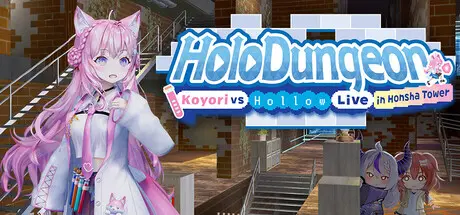
HoloDungeon: Koyori vs HollowLive in Honsha Tower Free Download (Build 23909742)
Featured Replies

header.webp

Game Details

Release Name:ย HoloDungeon: Koyori vs HollowLive in Honsha Tower

Game Version:ย Build 23909742

Release Date: 29 Jan, 2026

Publisher: holo Indie

Developer: VELUX STUDIO

Based On:ย CSF & Goldberg

HoloDungeon: Koyori vs HollowLive in Honsha Tower Direct Download - Game Review

The HoloDungeon is a dungeon that shifts its form like a hologram.
Layers are automatically generated, ensuring no adventure is ever repeated twice. A fresh and exciting experience awaits you every time.

If you fall in the dungeon, you will lose many things gained during that adventure, such as picked-up items and experience points.
However, the knowledge gained from that adventure will surely help you on your next one.

Also, โ€œDungeon Experience Pointsโ€ are not lost even if you fall in a dungeon, and the โ€œDecorate Recipesโ€ obtained by paying these points are also important keys to clearing the dungeon.

Items and traps found while exploring HoloDungeon are packed with Hololive elements!

Even items or traps that seem tricky at first look may become your savior in a pinch, if utilized properly.
Of course, the reverse is also true.


Game Screenshots

screenshot screenshot screenshot screenshot


Game Trailer


System Requirements

Minimum Requirements

Recommended Requirements

OS

Processor

Memory

8 GB RAM

16 GB RAM

Graphics

DirectX

-

-

Storage

3 GB available space

3 GB available space


Installation Guide

  1. No Installation Needed: The game is pre-installed. Just download and extract.

  2. Extract: Right-click the .zip or .rar file and select "Extract Here" or "Extract to folder".

  3. Run: Find HoloDungeon.exe inside the folder and run it.

Game Data & Settings

  • Change Language: Edit the file located at steam_settings/Configs.user.ini

  • Save Data Location: %USERPROFILE%/AppData/Local/HoloDungeon/Saved/SaveGames

Important Notes

๐Ÿ”ฅDOWNLOAD AREA๐Ÿ”ฅ

๐Ÿ”น1.40 GB๐Ÿ”น

Select the server you want to download with ZeiLink.

Download

  • Views 397
  • Created
  • Last Reply

Posted Images

Create an account or sign in to comment

Recently Browsing 0

  • No registered users viewing this page.

Account

Navigation

Search

Search

๐Ÿ”Ž Search Tip
For exact results, search using "game name" .
Without quotes, results may include unrelated titles.

Configure browser push notifications

Chrome (Android)
  1. Tap the lock icon next to the address bar.
  2. Tap Permissions โ†’ Notifications.
  3. Adjust your preference.
Chrome (Desktop)
  1. Click the padlock icon in the address bar.
  2. Select Site settings.
  3. Find Notifications and adjust your preference.
