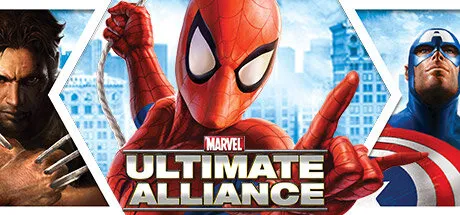
January 4Jan 4 Marvel: Ultimate Alliance Game DetailsRelease Name: KIBORGGame Version: v20.2.51 | Build 21206122Release Date: 30 Apr, 2025Publisher: ActivisionDeveloper: Zoë ModeBased On: CSF & GoldbergMarvel: Ultimate Alliance Direct Download - Game OverviewMarvel: Ultimate Alliance lets players create their ultimate team from the largest superhero alliance ever as they engage in an epic quest to determine the fate of the Marvel universe. Players can control their own completely unique team by selecting from the largest roster of legendary superheroes ever assembled in one game. Through the epic campaign, the heroes will battle, team-up, and interact with over 140 characters from the Marvel universe and ultimately confront notorious villains.Use a universal team upgrade system to balance your heroes' powers, or customize each member to maximize their effectiveness.In addition to engaging in the epic single-player storyline, you can converge in battle, online or offline, against the world's most evil Super Villains.Switch between cooperative and competitive mode to partner or challenge up to three other players.Marvel: Ultimate Alliance ScreenshotsMarvel: Ultimate Alliance TrailerKIBORG System RequirementsOSWindows 7 SP2 64-bitProcessorIntel / AMD Hyper-Threaded Dual Core CPUMemory4 GBGraphicsNVIDIA GeForce GTS 450 / AMD Radeon HD 5670DirectXVersion 11Storage8 GBHow to Install Marvel: Ultimate AllianceNo Installation Needed: The game is pre-installed. Just download and extract.Extract: Right-click the .zip or .rar file and select "Extract Here" or "Extract to folder".Run: Find Marvel.exe inside the folder and run it.Multiplayer & Online (Optional)Play Online: Download the Online Fix file and apply it to the game folder.Please go to the online fix page and read the guide.Game Data & SettingsChange Language: Edit the file located at steam_settings/Configs.user.iniSave Data Location: /SavesDir🔥DOWNLOAD AREA🔥🔹5.51 GB🔹Select the server you want to download with ZeiLink.DownloadOnline Fix - (RAR pass: zeigames.com)
January 7Jan 7 This game was my childhood on the Wii. I didn't even know that this game was on PC until very recently.





Create an account or sign in to comment