



Skip to content
View in the app

A better way to browse. Learn more.

ZeiGames

A full-screen app on your home screen with push notifications, badges and more.

To install this app on iOS and iPadOS
  1. Tap the Share icon in Safari
  2. Scroll the menu and tap Add to Home Screen.
  3. Tap Add in the top-right corner.
To install this app on Android
  1. Tap the 3-dot menu (โ‹ฎ) in the top-right corner of the browser.
  2. Tap Add to Home screen or Install app.
  3. Confirm by tapping Install.

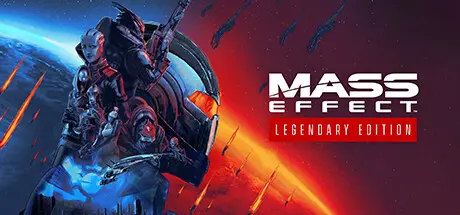
Mass Effect Legendary Edition Free Download (Build 10352613)
Featured Replies

header.webp

Game Details

Release Name:ย Mass Effectโ„ข Legendary Edition

Game Version:ย Build 10352613

Release Date: 14 May, 2021

Publisher: Electronic Arts

Developer: BioWare

Based On:ย CSF & FLT + Custom Launcher

Mass Effectโ„ข Legendary Edition Direct Download - Game Review

One person is all that stands between humanity and the greatest threat itโ€™s ever faced. Relive the legend of Commander Shepard in the highly acclaimed Mass Effect trilogy with the Mass Effectโ„ข Legendary Edition. Includes single-player base content and over 40 DLC from Mass Effect, Mass Effect 2, and Mass Effect 3 games, including promo weapons, armors and packs โ€” remastered and optimized for 4K Ultra HD.

Experience an amazingly rich and detailed universe where your decisions have profound consequences on the action and the outcome.

  • Three Games, One Launcher: Play through the single-player base content and over 40 DLC from all three games, including promo weapons, armors, and packs.

  • Remastered for a New Generation: Experience the trilogy in 4K Ultra HD with enhanced performance, visuals, and graphics, all available in HDR.

  • Visual Improvements on All 3 Games: Updates include enhanced models, shaders, FX, lighting and depth of field, plus full-resolution audio.

  • New Shepard Customizations: With improved hair, makeup, eye color and skin tones you can create your Shepard in a unified character creator with all options available across the full trilogy, or choose to play as the iconic Femshep from Mass Effect 3 now available in all titles.

  • Gameplay Enhancements for the First Mass Effect Game: Enjoy improved aiming and weapons balance, SFX, better Mako controls, input/controls, squad behavior, cover behavior and gameplay cameras.

  • Visual Enhancements for the First Mass Effect Game: The game's been given a full world-building pass including environmental art, VFX and level relighting.

  • PC Updates: Enjoy a modernized PC experience across all three games with native controller and 21:9 widescreen support, user interface navigation improvements, and DirectX 11 compatibility.

  • DLC: Bring Down the Sky, Genesis, Zaeed โ€” The Price of Revenge, Kasumi โ€” Stolen Memory, Lair of the Shadow Broker, Firewalker Pack, Overlord, Normandy Crash Site, Arrival, Genesis 2, From Ashes, Mass Effect 3: Extended Cut, Leviathan, Omega and Citadel.

  • Weapons and Armor: Cerberus Weapons and Armor, Arc Projector, Collector's Weapon and Armor, Terminus Weapon and Armor, M-21 Incisor, Blood Dragon Armor, Inferno Armor, Recon Hood, Sentry Interface, Umbra Visor, N7 Warfare Gear, AT-12 Raider, Chakram Launcher, M-55 Argus, M-90 Indra and Reckoner Knight Armor.

  • Packs: Equalizer Pack, Aegis Pack, Firepower Pack, Groundside Resistance Pack, Recon Operations Pack, Firefight Pack, ME2 Alternate Appearance Pack 1, ME2 Alternate Appearance Pack 2, ME3 Alternate Appearance Pack 1, and N7 Collector's Edition Pack.


Game Screenshots

screenshot screenshot screenshot screenshot


Game Trailer


System Requirements

Minimum Requirements

Recommended Requirements

OS

64-bit Windows 10

64-bit Windows 10

Processor

Intel Core i5 3570 or AMD FX-8350

Intel Core i7-7700 or AMD Ryzen 7 3700X

Memory

8 GB RAM

16 GB RAM

Graphics

GPU: NVIDIA GTX 760, AMD Radeon 7970 / R9280X GPU RAM: 2 GB Video Memory

GPU: NVIDIA GTX 1070 / RTX 200, Radeon Vega 56, GPU RAM: 4 GB Video Memory

DirectX

Version 11

Version 11

Storage

120 GB available space

120 GB available space


Installation Guide

  1. No Installation Needed: The game is pre-installed. Just download and extract.

  2. Extract: Right-click the .zip or .rar file and select "Extract Here" or "Extract to folder".

  3. Run: Find Game/Launcher/MassEffectLauncher.exe inside the folder and run it.

Game Data & Settings

  • Change Language: Move the Languafe files on LANGUAGES folder to main game folder.

Important Notes

๐Ÿ”ฅDOWNLOAD AREA๐Ÿ”ฅ

๐Ÿ”น106.46 GB๐Ÿ”น

Select the server you want to download with ZeiLink.

Download

  • Views 1.1k
  • Created
  • Last Reply

Posted Images

Create an account or sign in to comment

Recently Browsing 0

  • No registered users viewing this page.

Account

Navigation

Search

Search

๐Ÿ”Ž Search Tip
For exact results, search using "game name" .
Without quotes, results may include unrelated titles.

Configure browser push notifications

Chrome (Android)
  1. Tap the lock icon next to the address bar.
  2. Tap Permissions โ†’ Notifications.
  3. Adjust your preference.
Chrome (Desktop)
  1. Click the padlock icon in the address bar.
  2. Select Site settings.
  3. Find Notifications and adjust your preference.
