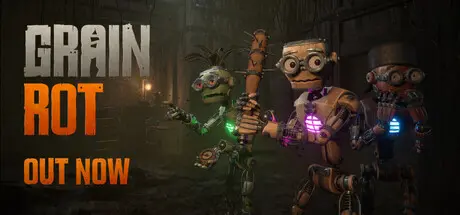
August 7Aug 7 GRAIN ROT Game DetailsRelease Name: GRAIN ROTGame Version: v1.03 | Build 24639977Release Date: 7 Aug, 2026Publisher: Neem InteractiveDeveloper: Beck & Branch GamesBased On: CSF & GoldbergGRAIN ROT Direct Download - Game OverviewYou are a Living Spark surviving inside fragile wooden vessels that splinter, collapse, and catch fire. When your vessel breaks, the Spark escapes. Death is just a change of scenery.Ride a cursed elevator into shifting underground ruins with your crew. Smash furniture for resources or feed them into the Grinder for gold. If everyone breaks, your loot is lost.Trolling can become your friend’s demise. Dropkick enemies or “accidentally” launch your ally’s Spark out of their vessel. Block them in a monster-infested corridor or get stuck in the crossfire. Will your group handle the chaos you created yourselves?The deeper you go, the worse the Rot becomes. Bodies warp. Voices distort. Emotes become…worse. Or possibly better?The Deep Layers are filled with Corrupted vessels, reacting to sound, movement, and each other in ways that are impossible to predict. Fight. Build. Run. Panic.When your vessel breaks, you stay in the run as a Spark. Guide your team through the dark and search for another host with a new set of abilities. Force your way back in before you fade out completely.Everything you haul back rebuilds your Outpost. Unlock interactive furniture, stat upgrades, rescued survivors, and stranger ways to survive the next descent. The stronger the outpost becomes, the deeper you can afford to go.Go deeper. Extract more. Leave someone behind. Make it back and build together. Or don’t come back at all. Possess and swap between fragile wooden vesselsCo-op extraction horror with physics-driven chaosTactical carpentry with interactive furnitureProcedurally shifting underground dungeonsPersistent Outpost rebuilding and progressionRage-bait your friends with cursed emotesRescue survivors trapped in the Deep LayersBody corruption and mutation systemsQuestionable cosmeticsGRAIN ROT Screenshots GRAIN ROT TrailerGRAIN ROT System Requirements Minimum RequirementsRecommended Requirements OSWindows 10 64BitWindows 10 64Bit ProcessorInter Core i5-4590 / AMD Ryzen 5 2600Intel Core i5-10600 / AMD Ryzen 5 3600 Memory8 GB RAM8 GB RAM GraphicsNVIDIA GTX 970 / AMD Radeon R9 390NVIDIA RTX 2060 / AMD Radeon RX 5700 DirectXVersion 11Version 11 Storage10 GB available space10 GB available space How to Install GRAIN ROTNo Installation Needed: The game is pre-installed. Just download and extract.Extract: Right-click the .zip or .rar file and select "Extract Here" or "Extract to folder".Run: Find Helden.exe inside the folder and run it.Multiplayer & Online (Optional)Play Online: Download the Online Fix file and apply it to the game folder.Please go to the online fix page and read the guide.Game Data & SettingsChange Language: Edit the file located at steam_settings/Configs.user.iniImportant NotesTo support the Game Developer, Get It On Steam.🔥DOWNLOAD AREA🔥🔹4.04 GB🔹Select the server you want to download with ZeiLink.DownloadOnline Fix - (RAR pass: zeigames.com)





Create an account or sign in to comment