



Skip to content
View in the app

A better way to browse. Learn more.

ZeiGames

A full-screen app on your home screen with push notifications, badges and more.

To install this app on iOS and iPadOS
  1. Tap the Share icon in Safari
  2. Scroll the menu and tap Add to Home Screen.
  3. Tap Add in the top-right corner.
To install this app on Android
  1. Tap the 3-dot menu (โ‹ฎ) in the top-right corner of the browser.
  2. Tap Add to Home screen or Install app.
  3. Confirm by tapping Install.

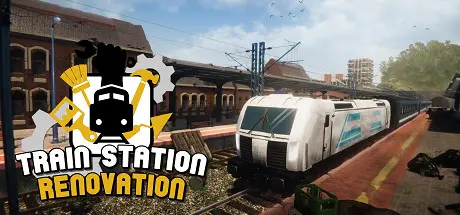
Train Station Renovation Free Download (v2.2.4 + Germany DLC)
Featured Replies

header.webp

Game Details

Release Name:ย Train Station Renovation

Game Version:ย v2.2.4 | Build 8565139

Release Date: 1 Oct, 2020

Publisher: Live Motion Games, Frozen Way, PlayWay S.A., Frozen District

Developer: Live Motion Games

Based On:ย CSF & Goldberg

Train Station Renovation Direct Download - Game Review

The level of difficulty depends on the player's commitment. The game can be very demanding if you decide to complete each stage one hundred percent but it also can be perfect for beginners if you just want to relax while renovating and simply have a good time. In such a case, you only need to complete half the planned tasks to advance to the next stage.

There are many tools and options for repairing and decorating the station. Work with basic items such as paint rollers, spray cans, crowbars and repair wrenches or use your in-game tablet to order new materials and items. Some stations will even allow you to repair and renovate the old trains. This means you will be able to take care of the technical condition of those vehicles yourself.
An aesthetic development character tree t is available. You will speed up your work time at individual stages and elements of the game by upgrading your skills. You will also get new equipment or unlock new options while renovating. If you happen to enjoy some renovation activities more than others, you will be able to upgrade them during your playthrough.
Detailed and complex 3D models of railway stations allow you to renovate them - from cleaning, painting and to replacing decorations and mechanical elements.
A complex economy aspect has been added to the game to increase realism. In addition to money needed to buy new items and repair materials, you can also benefit by segregating waste or completing additional tasks.

Thanks to the station decoration system, you will be able to create the internal and external appearance of various facilities yourself. You can add benches, vending machines, kiosks, and other items as needed, and place them wherever you want. Thanks to this function, you will quickly turn a dump into a great looking ready for business train station.


Game Screenshots

screenshot screenshot screenshot screenshot


Game Trailer


System Requirements

Minimum Requirements

Recommended Requirements

OS

Windowsยฎ 7/8/10

Windowsยฎ 10

Processor

Intel Core i3-4130 / AMD Phenom II X4

Intel Core i5-7400 / AMD Ryzen 5 1600

Memory

4 GB RAM

8 GB RAM

Graphics

GeForce GTX 560 / AMD R7-260X

GeForce GTX 970 / AMD Radeon RX 580

DirectX

Version 11

Version 11

Storage

5 GB available space

5 GB available space


Installation Guide

  1. No Installation Needed: The game is pre-installed. Just download and extract.

  2. Extract: Right-click the .zip or .rar file and select "Extract Here" or "Extract to folder".

  3. Run: Find TSR_STEAM.exe inside the folder and run it.

Game Data & Settings

  • Change Language: Edit the file located at steam_settings/Configs.user.ini

  • Save Data Location: /Train Station Renovation/

Important Notes

DLC List

Added DLCs

Train Station Renovation - Germany DLC

๐Ÿ”ฅDOWNLOAD AREA๐Ÿ”ฅ

๐Ÿ”น8.35 GB๐Ÿ”น

Select the server you want to download with ZeiLink.

Download

  • Views 1.3k
  • Created
  • Last Reply

Posted Images

Create an account or sign in to comment

Recently Browsing 0

  • No registered users viewing this page.

Account

Navigation

Search

Search

๐Ÿ”Ž Search Tip
For exact results, search using "game name" .
Without quotes, results may include unrelated titles.

Configure browser push notifications

Chrome (Android)
  1. Tap the lock icon next to the address bar.
  2. Tap Permissions โ†’ Notifications.
  3. Adjust your preference.
Chrome (Desktop)
  1. Click the padlock icon in the address bar.
  2. Select Site settings.
  3. Find Notifications and adjust your preference.
