



Skip to content
View in the app

A better way to browse. Learn more.

ZeiGames

A full-screen app on your home screen with push notifications, badges and more.

To install this app on iOS and iPadOS
  1. Tap the Share icon in Safari
  2. Scroll the menu and tap Add to Home Screen.
  3. Tap Add in the top-right corner.
To install this app on Android
  1. Tap the 3-dot menu (โ‹ฎ) in the top-right corner of the browser.
  2. Tap Add to Home screen or Install app.
  3. Confirm by tapping Install.

OCTOPATH TRAVELER 0 Free Download (v1.0.8.0 + ALL DLC)
Featured Replies

header.webp

Game Details

Release Name:ย OCTOPATH TRAVELER 0

Game Version:ย v1.0.8.0 | Build 22012444

Release Date: 4 Dec, 2025

Publisher: Square Enix

Developer: Square Enix, DOKIDOKI GROOVE WORKS

Based On:ย CSF & Goldberg

OCTOPATH TRAVELER 0 Direct Download - Game Review

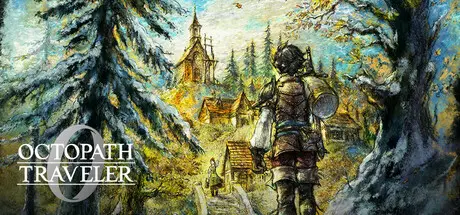
Start from zero and discover the newest entry in the OCTOPATH TRAVELER series. Experience a story of restoration and retribution over the divine ringsโ€”an epic saga that unfolds across the realm of Orsterra.

Enjoy familiar features such as the series' HD-2D graphics, a fusion of retro pixel art and 3DCG; the player's ability to roleplay using Path Actions of their choice; and the Break and Boost system that can turn the tide of battle. Additionally, brand-new features such as character creation and town building allow you to create your own character and restore your hometown.

  • You are the protagonist of the story. Choose your appearance, voice, motions, and favorite dish with the new character creation feature!

  • Restore your hometown through town building. Invite companions and allies to live in a town of your creation!

  • Engage in exhilarating and strategic command battles. Choose from over 30 allies to form a party comprised of up to eight characters!

  • Use Path Actions to invite people to your town, engage in battle, and obtain items. Where you go and what you do is entirely up to you.

  • Equip action skills with the new skill system. These skills can be learned by allies and passed on to others.


Game Screenshots

screenshot screenshot screenshot screenshot


Game Trailer


System Requirements

Minimum Requirements

Recommended Requirements

OS

Windowsยฎ 11

Windowsยฎ 11

Processor

AMD Ryzenโ„ข 3 2300X / Intelยฎ Coreโ„ข i3-8100

AMD Ryzenโ„ข 5 2600 / Intelยฎ Coreโ„ข i5-8400

Memory

8 GB RAM

16 GB RAM

Graphics

AMD Radeonโ„ข RX 470 / NVIDIAยฎ GeForceยฎ GTX 960

AMD Radeonโ„ข RX 5600XT / NVIDIAยฎ GeForceยฎ GTX 1070 / Intelยฎ Arcโ„ข A580

DirectX

Version 12

Version 12

Storage

10 GB available space

10 GB available space


Installation Guide

  1. No Installation Needed: The game is pre-installed. Just download and extract.

  2. Extract: Right-click the .zip or .rar file and select "Extract Here" or "Extract to folder".

  3. Run: Find OCTOPATH TRAVELER 0.exe inside the folder and run it.

Game Data & Settings

  • Change Language: Edit the file located at steam_settings/Configs.user.ini

  • Save Data Location: %USERPROFILE%/My Documents/My Games/Octopath_Traveler0/Steam/

Important Notes

DLC List

Added DLCs

OCTOPATH TRAVELER 0 Digital Deluxe Upgrade

ใ‚ชใ‚ฏใƒˆใƒ‘ใ‚นใƒˆใƒฉใƒ™ใƒฉใƒผ0 ๆ—…็ซ‹ใก็ฅ็ฆใƒ‘ใƒƒใ‚ฏ

ใ‚ชใ‚ฏใƒˆใƒ‘ใ‚นใƒˆใƒฉใƒ™ใƒฉใƒผ0 ๆ—…็ซ‹ใกๅฟœๆดใƒ‘ใƒƒใ‚ฏ

๐Ÿ”ฅDOWNLOAD AREA๐Ÿ”ฅ

๐Ÿ”น4.79 GB๐Ÿ”น

Select the server you want to download with ZeiLink.

Download

  • Replies 4
  • Views 1.2k
  • Created
  • Last Reply

Top Posters In This Topic

Most Popular Posts

Posted Images

First time to download a not responding game. Am I missing something? I also tried running thru steam, still not responding.

On 5/29/2026 at 5:58 PM, DicDale said:

Send game folder ss.


TY for the offer to fix but I found the solution:
Downgrade NVIDIA to NOV/2025 update.

Create an account or sign in to comment

Recently Browsing 0

  • No registered users viewing this page.

Account

Navigation

Search

Search

๐Ÿ”Ž Search Tip
For exact results, search using "game name" .
Without quotes, results may include unrelated titles.

Configure browser push notifications

Chrome (Android)
  1. Tap the lock icon next to the address bar.
  2. Tap Permissions โ†’ Notifications.
  3. Adjust your preference.
Chrome (Desktop)
  1. Click the padlock icon in the address bar.
  2. Select Site settings.
  3. Find Notifications and adjust your preference.
