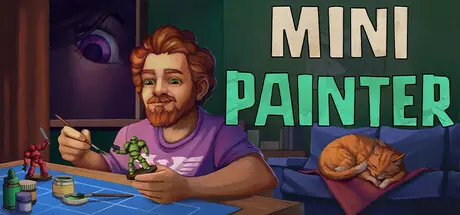
December 31, 2025Dec 31 Mini Painter Game DetailsRelease Name: Mini PainterGame Version: Build 19496110Release Date: 24 Jul, 2025Publisher: Tilt StationDeveloper: Tilt StationBased On: CSF & GoldbergMini Painter Direct Download - Game OverviewMini Painter is a cozy idle desktop game about finding the balance between work and rest.Immerse yourself in a meditative world where a tiny painter colors tiny figurines, decorates their home, and learns to take care of themselves.Decorate the room, buy new geeky items, and boost your little painter’s creativity.The more creativity they have, the better their miniatures will turn out.Each painted miniature brings you closer to your ultimate goal: a long-awaited vacation... Or maybe skip the vacation and just keep painting?Unhurried progress: take your time creating the perfect geeky room.Work and rest balance: don't overwork your artist, or he'll burn out. But don't let him relax too much either, or he'll lose his motivation.24 unique miniatures: Unlock packs of figures, each one a direct nod to a famous character.Skill growth: The more experienced your character becomes, the faster they work.Pixel art in isometric view: That warm 2000s vibe, right on your desktop.Around 70 hours of meditative gameplay.Mini Painter Screenshots Mini Painter TrailerMini Painter System Requirements Minimum RequirementsRecommended Requirements OSWindows 10 64bit- Processor2 GHz- Memory2 GB ОЗУ MB RAM- GraphicsOpenGL 3.3 compatible- DirectX-- Storage500 MB available space- How to Install Mini PainterNo Installation Needed: The game is pre-installed. Just download and extract.Extract: Right-click the .zip or .rar file and select "Extract Here" or "Extract to folder".Run: Find Mini Painter.exe inside the folder and run it.Game Data & SettingsChange Language: Edit the file located at steam_settings/Configs.user.iniSave Data Location: %USERPROFILE%/AppData/LocalLow/Tilt Station/Mini painterImportant NotesTo support the Game Developer, Get It On Steam.🔥DOWNLOAD AREA🔥🔹130 MB🔹Select the server you want to download with ZeiLink.Download





Create an account or sign in to comment