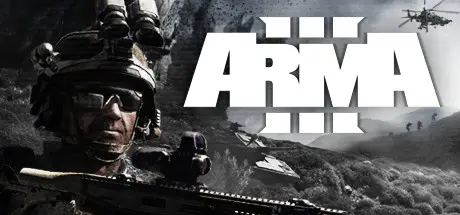
July 23Jul 23 Arma 3 Game DetailsRelease Name: Arma 3Game Version: v2.20 | Build 18981707Release Date: 12 Sep, 2013Publisher: Bohemia InteractiveDeveloper: Bohemia InteractiveBased On: CSF & GoldbergArma 3 Direct Download - Game OverviewAuthentic, diverse, open: Arma 3 sends you to war. The third installment in the legendary Arma franchise is the gold standard military sandbox on PC, featuring combined arms warfare, authentic weapons and assets, and a wide variety of single- and multiplayer content. Arma 3 now includes the Apex and Contact expansions, offering hundreds of hours of additional gameplay right out of the box. And for those who want all available official content from the get-go, Arma 3 Platinum includes the base game and every official expansion and DLC.Deploy into massive open worlds where ballistics are realistic, maneuvering keeps you alive, and teamwork is your strongest weapon. Drive tanks, fly jets, command a squad, or play a range of infantry roles: Arma 3 gives you the freedom to fight your way in the most comprehensive military sandbox on PC, now enhanced with the Apex and Contact expansions.From battling it out on the arid islands of Altis and Stratis in the East Wind campaign, to infiltrating the fierce jungles of Tanoa in the cooperative campaign of the Apex Protocol, to navigating mankind's encounter with an alien presence in First Contact, Arma 3 offers countless hours of replayable singleplayer and cooperative campaigns, scenarios, showcase missions, challenges, virtual arsenal and garage, and more.Arma 3 Screenshots Arma 3 TrailerArma 3 System Requirements Minimum RequirementsRecommended Requirements OSWindows 10 (64-bit)Windows 10 / 11 (64-bit) ProcessorIntel Core quad-core or AMD Athlon quad-coreIntel Core i7-7700K or AMD Ryzen 3 3300X or better Memory8 GB RAM16 GB RAM GraphicsNVIDIA GeForce GTX 660 or AMD Radeon HD 7850 or Intel HD Graphics 4000, with 1 GB video memoryNVIDIA GeForce GTX 1060 or AMD Radeon RX 580, with 6 GB VRAM, or better DirectX1011 Storage50 GB available space80 GB available space (SSD) How to Install Arma 3No Installation Needed: The game is pre-installed. Just download and extract.Extract: Right-click the .zip or .rar file and select "Extract Here" or "Extract to folder".Run: Find Arma3Launcher.exe inside the folder and run it.Game Data & SettingsChange Language: Edit the file located at steam_settings/Configs.user.iniImportant NotesTo support the Game Developer, Get It On Steam.DLC ListAdded DLCsArma 3 PassArma 3 Creator DLC: Expeditionary ForcesArma 3 Creator DLC: Reaction ForcesArma 3 Creator DLC: Spearhead 1944Arma 3 Creator DLC: Western SaharaArma 3 Creator DLC: CSLA Iron CurtainArma 3 Creator DLC: S.O.G. Prairie FireArma 3 Art of War (Arma 3 Art of War Charity Pack)Arma 3 ContactArma 3 Creator DLC: Global Mobilization - Cold War GermanyArma 3 TanksArma 3 Tac-Ops Mission PackArma 3 Laws of WarArma 3 MaldenArma 3 JetsArma 3 ApexArma 3 MarksmenArma 3 HelicoptersArma 3 KartsArma 3 ZeusArma 3 DLC Bundle 2Arma 3 DLC Bundle 1Arma 3 Tactical GuideArma 3 Maps🔥DOWNLOAD AREA🔥🔹156.57 GB🔹Select the server you want to download with ZeiLink.Download





Create an account or sign in to comment