



Skip to content
View in the app

A better way to browse. Learn more.

ZeiGames

A full-screen app on your home screen with push notifications, badges and more.

To install this app on iOS and iPadOS
  1. Tap the Share icon in Safari
  2. Scroll the menu and tap Add to Home Screen.
  3. Tap Add in the top-right corner.
To install this app on Android
  1. Tap the 3-dot menu (โ‹ฎ) in the top-right corner of the browser.
  2. Tap Add to Home screen or Install app.
  3. Confirm by tapping Install.

Jujutsu Kaisen Cursed Clash Free Download (Build 20777871 + ALL DLC + Online)
Featured Replies

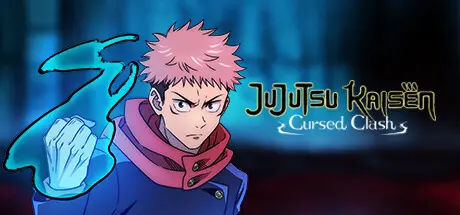
header.webp

Game Details

Release Name:ย Jujutsu Kaisen Cursed Clash

Game Version:ย Build 20777871

Release Date: 1 Feb, 2024

Publisher: Bandai Namco Entertainment Inc.

Developer: Byking Inc.

Based On:ย CSF & Goldberg

Jujutsu Kaisen Cursed Clash Direct Download - Game Review

For the first time ever, the highly acclaimed series from Shueisha's Weekly Shonen Jump, JUJUTSU KAISEN, is expanding into the domain of console games!


Aim to become the strongest together by taking advantage of the characteristics of each technique, aiming for a Joint Attack that is triggered by combining attacks, and working together in harmony to assess the battle situation!
Familiar members such as Yuji Itadori, Megumi Fushiguro, Nobara Kugisaki, and Satoru Gojo, as well as Cursed Spirits such as Jogo and Hanami, will also participate in the game.
Each character has his or her own unique Cursed Technique and actions.
As you grow in battle, more powerful techniques and latent abilities blossom.
Embrace the core of the Cursed Energy and win in the intensifying battle situation!
At the end of the game, when both players are fully developed, powerful techniques clash with each other.
The player must overwhelm his or her opponent dynamically, just as in the anime!


Game Screenshots

screenshot screenshot screenshot screenshot


Game Trailer


System Requirements

Minimum Requirements

Recommended Requirements

OS

Windows 10

Windows 11

Processor

Intel Core i3-2125 / AMD Phenom II X4 965

Intel Core i5-2300 / AMD A8-6600K

Memory

4 GB RAM

8 GB RAM

Graphics

Nvidia GeForce GTX 660 Ti / AMD Radeon RX 560 / Intel Arc A380

Nvidia GeForce GTX 1660 Super / AMD Radeon RX 480 / Intel Arc A750

DirectX

Version 11

Version 11

Storage

10 GB available space

10 GB available space


Installation Guide

  1. No Installation Needed: The game is pre-installed. Just download and extract.

  2. Extract: Right-click the .zip or .rar file and select "Extract Here" or "Extract to folder".

  3. Run: Find Jujutsu Kaisen CC\Binaries\Win64\Jujutsu Kaisen CC.exe inside the folder and run it.

Multiplayer & Online (Optional)

  • Play Online: Download the Online Fix file and apply it to the game folder.

  • Please go to the online fix page and read the guide.

Game Data & Settings

  • Change Language: Edit the file located at steam_settings/Configs.user.ini

  • Save Data Location: %USERPROFILE%/AppData/Local/Jujutsu Kaisen CC/Saved/SaveGames

Important Notes

DLC List

Added DLCs

Jujutsu Kaisen Cursed Clash - Kyoto Jujutsu High School Girls' Outfit Set

Jujutsu Kaisen Cursed Clash - Anime Ending Theme 1 Outfit Set

Jujutsu Kaisen Cursed Clash - Shibuya Incident

Jujutsu Kaisen Cursed Clash - Hidden Inventory/Premature Death

Jujutsu Kaisen Cursed Clash - Jujusta 2024

Jujutsu Kaisen Cursed Clash - Digital Artbook & Soundtrack

Jujutsu Kaisen Cursed Clash - Jujutsu High First-Years Outfit Set

๐Ÿ”ฅDOWNLOAD AREA๐Ÿ”ฅ

๐Ÿ”น17.57 GB๐Ÿ”น

Select the server you want to download with ZeiLink.

Download

Online Fix - (RAR pass: rexagames.com)

  • Views 617
  • Created
  • Last Reply

Posted Images

Create an account or sign in to comment

Recently Browsing 0

  • No registered users viewing this page.

Account

Navigation

Search

Search

๐Ÿ”Ž Search Tip
For exact results, search using "game name" .
Without quotes, results may include unrelated titles.

Configure browser push notifications

Chrome (Android)
  1. Tap the lock icon next to the address bar.
  2. Tap Permissions โ†’ Notifications.
  3. Adjust your preference.
Chrome (Desktop)
  1. Click the padlock icon in the address bar.
  2. Select Site settings.
  3. Find Notifications and adjust your preference.
