



Skip to content
View in the app

A better way to browse. Learn more.

ZeiGames

A full-screen app on your home screen with push notifications, badges and more.

To install this app on iOS and iPadOS
  1. Tap the Share icon in Safari
  2. Scroll the menu and tap Add to Home Screen.
  3. Tap Add in the top-right corner.
To install this app on Android
  1. Tap the 3-dot menu (โ‹ฎ) in the top-right corner of the browser.
  2. Tap Add to Home screen or Install app.
  3. Confirm by tapping Install.

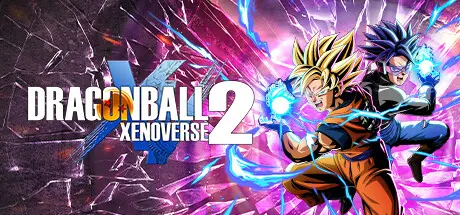
DRAGON BALL XENOVERSE 2 Free Download (v1.26.00 + ALL DLC)
Featured Replies

can you link this to the xbox app? or be able to link the dlc data to the original copy if so please let me know or have a tutorial

  • 3 weeks later...
  • Replies 18
  • Views 9.7k
  • Created
  • Last Reply

Top Posters In This Topic

Most Popular Posts

  • There seems to be a typo in the configs.app.ini file in bin\steam_settings. For the Ultra Pack 1 DLC. Fixed the typo and the characters appears now. Probably also the missions.

  • Glad to be of help! Also, sorry for the double quote! Was sleepy and thought that two different people asked about it.

Posted Images

Game keeps crashing when i press Start Game, no error message, the game just closes..

PS: Problem solved

Edited by bibinga
Problema solved

Now I have a problem that I have no idea how to solve, i keep losing saves after i close the game, what do i do? @DicDale

Edited by bibinga
Tagged the person who posted the game download to see if they can help me with my problem

  • Author
6 hours ago, bibinga said:

Now I have a problem that I have no idea how to solve, i keep losing saves after i close the game, what do i do? @DicDale

If the game path located C disk sometimes needed admin rights to save file create. Try move D disk or start an admin. Also you can try rune or codex crack.

  • 2 weeks later...

I have a problem with Revamp, when I go into character select screen the game soft-locks and it's completely bugged, and across the game, controller layout is completely bugged too. I followed all the instructions for Linux installation and the game runs fine on vanilla, so idk why it happens. I tried reinstalling everything multiple times, trying different proton versions, without success. Is there anything particular to do before installing the mod with this crack or something ?

image.png

  • 2 weeks later...

@DicDale How i could use my backup save data? I save my previous DBX2.sav file and the .dat one, but i can't use it on the new game install

5 hours ago, DicDale said:

Open the steam_settings/configs.user.ini file and change the steam id previous your used crack id.

and how do i know my previous crack id?

  • 1 month later...

I'm having trouble getting xv2ins to work. The patcher works without an issue and the game is patched but when I try to use xv2ins I get the following errors after selecting the .exe:

1: bool_cdecl CusFile::LoadSkills(const unsigned char*,const struct CUSSkill *,class std::vector<struct CusSkill,class std::allocator<struct CusSkill> > &unsigned int a value is not zero as expected (entry 0x1):0xffffffff

2: class std::basic_string<char> >_cdeclDlcToString(unsigned_int64): Unknown dlc 0x0000100000000000

3: Failed on char "XXG"

4: InitCharaList Failed.

Any idea what could be happening? I already searched the internet and all I got is people with the same problem using outdated tools but I got the latest ones and the patcher does work as I said earlier.

Finally fixed it and I feel so dumb. There are 2 xv2ins files in the eternity tools and I picked the wrong one every time. In my defense, both files were from 4 months ago

Edited by WaterConnoisseur

  • DicDale changed the title to DRAGON BALL XENOVERSE 2 Free Download (v1.26.00 + ALL DLC)

Create an account or sign in to comment

Recently Browsing 0

  • No registered users viewing this page.

Account

Navigation

Search

Search

๐Ÿ”Ž Search Tip
For exact results, search using "game name" .
Without quotes, results may include unrelated titles.

Configure browser push notifications

Chrome (Android)
  1. Tap the lock icon next to the address bar.
  2. Tap Permissions โ†’ Notifications.
  3. Adjust your preference.
Chrome (Desktop)
  1. Click the padlock icon in the address bar.
  2. Select Site settings.
  3. Find Notifications and adjust your preference.