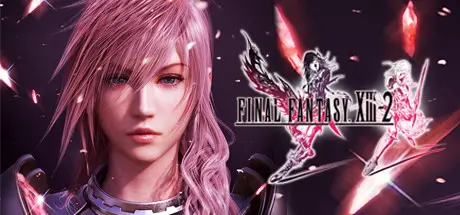
October 29, 2025Oct 29 FINAL FANTASY XIII-2 Game DetailsRelease Name: FINAL FANTASY® XIII-2Game Version: Build 479888Release Date: 11 Dec, 2014Publisher: Square EnixDeveloper: Square EnixBased On: CSF & GoldbergFINAL FANTASY® XIII-2 Direct Download - Game Review Now enhanced for Windows PC, FINAL FANTASY XIII-2 is created with the aim of surpassing the quality of its predecessor in every way, featuring new gameplay systems and cutting-edge visuals and audio. In this game the player has the freedom to choose from a range of possibilities and paths; where their choices affect not only the immediate environment, but even shape time and space! It is no longer about facing destiny. Create a new future and change the world!Including a range of the downloadable content from the original console, plus the choice for either English or Japanese voiceovers, 60 frames-per-second graphics and customizeable rendering resolution (720p, 1080p, and more).Places with multiple pathways to explore, and many secrets to find, offer players the chance to shape the adventure their way.The situation, scenery, flora, fauna and weather conditions all change, depending on when you visit locations. Untangling the threads of time is essential in witnessing the full story!New elements such as visually dynamic Cinematic Action sequences, and an innovative battle clock that will either reward or punish players, create further variety and choice for the player.A wide variety of over 150 different monsters inhabiting the game world can be recruited into the player’s party and battle strategy, with each creature having unique and devastating special abilities!FINAL FANTASY XIII-2 Screenshots FINAL FANTASY XIII-2 TrailerFINAL FANTASY XIII-2 System Requirements Minimum RequirementsRecommended Requirements OSWindows® XP SP2 or laterWindows® Vista/ 7/ 8 Processor2GHz Dual Core CPUIntel® Core™ 2 Quad (2.66 GHz)/ AMD Phenom™ II X4 (2.8 GHz) processor Memory1500 MB RAM2 GB RAM GraphicsNVIDIA® Geforce® 8 Series/ ATI Radeon™ HD 4000 series VRAM 256MB or laterNVIDIA® Geforce® GTX™ 460/ ATI Radeon™ HD 5870 DirectXVersion 9.0cVersion 9.0c Storage30 GB available space30 GB available space How to Install FINAL FANTASY XIII-2No Installation Needed: The game is pre-installed. Just download and extract.Extract: Right-click the .zip or .rar file and select "Extract Here" or "Extract to folder".Run: Find alba_data/prog/win/bin/Launcher.exe inside the folder and run it.Game Data & SettingsChange Language: Edit the file located at steam_settings/Configs.user.iniImportant NotesTo support the Game Developer, Get It On Steam.🔥DOWNLOAD AREA🔥🔹25.38 GB🔹Select the server you want to download with ZeiLink.[NE Version]Download
March 12Mar 12 Just like in Final Fantasy XIII, changing the settings in the launcher doesn't work and you have to instead set the settings in ColdClientLoader.ini on the ExeCommandLine:Example: ExeCommandLine= -Width=3840 -Height=2160 -Shadow=4096 -Msaa=4 -FullScreenMode=Force-Width-HeightControl the width and height of the display resolution.-ShadowControls the shadow resolution (512, 1024, 2048, 4096, or 8192).-MsaaControls the MSAA amount (2, 4, 8, or 16).-FullScreenMode=ForceForces full screen mode.-Fullscreen=window-modeForces windowed mode.-VoiceJPModeRuns the game with Japanese audio.-decidebuttonreverseB button becomes decide. A button becomes cancel.





Create an account or sign in to comment