



Skip to content
View in the app

A better way to browse. Learn more.

ZeiGames

A full-screen app on your home screen with push notifications, badges and more.

To install this app on iOS and iPadOS
  1. Tap the Share icon in Safari
  2. Scroll the menu and tap Add to Home Screen.
  3. Tap Add in the top-right corner.
To install this app on Android
  1. Tap the 3-dot menu (โ‹ฎ) in the top-right corner of the browser.
  2. Tap Add to Home screen or Install app.
  3. Confirm by tapping Install.

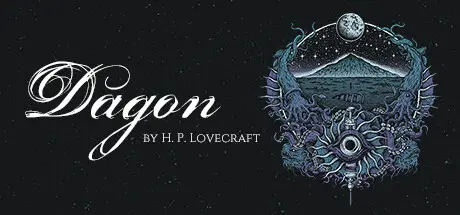
Dagon: by H. P. Lovecraft Free Download (Build 13415657 + ALL DLC + VR Option)
Featured Replies

header.webp

Game Details

Release Name:ย Dagon: by H. P. Lovecraft

Game Version:ย Build 13415657

Release Date: 24 Sep, 2021

Publisher: Bit Golem

Developer: Bit Golem

Based On:ย CSF & Goldberg

Dagon: by H. P. Lovecraft Direct Download - Game Review

Dagon is a 3D narrative experience in madness based on the cult short story of the same title by the master of cosmic horror and weird fiction, H. P. Lovecraft himself. Itโ€™s an interactive portal into the world of the controversial genius and his highly acclaimed Cthulhu Mythos, open to both newcomers and long-time devotees.

The change happened whilst I slept.

Step into the shoes of a former ship officer and morphine fiend, and dive into the Stygian Abyss of a drug-addled mind. Uncover the unspeakable, long-drowned horrors on a distant eldritch island and wallow in Lovecraftian dread.

I think I went mad then.

So make yourself comfortable in front of the screen or put on your VR headset, and experience cosmic horror first-hand in this 100% faithful adaptation of the original story. It will only take about 30 minutes, but you may never look at the ocean the same way.

  • immerse yourself in a fully-voiced narrative experience in real-time 3D

  • discover the origin of the Cthulhu Mythos and the twisted world of H. P. Lovecraft

  • treat yourself to a short, free horror that can be experienced in 30 minutes

  • learn about the original story, its author and their impact on culture etc. while playing

  • buy an optional DLC to support our future projects and get additional goodies (including an audiobook and a screenshot-filled e-book)


Game Screenshots

screenshot screenshot screenshot screenshot


Game Trailer


System Requirements

Minimum Requirements

Recommended Requirements

OS

Windows 7/8/8.1/10 (x64)

Windows 7/8/8.1/10 (x64)

Processor

Core i5-2400 or Ryzen 3 1200

Core i5-6400 or Ryzen 5 1600

Memory

4 GB RAM

8 GB RAM

Graphics

NVIDIA GTX 660 2GB VRAM or equivalent (GTX 970 for VR)

NVIDIA GTX 970 4GB VRAM or equivalent (GTX 1080 for VR)

DirectX

Version 11

Version 11

Storage

3 GB available space

3 GB available space


Installation Guide

  1. No Installation Needed: The game is pre-installed. Just download and extract.

  2. Extract: Right-click the .zip or .rar file and select "Extract Here" or "Extract to folder".

  3. Run: Find Dagon.exe inside the folder and run it.

Game Data & Settings

  • Change Language: Edit the file located at steam_settings/Configs.user.ini

  • Save Data Location: %USERPROFILE%/AppData/LocalLow/BitGolem/Dagon

Important Notes

DLC List

Added DLCs

Dagon - The Railway Horror DLC

Dagon - The Little Glass Bottle DLC

Dagon - The Eldritch Box DLC

๐Ÿ”ฅDOWNLOAD AREA๐Ÿ”ฅ

๐Ÿ”น1.66 GB๐Ÿ”น

Select the server you want to download with ZeiLink.

Download

  • Views 328
  • Created
  • Last Reply

Posted Images

Create an account or sign in to comment

Recently Browsing 0

  • No registered users viewing this page.

Account

Navigation

Search

Search

๐Ÿ”Ž Search Tip
For exact results, search using "game name" .
Without quotes, results may include unrelated titles.

Configure browser push notifications

Chrome (Android)
  1. Tap the lock icon next to the address bar.
  2. Tap Permissions โ†’ Notifications.
  3. Adjust your preference.
Chrome (Desktop)
  1. Click the padlock icon in the address bar.
  2. Select Site settings.
  3. Find Notifications and adjust your preference.
