



Skip to content
View in the app

A better way to browse. Learn more.

ZeiGames

A full-screen app on your home screen with push notifications, badges and more.

To install this app on iOS and iPadOS
  1. Tap the Share icon in Safari
  2. Scroll the menu and tap Add to Home Screen.
  3. Tap Add in the top-right corner.
To install this app on Android
  1. Tap the 3-dot menu (โ‹ฎ) in the top-right corner of the browser.
  2. Tap Add to Home screen or Install app.
  3. Confirm by tapping Install.

Sledding Game Free Download (v0.1.21 + Supporter Pack DLC + Online)
Featured Replies

header.webp

Game Details

Release Name:ย Sledding Game

Game Version:ย v0.1.21 | Build 23032841

Release Date: 30 Apr, 2026

Publisher: The Sledding Corporation

Developer: The Sledding Corporation

Based On:ย CSF & FreeTP

Sledding Game Direct Download - Game Review

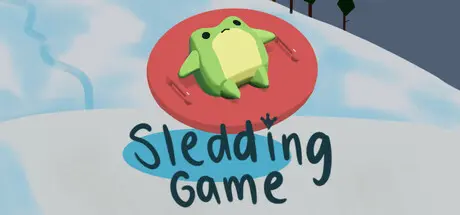
Sledding Game is a multiplayer snowsports hangout game with proximity chat. Go sledding, relax and see what else there is to do. Thereโ€™s also ragdoll physics so the crashes look terrible really really good.ย 

Use proximity voice chat to talk to your friends, or express your feelings by repeatedly crashing into each other.ย 

Compete to see who can reach the bottom first or get the most points through gnarly tricks, building your own ramps and launching off them. Or you can just sled around and explore, up to you.

Break up the sledding with side activities and minigames, like snowball fights, snowmen making, darts, curling, roasting smores, drinking hot chocolate in the cozy cabin, and more.ย 

Choose from a range of fully customizable animal characters and expressions. Earn points to spend on cool cosmetics for your bod and your sled.

This isnโ€™t a joke if you wander of course a yeti will literally come and kick you back on like a football


Game Screenshots

screenshot screenshot screenshot screenshot


Game Trailer


System Requirements

Minimum Requirements

Recommended Requirements

OS

Windows 10 version 21H1 (build 19043) or newer

Windows 10 version 21H1 (build 19043) or newer

Processor

Intel Core i3-3240, AMD FX-4300

Intel Core i5-3470

Memory

4 GB RAM

8 MB RAM

Graphics

GeForce GTX 560 Ti (1GB), Radeon HD 7750 (1GB)

GeForce GTX 1050 (2GB), Radeon R9 380 (2GB)

DirectX

Version 10

Version 10

Storage

8 GB available space

8 GB available space


Installation Guide

  1. No Installation Needed: The game is pre-installed. Just download and extract.

  2. Extract: Right-click the .zip or .rar file and select "Extract Here" or "Extract to folder".

  3. Run: Sign in Steam Account and find Sledding Game.exe inside the folder and run it.

Game Data & Settings

  • Change Language: Edit the file located at steam_settings/Configs.user.ini

  • Save Data Location: /FreeTP/

Important Notes

DLC List

Added DLCs

Sledding Game - Supporter Pack

๐Ÿ”ฅDOWNLOAD AREA๐Ÿ”ฅ

๐Ÿ”น278 MB๐Ÿ”น

Select the server you want to download with ZeiLink.

Download

  • Views 361
  • Created
  • Last Reply

Posted Images

Create an account or sign in to comment

Recently Browsing 0

  • No registered users viewing this page.

Account

Navigation

Search

Search

๐Ÿ”Ž Search Tip
For exact results, search using "game name" .
Without quotes, results may include unrelated titles.

Configure browser push notifications

Chrome (Android)
  1. Tap the lock icon next to the address bar.
  2. Tap Permissions โ†’ Notifications.
  3. Adjust your preference.
Chrome (Desktop)
  1. Click the padlock icon in the address bar.
  2. Select Site settings.
  3. Find Notifications and adjust your preference.
