



Skip to content
View in the app

A better way to browse. Learn more.

ZeiGames

A full-screen app on your home screen with push notifications, badges and more.

To install this app on iOS and iPadOS
  1. Tap the Share icon in Safari
  2. Scroll the menu and tap Add to Home Screen.
  3. Tap Add in the top-right corner.
To install this app on Android
  1. Tap the 3-dot menu (โ‹ฎ) in the top-right corner of the browser.
  2. Tap Add to Home screen or Install app.
  3. Confirm by tapping Install.

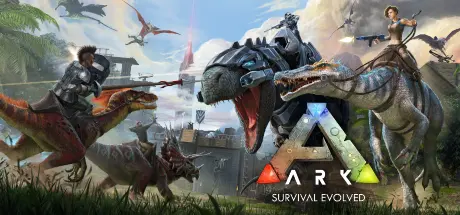
ARK: Survival Evolved Free Download (v361.8 + ALL DLC)
Featured Replies

Hello there ! Thanks for the game !

ShooterGame\Binaries\Win64\steam_setings\configs.user.ini is missing, how do I manage to change the language?

  • Replies 19
  • Views 7.1k
  • Created
  • Last Reply

Top Posters In This Topic

Posted Images

On 12/25/2025 at 3:51 PM, DicDale said:

Check here "Engine/Binaries/ThirdParty/Steamworks/Steamv132/Win64/"

Thanks you, found it ! :)

Can I host my private server on this (without having to do it on 2 separate machines) ? Do I have to patch something? I want time to go on while I am disconnected but the server still running.

Thank you again

Edited by Anarion

  • 2 weeks later...

Hey, do i need to download all dlcs or does the main download link have all dlcs included?

  • DicDale changed the title to ARK: Survival Evolved Free Download (v361.8 + ALL DLC)

  • 4 weeks later...

I'd like to download The Ark, but without all the DLCs, since they take up a lot of space when combined. If anyone has The Ark with just the Ragnarok DLC or some other DLC, please be so kind as to send it to me.

On 4/5/2026 at 9:47 PM, DicDale said:

No, you need to use "TEK Launcher".

Even if my friend hosts the dedicated server through lan with radmin VPN?

  • DicDale changed the title to ARK: Survival Evolved Free Download ()
  • DicDale changed the title to ARK: Survival Evolved Free Download (v361.8 + ALL DLC)

Create an account or sign in to comment

Recently Browsing 0

  • No registered users viewing this page.

Account

Navigation

Search

Search

๐Ÿ”Ž Search Tip
For exact results, search using "game name" .
Without quotes, results may include unrelated titles.

Configure browser push notifications

Chrome (Android)
  1. Tap the lock icon next to the address bar.
  2. Tap Permissions โ†’ Notifications.
  3. Adjust your preference.
Chrome (Desktop)
  1. Click the padlock icon in the address bar.
  2. Select Site settings.
  3. Find Notifications and adjust your preference.