



Theme
Language

Layout
Skip to content
View in the app

A better way to browse. Learn more.

ZeiGames

A full-screen app on your home screen with push notifications, badges and more.

To install this app on iOS and iPadOS
  1. Tap the Share icon in Safari
  2. Scroll the menu and tap Add to Home Screen.
  3. Tap Add in the top-right corner.
To install this app on Android
  1. Tap the 3-dot menu (โ‹ฎ) in the top-right corner of the browser.
  2. Tap Add to Home screen or Install app.
  3. Confirm by tapping Install.

ARK: Survival Evolved Free Download (v361.8 + ALL DLC)
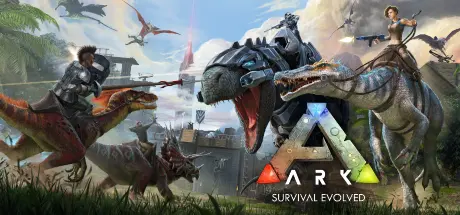
ARK: Survival Evolved

Featured Replies

where do i place the fjordur files from the dlc file i downloaded i and what file do i place in ____ is it the content or seekfreecontent or both

image.png

image.pngwhen i picked fjordur map this loaded but when i spawn im in an empty sea

  • Replies 23
  • Views 7.8k
  • Created
  • Last Reply

Top Posters In This Topic

Posted Images

do I need to extract both parts to play? cause when I try to start the shootergame.exe It gives me an error "failed to open descriptor file ../../../shooterGame/ShooterGame.uproject

Captura de pantalla (2).png

  • Author
16 minutes ago, chocomilk1211 said:

do I need to extract both parts to play? cause when I try to start the shootergame.exe It gives me an error "failed to open descriptor file ../../../shooterGame/ShooterGame.uproject

Read game download guide, all steps writed. If game path so long, game not work. You need to put all parts same folder and just extract part1.

YeisonS1, 03/04/2026 - 22:33 tarihinde yazdฤฑ:

Je souhaite tรฉlรฉcharger The Ark, mais sans tous les DLC, car ils prennent beaucoup d'espace. Si quelqu'un possรจde The Ark avec uniquement le DLC Ragnarok ou un autre DLC, serait-il trรจs aimable de me le faire parvenirย ?

me too,have you a answer please?

๐Ÿ‘SuphitSam

Create an account or sign in to comment

Recently Browsing 0

  • No registered users viewing this page.

Account

Navigation

Search

Search

๐Ÿ”Ž Search Tip
For exact results, search using "game name" .
Without quotes, results may include unrelated titles.

Configure browser push notifications

Chrome (Android)
  1. Tap the lock icon next to the address bar.
  2. Tap Permissions โ†’ Notifications.
  3. Adjust your preference.
Chrome (Desktop)
  1. Click the padlock icon in the address bar.
  2. Select Site settings.
  3. Find Notifications and adjust your preference.
