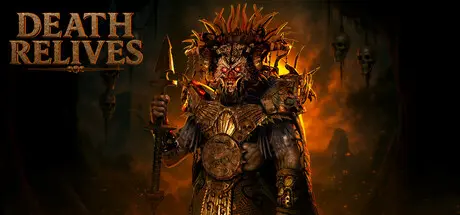
August 31, 20251 yr Death Relives Game DetailsRelease Name: Death RelivesGame Version: v0.14.68 | Build 19494245Release Date: 25 Jul, 2025Publisher: Nyctophile StudiosDeveloper: Nyctophile StudiosBased On: CSF & GoldbergDeath Relives Direct Download - Game OverviewHe's right behind you in every step you take. You should stay hidden and evade him during the whole journey while also solving the puzzles along the way. You have no super powers, only mere equipments.Put yourself in shoes of Adrian, and try to rescue your mother from being sacrificied by the Aztec god. Learn about secrets of Aztec history.Powered by Unreal Engine 5's latest technologies, immerse yourself in a mansion which was host to an Aztec god for decades.Death Relives Screenshots Death Relives TrailerDeath Relives System Requirements Minimum RequirementsRecommended Requirements OSWindows 10 21H2 or aboveWindows 10 21H2 or above ProcessorIntel i3/i5 or equivalentIntel i7 or equivalent Memory8 GB RAM16 GB RAM GraphicsNVIDIA GTX 1060NVIDIA RTX 2070 DirectXVersion 11Version 12 Storage40 GB available space40 GB available space How to Install Death RelivesNo Installation Needed: The game is pre-installed. Just download and extract.Extract: Right-click the .zip or .rar file and select "Extract Here" or "Extract to folder".Run: Find Xipetotec\Binaries\Win64\DeathRelives-Win64-Shipping.exe inside the folder and run it.Game Data & SettingsChange Language: Edit the file located at steam_settings/Configs.user.iniSave Data Location: %USERPROFILE%/AppData/Local/Xipetotec/Saved/SaveGamesImportant NotesTo support the Game Developer, Get It On Steam.🔥DOWNLOAD AREA🔥🔹20.92 GB🔹Select the server you want to download with ZeiLink.Download





Create an account or sign in to comment