



Skip to content
View in the app

A better way to browse. Learn more.

ZeiGames

A full-screen app on your home screen with push notifications, badges and more.

To install this app on iOS and iPadOS
  1. Tap the Share icon in Safari
  2. Scroll the menu and tap Add to Home Screen.
  3. Tap Add in the top-right corner.
To install this app on Android
  1. Tap the 3-dot menu (โ‹ฎ) in the top-right corner of the browser.
  2. Tap Add to Home screen or Install app.
  3. Confirm by tapping Install.

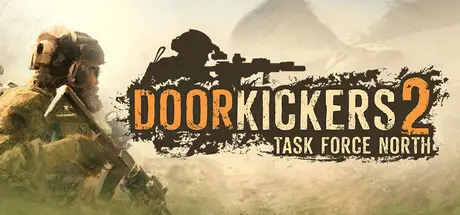
Door Kickers 2: Task Force North Free Download (v1.9 + Online)
Featured Replies

header.webp

Game Details

Release Name:ย Door Kickers 2: Task Force North

Game Version:ย v1.9 | Build 18139263

Release Date: 10 Feb, 2025

Publisher: KillHouse Games

Developer: KillHouse Games

Based On:ย CSF & Goldberg

Door Kickers 2: Task Force North Direct Download - Game Review

The sequel to the hit tactics game Door Kickers, Task Force North brings you the best portrayal of modern Close Quarters Combat and Tactics in a video game.

Control Special Operation Units in daring raids to rescue hostages, neutralize and capture terrorists in the fictional country of Nowheraki, Middle East.

Top-down tactics withย Real Time gameplay but pause-at-willย allows you to think, rethink, and still bite your nails as the action happens. And there'sย no turns, hexes or action points to manage.ย 

The game models deadly threats and techs: suicide bombers, IEDs and Rocket-Propelled Grenades - but gives you tools to dominate: Light Machine Guns for suppressive fire, Night Vision Goggles to own the night and wall breaching charges to open new entry points.

Destructible environmentย lets you progress through the non-linear levels. If something stands in your way, tear it down! Any strategy is viable.

You can even choose the unit to deploy for any mission:

  • U.S. Army Rangersย - firepower, numbers and skilled, coordinated violence.

  • CIA Special Activities Divisionย - small unit of Covert Operators, able to go undercover but also deliver surgical strikes when needed.

  • Nowheraki SWATย - grit, improvised tech and gear borrowed from their US advisors.

It's NOTย  just skins and weapons, but distinct playing style, abilities and unit doctrines.

Should there be more units? Tell us what YOU think!


Game Screenshots

screenshot screenshot screenshot screenshot


Game Trailer


System Requirements

Minimum Requirements

Recommended Requirements

OS

Windows 10

Windows 10

Processor

quad-core

i9

Memory

4 GB RAM

4 GB RAM

Graphics

Integrated Intel HD 630 or better (OpenGL 3.1 / DirectX 10 compatible video card)

Any dedicated video card newer than 2017

DirectX

-

-

Storage

2 GB available space

2 GB available space


Installation Guide

  1. No Installation Needed: The game is pre-installed. Just download and extract.

  2. Extract: Right-click the .zip or .rar file and select "Extract Here" or "Extract to folder".

  3. Run: Find DoorKickers2.exe or runtime_win32/DoorKickers2.exe inside the folder and run it.

Multiplayer & Online (Optional)

  • Play Online: Download the Online Fix file and apply it to the game folder.

  • Please go to the online fix page and read the guide.

Game Data & Settings

  • Change Language: Edit the file located at steam_settings/Configs.user.ini

  • Save Data Location: %USERPROFILE%/AppData/Local/KillHouseGames/DoorKickers2

Important Notes

๐Ÿ”ฅDOWNLOAD AREA๐Ÿ”ฅ

๐Ÿ”น1.83 GB๐Ÿ”น

Select the server you want to download with ZeiLink.

Download

Door Kickers 2: Task Force North Online Fix

  • DicDale changed the title to Door Kickers 2: Task Force North Free Download (v1.9 + Online)

  • Views 1.3k
  • Created
  • Last Reply

Posted Images

Create an account or sign in to comment

Recently Browsing 0

  • No registered users viewing this page.

Account

Navigation

Search

Search

๐Ÿ”Ž Search Tip
For exact results, search using "game name" .
Without quotes, results may include unrelated titles.

Configure browser push notifications

Chrome (Android)
  1. Tap the lock icon next to the address bar.
  2. Tap Permissions โ†’ Notifications.
  3. Adjust your preference.
Chrome (Desktop)
  1. Click the padlock icon in the address bar.
  2. Select Site settings.
  3. Find Notifications and adjust your preference.