



Skip to content
View in the app

A better way to browse. Learn more.

ZeiGames

A full-screen app on your home screen with push notifications, badges and more.

To install this app on iOS and iPadOS
  1. Tap the Share icon in Safari
  2. Scroll the menu and tap Add to Home Screen.
  3. Tap Add in the top-right corner.
To install this app on Android
  1. Tap the 3-dot menu (โ‹ฎ) in the top-right corner of the browser.
  2. Tap Add to Home screen or Install app.
  3. Confirm by tapping Install.

Supermarket Simulator Free Download (v1.5.1 + ALL DLC + Online)
Featured Replies

header.webp

Game Details

Release Name:ย Supermarket Simulator

Game Version:ย v1.5.1 | Build 24315477

Release Date: 19 Jun, 2025

Publisher: Nokta Games

Developer: Nokta Games

Based On:ย CSF & Goldberg

Supermarket Simulator Direct Download - Game Review

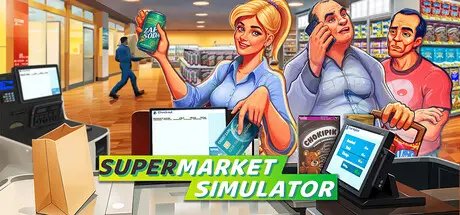
"Supermarket Simulator" is a chill first-person simulation where every detail of running a supermarket comes alive.

Design your store, optimizing for efficiency and aesthetics. Determine where products are displayed, manage your aisles, and ensure a smooth shopping experience for your customers.

Order stock using an in-game computer. Unpack goods, organize them in your storage room and place them on shelves, fridges, and freezers.

Scan items, take cash and credit card payments, and ensure customers leave satisfied with their shopping and checkout experience.

Navigate the complexities of a real-time market. Buy products when prices dip and determine the best-selling prices to balance customer satisfaction with profit margins.

As you accumulate profits, consider reinvesting. Expand your store's physical space, upgrade interiors, and continually adapt to the evolving demands of the retail world.


Game Screenshots

screenshot screenshot screenshot screenshot


Game Trailer


System Requirements

Minimum Requirements

Recommended Requirements

OS

Windows (64-bit) 10

Windows (64-bit) 10

Processor

i5 3550 / RYZEN 5 2500X

i5 7600K /โ€‚Ryzen 5 2600x

Memory

8 GB RAM

16 GB RAM

Graphics

NVIDIA GTX 1050 / AMD R9 270X

NVIDIA GTX 2070 / AMD 5700 XT

DirectX

Version 11

Version 11

Storage

5 GB available space

5 GB available space


Installation Guide

  1. No Installation Needed: The game is pre-installed. Just download and extract.

  2. Extract: Right-click the .zip or .rar file and select "Extract Here" or "Extract to folder".

  3. Run: Find Supermarket Simulator.exe inside the folder and run it.

Multiplayer & Online (Optional)

  • Play Online: Download the Online Fix file and apply it to the game folder.

  • Please go to the online fix page and read the guide.

Game Data & Settings

  • Change Language: Edit the file located at steam_settings/Configs.user.ini

  • Save Data Location: %USERPROFILE%/AppData/LocalLow/Nokta Games/Supermarket Simulator

Important Notes

DLC List

Added DLCs

Supermarket Simulator - Vending Machine DLC

Supermarket Simulator - Essentials DLC

Supermarket Simulator - Ice Cream DLC

Supermarket Simulator - Bakery DLC

Supermarket Simulator - Hardware DLC

Supermarket Simulator - Electronics DLC

Supermarket Simulator - Clothing DLC

๐Ÿ”ฅDOWNLOAD AREA๐Ÿ”ฅ

๐Ÿ”น1.16 GB๐Ÿ”น

Select the server you want to download with ZeiLink.

Download

Online Fix - (RAR pass: rexagames.com)

  • 1 month later...
  • Replies 16
  • Views 11.3k
  • Created
  • Last Reply

Top Posters In This Topic

Most Popular Posts

  • FatalImagine
    FatalImagine

    Hey @DicDale, the self-protection failed is due to the online-fix being corrupted somehow, possibly the .ini. A simple re-install of it from the original fix site has fixed the game from not launching

  • Fixed

  • FatalImagine
    FatalImagine

    THANK-YOU @DicDale ! But, the topic title is still the old version.

Most Helpful Posts

Posted Images

  • 2 weeks later...

Unable to start the game, get a error message saying failed to load Custom.dll from the list. Error code: 126

7 minutes ago, Novagalaxy said:

Unable to start the game, get a error message saying failed to load Custom.dll from the list. Error code: 126

Apparently there doesn't seem to be a file in the game folder called Custom.dll

  • Author
7 hours ago, Novagalaxy said:

Unable to start the game, get a error message saying failed to load Custom.dll from the list. Error code: 126

Apparently there doesn't seem to be a file in the game folder called Custom.dll

Your antivirus program deleted crack file.

  • 3 weeks later...

Getting an error on launch, Self-protection failed error code: 4. Av hasnt removed anything tried downloading and launching with it on and off

On 11/19/2025 at 8:23 PM, Eviler said:

Getting an error on launch, Self-protection failed error code: 4. Av hasnt removed anything tried downloading and launching with it on and off

i also get this error image.png

  • 2 months later...

Hey @DicDale, the self-protection failed is due to the online-fix being corrupted somehow, possibly the .ini. A simple re-install of it from the original fix site has fixed the game from not launching. :) (v1.1.7)

All hail RexaGames.

Create an account or sign in to comment

Recently Browsing 0

  • No registered users viewing this page.

Account

Navigation

Search

Search

๐Ÿ”Ž Search Tip
For exact results, search using "game name" .
Without quotes, results may include unrelated titles.

Configure browser push notifications

Chrome (Android)
  1. Tap the lock icon next to the address bar.
  2. Tap Permissions โ†’ Notifications.
  3. Adjust your preference.
Chrome (Desktop)
  1. Click the padlock icon in the address bar.
  2. Select Site settings.
  3. Find Notifications and adjust your preference.
