



Skip to content
View in the app

A better way to browse. Learn more.

ZeiGames

A full-screen app on your home screen with push notifications, badges and more.

To install this app on iOS and iPadOS
  1. Tap the Share icon in Safari
  2. Scroll the menu and tap Add to Home Screen.
  3. Tap Add in the top-right corner.
To install this app on Android
  1. Tap the 3-dot menu (โ‹ฎ) in the top-right corner of the browser.
  2. Tap Add to Home screen or Install app.
  3. Confirm by tapping Install.

Mini Racer Car Shop Simulator Free Download (v1.0.13)
Featured Replies

header.webp

Game Details

Release Name:ย Mini Racer Car Shop Simulator

Game Version:ย v1.0.13 | Build 19326603

Release Date: 9 May, 2025

Publisher: PlayWay S.A.

Developer: Bewolba Studios

Based On:ย CSF & Goldberg

Mini Racer Car Shop Simulator Direct Download - Game Review

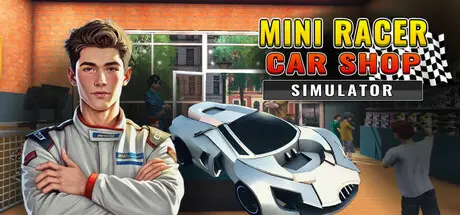
Mini Racer Car Shop Simulator allow you to manage every aspect of your mini racer car shop! Sell detailed mini cars and a variety of spare parts, offer draws for rare items, and showcase your custom-built mini cars for customers to buy. As you grow your business, you can test drive your creation in race tracks to evaluate your custom build mini cars and turning your shop into the top destination for car enthusiasts!

To give an extra layer of excitement, each car packs feature a gacha system where you can try your luck to get rare spare parts. Each draw offers a random part, which could be the crucial piece needed to complete your ultimate mini car.

You'll have access to a wide variety of miniature racing car models, all crafted with impressive detail to attract car enthusiasts. You'll need to carefully manage your stock to ensure you always have the best selection available, keeping your customers satisfied and your business thriving.ย As the shop owner, you also can have your own mini cars collection by opening car packs.

Not only do you sell miniature cars, but you can also offer a variety of spare parts to enhance the performance of the mini cars. From mini engines to wheels and unique spare parts, provide your customers with the best selection to build their dream mini cars. Each part has different quality levels and performance, so you need to be strategic in stocking and providing the best for your loyal customers. You also can grab a pack for modifying your own car.

Show off your best work in an eye-catching showcase area! Here, you can display your most impressive custom-built mini cars for customers to buy. For each masterpiece you can set your own price based on the cars performance.

Experience test drive your custom-built mini cars on a race track! This feature allows you to feel the performance of your custom-built cars firsthand. Whether it's testing speed, handling, or unique upgrades, the race track provides an exciting way to showcase the quality and capability of your custom-built mini cars.

Mini Racer Car Shop Simulator offers creativity making it an ideal haven for mini car enthusiasts. Start today and transform your shop into the ultimate destination for customers!


Game Screenshots

screenshot screenshot screenshot screenshot


Game Trailer


System Requirements

Minimum Requirements

Recommended Requirements

OS

Windows 10 64bit or newer

Windows 10 64bit or newer

Processor

AMD Ryzen 5 1600 / Intel Core i5-8400

AMD Ryzen 5 3600 / Intel Core i7 7700K

Memory

8 GB RAM

16 GB RAM

Graphics

NVidia GeForce GTX 970 4GB

NVidia GeForce GTX 1070 8GB

DirectX

Version 11

Version 11

Storage

10 GB available space

10 GB available space


Installation Guide

  1. No Installation Needed: The game is pre-installed. Just download and extract.

  2. Extract: Right-click the .zip or .rar file and select "Extract Here" or "Extract to folder".

  3. Run: Find Mini Racer Car Shop Simulator.exe inside the folder and run it.

Game Data & Settings

  • Change Language: Edit the file located at steam_settings/Configs.user.ini

  • Save Data Location: %USERPROFILE%/AppData/Local/Mini Racer Car Shop Simulator

Important Notes

๐Ÿ”ฅDOWNLOAD AREA๐Ÿ”ฅ

๐Ÿ”น988 MB๐Ÿ”น

Select the server you want to download with ZeiLink.

Download

  • Views 587
  • Created
  • Last Reply

Posted Images

Create an account or sign in to comment

Recently Browsing 0

  • No registered users viewing this page.

Account

Navigation

Search

Search

๐Ÿ”Ž Search Tip
For exact results, search using "game name" .
Without quotes, results may include unrelated titles.

Configure browser push notifications

Chrome (Android)
  1. Tap the lock icon next to the address bar.
  2. Tap Permissions โ†’ Notifications.
  3. Adjust your preference.
Chrome (Desktop)
  1. Click the padlock icon in the address bar.
  2. Select Site settings.
  3. Find Notifications and adjust your preference.
