



Theme
Language

Layout
Skip to content
View in the app

A better way to browse. Learn more.

ZeiGames

A full-screen app on your home screen with push notifications, badges and more.

To install this app on iOS and iPadOS
  1. Tap the Share icon in Safari
  2. Scroll the menu and tap Add to Home Screen.
  3. Tap Add in the top-right corner.
To install this app on Android
  1. Tap the 3-dot menu (โ‹ฎ) in the top-right corner of the browser.
  2. Tap Add to Home screen or Install app.
  3. Confirm by tapping Install.

Makai Kingdom: Reclaimed and Rebound Free Download (Build 8799301 + Digital Art Book DLC)
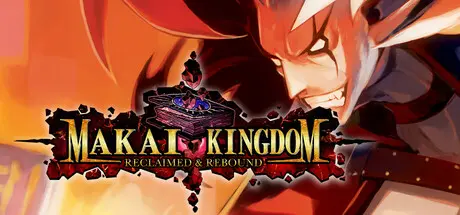
Makai Kingdom: Reclaimed and Rebound

Featured Replies

Makai Kingdom: Reclaimed and Rebound cover art

Makai Kingdom: Reclaimed and Rebound Game Details

Release Name:ย Makai Kingdom: Reclaimed and Rebound

Game Version:ย Build 8799301

Release Date: 10 May, 2022

Publisher: NIS America, Inc.

Developer: Nippon Ichi Software, Inc., Codeglue

Based On:ย CSF & Goldberg

Makai Kingdom: Reclaimed and Rebound Direct Download - Game Overview

Whatโ€™s an Overlord to do when your Netherworld is destroyed and youโ€™ve managed to just barely save your own life by sealing your soul in a sacred tome? In this strategy RPG you take on the role of Overlord Zetta, Overlord of Overlords, in his quest to reclaim his Netherworld and his body after a destructive prophecy came true and his entire Netherworld was wiped off the map.

Using cunning strategies, ultra-powerful magic, and a vast range of crazy deadly weapons, Lord Zetta aims to take control of his enemiesโ€™ lands. Using a feature unique to this battle system, you can summon your army via the INVITE system to do your bidding on the battlefield and dominate your foes! This iteration of Makai Kingdom also includes the western debut of Petta Mode where you can discover the origin story of Zettaโ€™s daughter from the future.


Makai Kingdom: Reclaimed and Rebound Screenshots

Makai Kingdom: Reclaimed and Rebound screenshot 1 Makai Kingdom: Reclaimed and Rebound screenshot 2 Makai Kingdom: Reclaimed and Rebound screenshot 3 Makai Kingdom: Reclaimed and Rebound screenshot 4


Makai Kingdom: Reclaimed and Rebound Trailer


Makai Kingdom: Reclaimed and Rebound System Requirements

Minimum Requirements

Recommended Requirements

OS

Windows 10

Windows 10

Processor

Intel Core2 Quad Q9300 2.5 GHz

Intel Core i5-4670K

Memory

2 GB RAM

4 GB RAM

Graphics

Radeon HD 5450

Geforce GT 640, Radeon HD 6450

DirectX

-

-

Storage

1 GB available space

1 GB available space


How to Install Makai Kingdom: Reclaimed and Rebound

  1. No Installation Needed: The game is pre-installed. Just download and extract.

  2. Extract: Right-click the .zip or .rar file and select "Extract Here" or "Extract to folder".

  3. Run: Find MakaiKingdom.exe inside the folder and run it.

Game Data & Settings

  • Change Language: Edit the file located at steam_settings/Configs.user.ini

  • Save Data Location: %USERPROFILE%/Saved Games/Makai Kingdom Reclaimed and Rebound

Important Notes

DLC List

Added DLCs

Makai Kingdom: Reclaimed and Rebound - Digital Art Book

๐Ÿ”ฅDOWNLOAD AREA๐Ÿ”ฅ

๐Ÿ”น955 MB๐Ÿ”น

Select the server you want to download with ZeiLink.

Download

  • Views 131
  • Created
  • Last Reply

Posted Images

Create an account or sign in to comment

Recently Browsing 0

  • No registered users viewing this page.

Account

Navigation

Search

Search

๐Ÿ”Ž Search Tip
For exact results, search using "game name" .
Without quotes, results may include unrelated titles.

Configure browser push notifications

Chrome (Android)
  1. Tap the lock icon next to the address bar.
  2. Tap Permissions โ†’ Notifications.
  3. Adjust your preference.
Chrome (Desktop)
  1. Click the padlock icon in the address bar.
  2. Select Site settings.
  3. Find Notifications and adjust your preference.
