



Skip to content
View in the app

A better way to browse. Learn more.

ZeiGames

A full-screen app on your home screen with push notifications, badges and more.

To install this app on iOS and iPadOS
  1. Tap the Share icon in Safari
  2. Scroll the menu and tap Add to Home Screen.
  3. Tap Add in the top-right corner.
To install this app on Android
  1. Tap the 3-dot menu (โ‹ฎ) in the top-right corner of the browser.
  2. Tap Add to Home screen or Install app.
  3. Confirm by tapping Install.

Desktop Nard: Dice Idle Free Download (Build 23365567 + Supporter Pack DLC)
Featured Replies

header.webp

Game Details

Release Name:ย Desktop Nard: Dice Idle

Game Version:ย Build 23365567

Release Date: 20 May, 2026

Publisher: Samharia Studios

Developer: Samharia Studios

Based On:ย CSF & Goldberg

Desktop Nard: Dice Idle Direct Download - Game Review

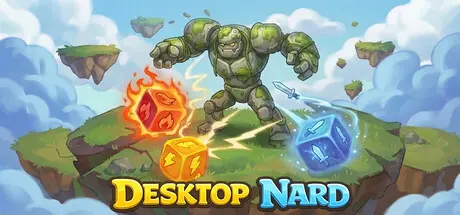
A loot-based idle game where dice roll across your screen, triggering skills on monsters, farming them for you.

Let it run full-screen, or dock it in the corner of your desktop,ย or strip everything down into a gadget for lootย to know when anย extremely rare loot drops.

  • Itemized Dice: Every dice is a piece of loot with unique stats and skills.

  • Endless Loot Hunting: Monsters drop dice, gemstones, scrolls, combo rings, relics, and automator gears each pushing your build further and unlocking new synergies.

  • Prestige & Skill Trees: Rebirth to unlock 4 skill trees that significantly transform your game and provide powerful bonuses.

  • Maps: Enter a new world with powerful rewards.

  • And many more systems.


Game Screenshots

screenshot screenshot screenshot screenshot


Game Trailer


System Requirements

Minimum Requirements

Recommended Requirements

OS

Windows 7

-

Processor

-

-

Memory

512 MB RAM

-

Graphics

-

-

DirectX

-

-

Storage

450 MB available space

-


Installation Guide

  1. No Installation Needed: The game is pre-installed. Just download and extract.

  2. Extract: Right-click the .zip or .rar file and select "Extract Here" or "Extract to folder".

  3. Run: Find Desktop Nard.exe inside the folder and run it.

Game Data & Settings

  • Change Language: Edit the file located at steam_settings/Configs.user.ini

  • Save Data Location: %USERPROFILE%/AppData/LocalLow/Samharia Studios/Desktop Nard

Important Notes

DLC List

Added DLCs

Desktop Nard - Supporter Pack

๐Ÿ”ฅDOWNLOAD AREA๐Ÿ”ฅ

๐Ÿ”น102 MB๐Ÿ”น

Select the server you want to download with ZeiLink.

Download

  • Views 409
  • Created
  • Last Reply

Posted Images

Create an account or sign in to comment

Recently Browsing 0

  • No registered users viewing this page.

Account

Navigation

Search

Search

๐Ÿ”Ž Search Tip
For exact results, search using "game name" .
Without quotes, results may include unrelated titles.

Configure browser push notifications

Chrome (Android)
  1. Tap the lock icon next to the address bar.
  2. Tap Permissions โ†’ Notifications.
  3. Adjust your preference.
Chrome (Desktop)
  1. Click the padlock icon in the address bar.
  2. Select Site settings.
  3. Find Notifications and adjust your preference.
