



Skip to content
View in the app

A better way to browse. Learn more.

ZeiGames

A full-screen app on your home screen with push notifications, badges and more.

To install this app on iOS and iPadOS
  1. Tap the Share icon in Safari
  2. Scroll the menu and tap Add to Home Screen.
  3. Tap Add in the top-right corner.
To install this app on Android
  1. Tap the 3-dot menu (โ‹ฎ) in the top-right corner of the browser.
  2. Tap Add to Home screen or Install app.
  3. Confirm by tapping Install.

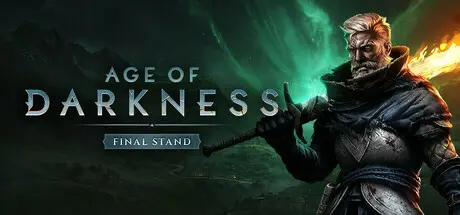
Age of Darkness: Final Stand Free Download (v1.0.2.1 + Online)
Featured Replies

header.webp

Game Details

Release Name:ย Age of Darkness: Final Stand

Game Version:ย v1.0.2.1 | Build 18033427

Release Date: 15 Jan, 2025

Publisher: PlaySide

Developer: PlaySide

Based On:ย CSF & Goldberg

Age of Darkness: Final Stand Direct Download - Game Review

Build, Gather and Fight in a Desperate Last Stand Against an Onslaught of Never Ending Evil!

The darkness is an entity of evil. Some say it is the manifestation of human fear and nightmares, others say it is a wandering mass of damned souls haunting us. The origin of the darkness itself is unknown, but one thing for certain is that we can keep it at bay through the power of light and fire.

The complete, full release of Age of Darkness: Final Stand is available now and includes Co-operative Multiplayer, Campaign, and Survival modes.

Brace yourself against huge tidal waves of Nightmares. Leveraging an internally developed technology called โ€˜SwarmTechโ€™ allows the game to render over 70,000 enemy units on the screen at one time. These enemy legions claw their way up through seething fissures in the earth to reinforce โ€˜The Veilโ€™.

Light up a rich, complex, procedurally generated map to claim territory back from โ€˜The Veilโ€™. A dynamic living death fog that conceals enemies and drains life from your troops. Holding the line against this terror is not for the faint of heart.

Borrowing from the the roguelite genre, Malices are random afflictions placed on the player during every Death Night, unraveling the best made plans. Conversely, if a Death Night is survived, you may decide between three randomly selected Blessings, enriching the experience and giving your army a much needed edge.

Lead the charge against the horrors of the night with powerful and unique Heroes. Using special abilities gained from leveling up, these Heroes can be key to turning the tide of a desperate battle. But beware, the Nightmares have Elite roaming champions of their own that drop precious resources when killed, posing an extreme and ever-present threat to your expansion.

  • Co-Op Multiplayer - Team up with a friend in co-op multiplayer to survive the onslaught, defend humanity from the forces beyond the Veil, and reclaim the light together

  • Epic Campaign - Award winning single-player campaign full of epic battles and dire threats

  • Survival Mode - Put your endurance and skills to the test in the endlessly replayable Survival Mode

  • Award-Winning SwarmTechโ„ข Technology โ€“ Witness the internally developed โ€˜SwarmTechโ€™ technology, allowing the game to render over 70,000 enemy AI units on the screen at one time.

  • Unique Heroes & Factions โ€“ Choose Heroes reigning from three distinct Factions - The Order, Rebellion & Volatists - each with their own playstyles, abilities, bonuses and army units that offer a unique gameplay experience.

  • Dynamic Day & Night Cycle โ€“ Fight to reclaim territory by day and survive against the relentless horrors that come with every night.

  • Living Death Fog โ€“ Encounter The Veil, a living death fog that conceals terrors and adds a new layer of danger to your survival, which must be kept at bay through the power of the Light.

  • Malices, Blessings & Hardships โ€“ Embrace roguelite mechanics that make every run unpredictable and unique.

  • Elite Nightmares โ€“ Hunt down wandering powerful enemies for Dark Essence, each requiring different tactics and strategies to defeat.

  • Horror and Embolden Status Effects - Embolden your army to aid them in battle, but ensure they are protected from the brutal effects of being Horrified.

  • Terrifying Nightmare Foes โ€“ Face off against horrifying monsters like Spitters, Crushers, and Wraiths, each wielding unique abilities.


Game Screenshots

screenshot screenshot screenshot screenshot


Game Trailer


System Requirements

Minimum Requirements

Recommended Requirements

OS

Windows 10

Windows 10

Processor

Intel Core i5-10600 or AMD Ryzen 5 3600XT

Intel Core i5-12600K or AMD Ryzen 5 7600

Memory

16 GB RAM

16 GB RAM

Graphics

NVIDIA GeForce GTX 770, 4 GB or AMD Radeon R9 380, 4 GB

NVIDIA GeForce GTX 1070, 8 GB or AMD Radeon RX Vega 56, 8 GB

DirectX

-

-

Storage

10 GB available space

10 GB available space


Installation Guide

  1. No Installation Needed: The game is pre-installed. Just download and extract.

  2. Extract: Right-click the .zip or .rar file and select "Extract Here" or "Extract to folder".

  3. Run: Find Achilles.exe inside the folder and run it.

Multiplayer & Online (Optional)

  • Play Online: Download the Online Fix file and apply it to the game folder.

  • Please go to the online fix page and read the guide.

Game Data & Settings

  • Change Language: Edit the file located at steam_settings/Configs.user.ini

  • Save Data Location: %USERPROFILE%/My Documents/My Games/AgeOfDarkness/Saves

Important Notes

๐Ÿ”ฅDOWNLOAD AREA๐Ÿ”ฅ

๐Ÿ”น7.67 GB๐Ÿ”น

Select the server you want to download with ZeiLink.

Download

Online Fix - (RAR pass: zeigames.com)

  • Views 788
  • Created
  • Last Reply

Posted Images

Create an account or sign in to comment

Recently Browsing 0

  • No registered users viewing this page.

Account

Navigation

Search

Search

๐Ÿ”Ž Search Tip
For exact results, search using "game name" .
Without quotes, results may include unrelated titles.

Configure browser push notifications

Chrome (Android)
  1. Tap the lock icon next to the address bar.
  2. Tap Permissions โ†’ Notifications.
  3. Adjust your preference.
Chrome (Desktop)
  1. Click the padlock icon in the address bar.
  2. Select Site settings.
  3. Find Notifications and adjust your preference.
