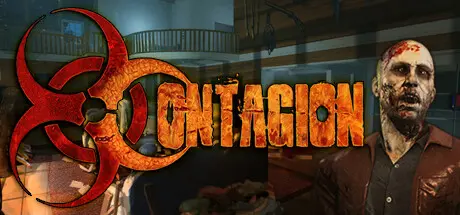
September 26, 2025Sep 26 Contagion Game DetailsRelease Name: ContagionGame Version: v2.3.0.1.6 | Build 19556414Release Date: 25 Oct, 2013Publisher: Monochrome, IncDeveloper: Monochrome, IncBased On: CSF & GoldbergContagion Direct Download - Game Overview- Each play through is never the same with our built-in randomization system that changes the game/round each time you play!- Our advanced gibbing system will immerse you into the game with limbs and organs being blown or hacked off!- Realistic ambient and sound effects that instantly draw you into the games dark apocalyptic atmosphere!- Slow moving undead that can only be truly laid to rest with a bullet to the brain or enough wasted lead in their body wasting away the ability to function.- Over 28 vital pieces of equipment from a large selection of firearms, melee weapons, don't forget explosives, support items, tools, and much more to be added!- Choose from a multitude of classic and new game-modes that require co-op and survival skills in which you escape, extract civilians or hunt each other! Not to mention our Panic!, Flatline mode and more!Contagion Screenshots Contagion TrailerContagion System Requirements Minimum RequirementsRecommended Requirements OSWindows® 7 32/64-bit / Windows® 8 32/64-bit / Windows® 10 32/64-bitWindows® 10 32/64-bit Processor2.4 GHz Intel Dual Core Processor2.4 GHz Intel Dual Core Processor Memory4 GB RAM8 GB RAM GraphicsDirectX® 9 compatible video card with 256 MB, Shader model 2.0. ATI X800, NVidia 6600 or betterDirectX® 9 compatible video card with 512 MB, Shader model 3.0. ATI X1600, NVidia 7600 or better DirectX9.0c9.0c Storage10 GB HDD Space10 GB HDD Space How to Install ContagionNo Installation Needed: The game is pre-installed. Just download and extract.Extract: Right-click the .zip or .rar file and select "Extract Here" or "Extract to folder".Run: Find Contagion.exe inside the folder and run it.Game Data & SettingsChange Language: Edit the file located at steam_settings/Configs.user.iniSave Data Location: */engine/sessionsImportant NotesTo support the Game Developer, Get It On Steam.🔥DOWNLOAD AREA🔥🔹5.42 GB🔹Select the server you want to download with ZeiLink.Download
January 6Jan 6 Hello,Unfortunately, none of the download links are currently working :(At the moment, the game is on version 2.3.0.1.7. Would it be possible to update it to this version, including online features and all DLCs?Thank you very much for read me.
January 6Jan 6 Author Just now, sentektix said:Hello,Unfortunately, none of the download links are currently working :(At the moment, the game is on version 2.3.0.1.7. Would it be possible to update it to this version, including online features and all DLCs?Thank you very much for read me.Hello, All links work, just use vpn or change the DNS to 1.1.1.1. Also latest version not improtant we update game only major updates





Create an account or sign in to comment