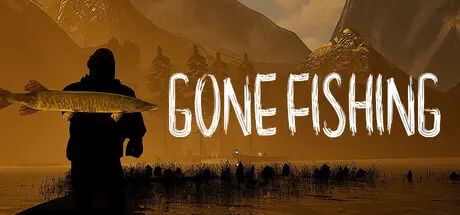
August 2, 20251 yr GONE Fishing Game DetailsRelease Name: GONE FishingGame Version: v6.1.2 | Build 21872944Release Date: 15 Jun, 2025Publisher: GONE StudiosDeveloper: GONE StudiosBased On: CSF & GoldbergGONE Fishing Direct Download - Game OverviewWelcome to Gone Fishing, a 1-8 player co-op horror game where players must fish together to satisfy the hunger of an ancient lake monster's never-ending hunger before each night falls.Cast your line, catch fish, and gather bait. But beneath the surface, something stirs and it's getting hungry... If you and your friends fail to offer enough fish before darkness creeps in, the creature will emerge, hunting you relentlessly. The cabin won’t keep you safe. Running won’t either. Only a full offering can delay the inevitable.Key Features:Immersive Fishing System: Catch a variety of fish species, each with unique behaviors, fight patterns, and sizes.Dynamic Bait Collection: Hunt for live bait, frogs, worms, spiders, and bats, that each react differently to your presence.Atmospheric Horror: Peaceful days turn into tense nights as the monster grows more aggressive with each failed offering.Co-Op Survival: Coordinate with your team to gather, fish, and survive, or risk being dragged into the lake one by one.Balloon Merchant: A mysterious trader floats in at midday, offering upgrades and totems that may be the difference between survival and doom.GONE Fishing Screenshots GONE Fishing TrailerGONE Fishing System Requirements Minimum RequirementsRecommended Requirements OSWindows 10 (64-bit)Windows 10 (64-bit) ProcessorIntel Core i5-2500K / AMD FX-6300Intel Core i7-12400/ AMD Ryzen 5 5600X Memory8 GB RAM12 GB RAM GraphicsNVIDIA GeForce GTX 970 / AMD Radeon R9 280NVIDIA GeForce RTX 3060 / AMD Radeon RX 6700xt DirectXVersion 11Version 12 Storage6 GB available space6 GB available space How to Install GONE FishingNo Installation Needed: The game is pre-installed. Just download and extract.Extract: Right-click the .zip or .rar file and select "Extract Here" or "Extract to folder".Run: Find GONEfishing.exe inside the folder and run it.Multiplayer & Online (Optional)Play Online: Download the Online Fix file and apply it to the game folder.Please go to the online fix page and read the guide.Game Data & SettingsChange Language: Edit the file located at steam_settings/Configs.user.iniImportant NotesTo support the Game Developer, Get It On Steam.🔥DOWNLOAD AREA🔥🔹5.23 GB🔹Select the server you want to download with ZeiLink.DownloadOnline Fix - (RAR pass: zeigames.com)
September 17, 2025Sep 17 Author 1 minute ago, AlhaFUN said:can i get Clean files ;)pretty pleaseDelete steam_api64.dll and steam_settings folder. Rename the steam_api64.rexa to steam_api64.dll you get it CSF.





Create an account or sign in to comment