



Skip to content
View in the app

A better way to browse. Learn more.

ZeiGames

A full-screen app on your home screen with push notifications, badges and more.

To install this app on iOS and iPadOS
  1. Tap the Share icon in Safari
  2. Scroll the menu and tap Add to Home Screen.
  3. Tap Add in the top-right corner.
To install this app on Android
  1. Tap the 3-dot menu (โ‹ฎ) in the top-right corner of the browser.
  2. Tap Add to Home screen or Install app.
  3. Confirm by tapping Install.

Station to Station Free Download (v1.5 + Art Book)
Featured Replies

header.webp

Game Details

Release Name:ย Station to Station

Game Version:ย v1.5 | Build 15163448

Release Date: 3 Oct, 2023

Publisher: Prismatika

Developer: Galaxy Grove

Based On:ย CSF & Goldberg

Station to Station Direct Download - Game Review

FEATURES

  • A relaxing and peaceful experience

  • Beautiful, colorful voxel art

  • Optional strategic gameplay to earn high scores


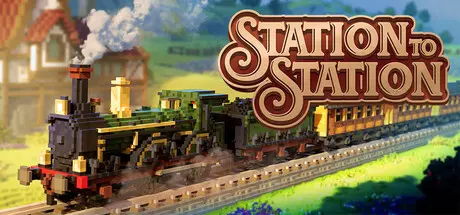
In Station to Station, your world starts small with a handful of rural structures. Place stations and create connections to foster growth and expansion. As you build more connections, your area will grow, transforming into a vibrant, lush environment full of life and color! To keep you on your toes, the game also features engaging puzzle elements, challenging you to optimize routes and solve logistical conundrums.
Hop on board and steam through colorful biomes. Breathe life into the dry desert sands, and transform the untamed mountain terrain. Build and watch your tranquil world come to life with an ever-widening tapestry of flora and fauna!
For those eager to put their management and planning skills to the test, each level offers optional challenges, stack bonuses, and unique mechanics tied to every biome! Whether you seek relaxation or mental stimulation, 'Station to Station' has something for everyone!


Game Screenshots

screenshot screenshot screenshot screenshot


Game Trailer


System Requirements

Minimum Requirements

Recommended Requirements

OS

Windows 10

Windows 10

Processor

Quad-Core

Quad-Core

Memory

8 GB RAM

8 GB RAM

Graphics

GeForce 770M, AMD HD 5970

GeForce RTX 2060 SUPER, AMD Radeon RX 5700 XT

DirectX

Version 11

Version 12

Storage

7 GB available space

7 GB available space


Installation Guide

  1. No Installation Needed: The game is pre-installed. Just download and extract.

  2. Extract: Right-click the .zip or .rar file and select "Extract Here" or "Extract to folder".

  3. Run: Find StationToStation.exe inside the folder and run it.

Game Data & Settings

  • Change Language: Edit the file located at steam_settings/Configs.user.ini

  • Save Data Location: %USERPROFILE%/AppData/Local/StationToStation\Saved\SaveGames

Important Notes

DLC List

Added DLCs

Station to Station Digital Artbook

๐Ÿ”ฅDOWNLOAD AREA๐Ÿ”ฅ

๐Ÿ”น2.14 GB๐Ÿ”น

Select the server you want to download with ZeiLink.

Download

  • Views 740
  • Created
  • Last Reply

Posted Images

Create an account or sign in to comment

Recently Browsing 0

  • No registered users viewing this page.

Account

Navigation

Search

Search

๐Ÿ”Ž Search Tip
For exact results, search using "game name" .
Without quotes, results may include unrelated titles.

Configure browser push notifications

Chrome (Android)
  1. Tap the lock icon next to the address bar.
  2. Tap Permissions โ†’ Notifications.
  3. Adjust your preference.
Chrome (Desktop)
  1. Click the padlock icon in the address bar.
  2. Select Site settings.
  3. Find Notifications and adjust your preference.
